Blog

  • Mechanic Website Design: Should You Build It Yourself or Hire a Pro?

    Mechanic Website Design: Should You Build It Yourself or Hire a Pro?

    You’ve got a solid reputation in your area. Customers who find you love you. Word of mouth keeps the bays busy — most days. But you’ve heard you should have a website, maybe you even built one on Wix or Squarespace a couple years back, and yet… your phone doesn’t ring from it. Not really.

    Here’s the thing most auto repair shops don’t realize: having a website and having a website that actually brings in customers are two completely different things. A lot of shops are sitting on digital storefronts that look fine on the surface but are quietly leaking leads every single day — and the owner has no idea.

    This article breaks down exactly what separates a site that works from one that just exists, whether you should build it yourself or hire someone who knows auto repair marketing, and what to look for so you’re not wasting another month without results.


    Your Website Is Like Your Shop’s Front Lot — First Impressions Are Everything

    When a driver pulls onto your street for the first time, they’re already making a judgment call. Is this place legit? Does it look like they know what they’re doing? Do I feel comfortable leaving my car here?

    Your website does the exact same job — except the judgment happens in about three seconds, before anyone even picks up the phone.

    If your site loads slowly, looks cluttered on a phone screen, or doesn’t immediately answer “where are you, what do you fix, and how do I call you?” — that potential customer is already hitting the back button. They’re not going to dig around. They’re going to call the next shop on the list.

    The brutal part? You’ll never know they were there.


    Why DIY Websites Fall Short for Auto Repair Shops

    Template builders like Wix, Squarespace, and GoDaddy make it easy to get something online. And for a lot of business types, something is fine. But auto repair is a local search game — meaning your customers are searching things like “oil change near me” or “brake repair [city name]” right now, on their phone, often from the side of the road.

    To show up for those searches, your site needs more than a nice logo and a photo of your shop. It needs to be built in a way that Google understands — and that takes specific, intentional choices that most DIY builders don’t make automatically.

    Here’s where most self-built auto repair sites quietly fail:

    • They load too slowly on mobile. Most auto repair customers are searching on their phones. If your site takes more than three seconds to load, a large portion of those visitors leave before they ever see your phone number. Google also ranks faster sites higher, so slow = invisible.
    • Google can’t tell exactly what you do or where you are. There’s a behind-the-scenes way of labeling your business information so search engines can read it clearly — called structured data. Without it, Google isn’t confident enough to show your shop in the results that matter most, like the map pack.
    • Your pages aren’t targeting the right searches. A generic homepage with “Welcome to Mike’s Auto Repair” isn’t going to rank for “transmission repair in [city]” or “check engine light diagnosis near me.” You need pages that speak directly to what people are actually searching.
    • No clear call to action. If a visitor has to hunt for your phone number or figure out how to book an appointment, they won’t. The path from landing on your site to calling your shop needs to be obvious and immediate.

    The Real Cost of a Website That Doesn’t Convert

    Think about what one new customer is worth to your shop. An average repair ticket — let’s say $400. If a customer comes back twice a year and sends one referral over their lifetime, that’s potentially thousands of dollars in revenue from a single relationship.

    Now think about how many people visit your website each month and leave without calling. Even if it’s just five or ten people a week, that adds up fast. Over a year, a website that converts at 1% instead of 5% could mean the difference between a slow month and a packed schedule.

    A website that doesn’t work isn’t free. It’s just costing you in a way that doesn’t show up on an invoice.


    💡 Pro Tip

    The #1 mistake auto repair shops make with their website: They build it once and never touch it again.

    Google rewards websites that are actively maintained — updated content, new service pages, consistent business information. A site that hasn’t been touched in two years sends a quiet signal that says “this business might not be active.” Meanwhile, your competitor who added a “brake service” page three months ago is showing up above you in search.

    The fix isn’t complicated — but it has to be intentional. New service pages, location-specific content, and regular updates signal to Google that your shop is the real deal.


    What the Best Auto Repair Websites Actually Do Differently

    The best auto repair websites aren’t just pretty — they’re built around one goal: getting the phone to ring. Here’s what separates a high-performing mechanic website from one that’s just taking up space online.

    They make the phone number impossible to miss. On every page. At the top. On mobile, it’s a tap-to-call button. No hunting, no scrolling.

    They speak to specific services. Instead of one generic “services” page, they have individual pages for oil changes, brake repair, transmission work, AC service — whatever the shop specializes in. Each page targets the exact phrase a customer would search.

    They build trust before the customer calls. Real reviews, real photos of the shop and team, clear information about certifications. A customer who’s never been to your shop is making a trust decision. The site’s job is to earn it.

    They load fast — everywhere. Especially on phones with slower connections. Speed isn’t a technical nicety, it’s a business requirement.

    They show up in the local map pack. This is the box with three local businesses that shows up near the top of Google search results. Getting there requires a combination of your Google Business Profile, website signals, and consistent information across the web — all working together.


    Before & After: What a Real Fix Looks Like

    Consider a shop like Garcia’s Auto Care — a two-bay independent shop in suburban Ohio. They had a website built by a family friend about four years ago. It looked decent, but the phone rarely rang from it. Most of their business was word-of-mouth and returning customers.

    When they had their site audited, three major problems surfaced immediately: the site wasn’t showing up in Google’s map results at all, the pages loaded in over six seconds on mobile (well above the threshold where most users leave), and there were no service-specific pages — just one generic list buried halfway down the homepage.

    After rebuilding the site with proper local SEO structure, faster hosting, individual service pages, and a cleaned-up Google Business Profile, the shop started appearing in the top three local results for searches like “oil change [city]” and “brake repair near me.” Within 90 days, they were fielding several new inbound calls per week from people who had never heard of them before — customers who found them directly through search.

    The shop didn’t change its pricing or services. The work was the same. The only thing that changed was making sure the right people could actually find them.


    Not sure if your auto repair website has these issues? Get a free website audit — no obligation, just a clear picture of what’s costing you leads.


    Your Path to More Leads: What the Process Actually Looks Like

    If you’re ready to stop guessing and start getting results, here’s what a smart path forward looks like:

    1. Find out what’s actually broken. Before spending money on anything, get an honest look at your current site — speed, local visibility, content gaps, and conversion issues. You can’t fix what you don’t know is broken.
    2. Get the technical foundation right. Fast loading, mobile-friendly design, and proper local business signals aren’t optional anymore — they’re the baseline Google expects before it shows your site to anyone.
    3. Build pages around what your customers are searching. Every service you offer, every city or suburb you serve — these should have their own dedicated page. Think of each one as another door someone can walk through to find your shop.
    4. Make it easy to contact you. Phone number at the top, a simple booking or contact form, clear hours and directions. Every step between “visitor” and “customer” needs to be frictionless.
    5. Keep it current. Add a new page, update your hours for the holidays, share a seasonal maintenance tip. Consistency signals credibility — to both Google and potential customers.

    Frequently Asked Questions

    Why am I not getting calls from my website even though I have one?

    Having a website and having a website that ranks are two different things. If Google isn’t confident in what your shop does, where you’re located, or how fast and mobile-friendly your site is, it won’t show your site to people searching for auto repair nearby. A free audit can pinpoint exactly why — start here.

    How do I know if my auto repair website is actually working?

    If you can’t tell you how many visitors your site gets each month, where they came from, and how many called or contacted you — your site isn’t working. A functioning auto repair website has tracking set up and shows measurable results: phone calls, form submissions, direction requests.

    How long does it take to see results from a new website?

    Most shops start seeing measurable improvement in local search visibility within 60–90 days of launching a properly built site. Significant results in competitive markets can take four to six months. Realistic timelines depend on your local competition and how much of a head start they have.

    What makes an auto repair website different from a regular business website?

    Auto repair is a local, high-trust, mobile-first business. Your customers are often searching from their car, in a stressful situation, and they need to make a fast decision. Your site needs to load instantly, clearly communicate trust signals (reviews, certifications, experience), and make calling as easy as one tap. Generic website templates aren’t built with any of that in mind.

    Do I really need a fast website if most of my customers are local?

    Yes — especially because they’re local. Local customers search on their phones, often on the go, sometimes with a spotty connection. Google’s own data consistently shows that most mobile users abandon a page that takes more than a few seconds to load. Speed directly affects whether your site even appears in search results in the first place.

    Can I just improve my current site, or do I need to start from scratch?

    It depends on what you’re working with. Some sites can be improved with targeted fixes — better page structure, faster hosting, added content. Others have foundational problems that make it more efficient to rebuild properly from the start. The only way to know is a proper audit of what you currently have. See what your site is doing (or not doing).


    Stop Leaving Leads on the Table

    Every week your website isn’t performing, real customers in your area are finding your competitors instead of you. They’re not choosing those shops because the service is better — they’re choosing them because those shops showed up when it mattered.

    Websites built for auto repair businesses aren’t complicated, but they are specific. The difference between a site that generates calls and one that just sits there is a set of intentional, industry-aware decisions — from how pages are built, to how fast they load, to how clearly Google can understand your business.

    If you want to know exactly what’s holding your current site back — no guesswork, no generic report — get your free website audit today. There’s no cost, no commitment, and no jargon. Just a clear look at what’s costing your shop leads every day, and what it would take to fix it.


    Ready to see what your site is really doing? Book your free audit →
  • The Best Auto Repair Shop Websites of 2026 (And What Makes Them Work)

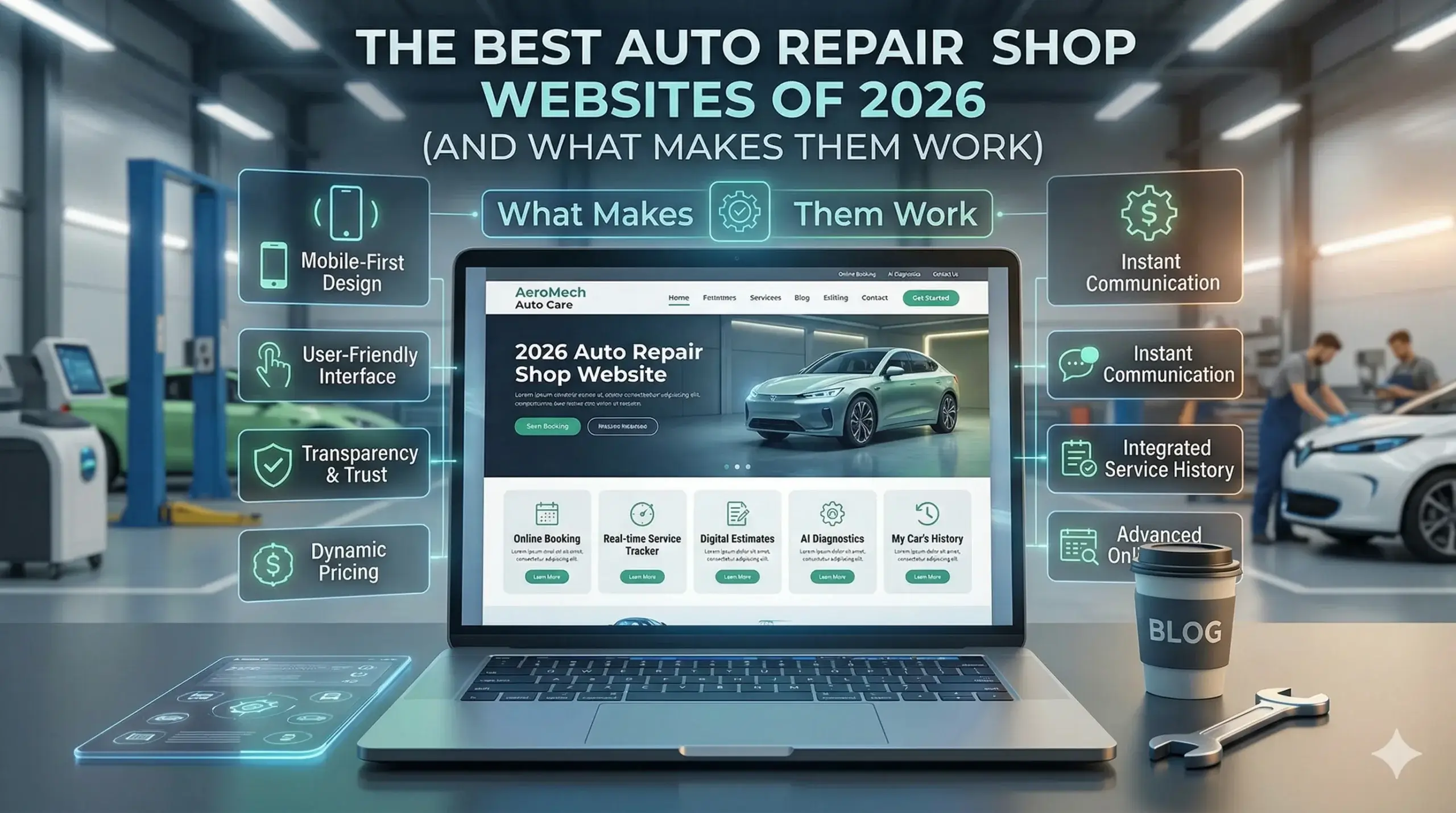
    The Best Auto Repair Shop Websites of 2026 (And What Makes Them Work)

    Your shop does great work. Your lifts are full, your techs are skilled, and your customers leave happy. So why does it feel like your website is the one part of your business that never pulls its weight?

    Most auto repair shop owners think their website just needs to “look better.” But the shops that are consistently pulling in new customers from Google aren’t winning on looks — they’re winning because their site is built to convert. Speed, trust signals, local search presence, and a clear path to booking: these are the things separating the shops with packed appointment books from the ones waiting for the phone to ring.

    This guide breaks down exactly what the best auto repair shop websites have in common — and what the average shop is quietly getting wrong every single day.


    Your Website Has 3 Seconds to Make Someone Call You

    Think about what happens when a car breaks down and the driver pulls over to search for a repair shop. They’re not browsing — they’re choosing fast. They tap the first result that looks trustworthy, and if that page takes more than a few seconds to load, they hit the back button and call your competitor.

    This happens constantly, and most shop owners have no idea.

    A slow site doesn’t just frustrate visitors — it actively pushes them away before they ever see your phone number, your services, or your years in business. And Google knows this. A site that loads slowly gets ranked lower, so not only are you losing visitors who find you, fewer people are finding you in the first place.

    The best auto repair websites load in under two seconds on a phone. If yours doesn’t, you’re paying for a website that’s turning away customers.

    Here’s what a fast, converting auto repair site does right:

    • Loads on mobile in under 2 seconds
    • Shows your phone number prominently at the top — clickable on mobile
    • States your location and core services immediately (no scrolling required)
    • Has a clear, single call-to-action: “Call Now,” “Book an Appointment,” or “Get a Quote”

    Most Mechanic Websites Look Fine But Don’t Actually Rank

    Here’s the frustrating part: your site might look decent and still be invisible on Google. That’s because looking good and being found are two completely different things.

    Google needs specific information to confidently show your business in local search results. If your site doesn’t have that information structured the right way, Google essentially guesses — and usually guesses wrong, showing competitors instead.

    Think of it like a diagnosis. Your car might look clean sitting in the lot, but if there’s a fault code buried in the ECU, the engine warning light’s going to come on. Your website can look clean on the surface and still have underlying issues costing you search visibility every day.

    The common gaps that kill local rankings:

    • Your Google Business Profile and website have slightly different addresses or business names
    • Your site doesn’t have location-specific content (just “Auto Repair” with no city or region)
    • Google doesn’t have structured data telling it what services you offer, your hours, or your service area
    • You have no reviews connected to your site or no review strategy at all

    The best auto repair websites built for US shops address all of these from day one — because ranking locally is the whole point.


    The Trust Problem Nobody Talks About

    A potential customer lands on your site at 7pm on a Tuesday. They need to know: Is this shop legit? Will they rip me off? Do real people use them?

    They’re making that decision in about 8 seconds. And if your site doesn’t answer those questions fast — with real reviews, real photos, real credentials — they’re gone.

    This isn’t about design. It’s about what’s on the page and how quickly it communicates trust. Stock photos of random cars don’t cut it. A wall of text about your “commitment to quality” doesn’t either.

    What actually builds trust on an auto repair website:

    • Real photos of your shop, your team, and your actual work
    • Google Reviews displayed directly on the site (or a widget pulling them in)
    • Certifications visible above the fold (ASE, AAA-approved, etc.)
    • A short “About Us” that sounds like a real person — not a press release
    • Clear pricing signals, even if just a starting price range for common services

    When Digital Trace builds auto repair websites, trust signals are treated as core structure, not an afterthought. They’re baked into the page layout from the first wireframe.


    💡 Pro Tip

    The #1 mistake auto repair shops make: no mobile call button.

    More than 70% of local service searches happen on a phone. If your phone number isn’t a tappable “Call Now” button at the top of your mobile site, you’re forcing people to copy-paste a number — and most won’t bother. They’ll just call the next shop. This is one of the fastest, highest-impact fixes any mechanic website can make, and it takes about 10 minutes to implement correctly.


    Before & After: What a Real Rebuild Looks Like

    The Shop: A family-owned auto repair shop in suburban Ohio — three bays, two full-time techs, been in business for 14 years. Their website was built in 2019 by a nephew and hadn’t been touched since.

    The Problem: The site took over 6 seconds to load on mobile. The phone number was buried in the footer. There were no reviews visible anywhere. Their Google Business Profile listed a slightly different address than the website, which was quietly tanking their local ranking. They were showing up on page 2 for “[city] auto repair” — essentially invisible.

    What Changed: The site was rebuilt from scratch with mobile-first design, a clickable call button at the top, a services page optimized for local search terms, Google Reviews pulled in automatically, and proper structured data added so Google could confidently rank them. The Google Business Profile was synced and optimized.

    The Result: Within 90 days, they moved from page 2 to the top 3 results for their core local search terms. Phone calls from the website went up significantly — the owner estimated roughly 12–15 new appointment calls per month that weren’t coming in before. Two of those were transmission jobs. One call alone more than covered the cost of the new site.


    Not sure if your auto repair website has these issues? Get a free website audit — no obligation, just a clear picture of what’s costing you leads.


    What the Best Auto Repair Websites Have That Yours Probably Doesn’t

    After reviewing hundreds of mechanic and auto repair websites across the US, the pattern is clear. The ones that consistently win in local search and convert visitors into calls share a handful of traits that most shops overlook.

    They’re built for the customer’s first question, not the shop owner’s ego.

    The best sites don’t lead with “Welcome to Smith’s Auto.” They lead with “Fast, Honest Auto Repair in [City] — Call for Same-Day Service.” The visitor’s first thought is answered before they scroll.

    They have service pages that actually rank.

    One generic “Services” page listing oil changes, brakes, and transmission work won’t cut it. The shops ranking well have individual pages — or at least dedicated sections — for their most searched services. “Brake Repair in [City]” and “Check Engine Light Diagnosis in [City]” are searches people make. A generic services list doesn’t capture them.

    They make booking stupidly easy.

    Phone number at the top. “Book Online” button visible on mobile. A simple contact form that doesn’t ask for 15 pieces of information. The fewer clicks between a visitor and an appointment confirmation, the more appointments you book.

    They earn Google’s trust through consistency.

    Same name, address, and phone number everywhere — on the site, Google Business Profile, Yelp, and any directory listing. Google rewards consistency and penalizes confusion.


    Your Path to More Leads: 5 Steps to a Website That Works

    You don’t have to overhaul everything at once. Here’s a clear, practical starting point:

    1. Check your mobile load speed. Go to Google’s PageSpeed Insights and enter your URL. If your mobile score is below 70, your site is actively losing you leads.
    2. Add a tap-to-call button. Your phone number should be a tappable button at the very top of your mobile site — not just text, not buried in a footer.
    3. Sync your information everywhere. Make sure your business name, address, and phone number are identical on your website, Google Business Profile, and any directory listings.
    4. Add visible reviews. If your Google Reviews aren’t showing up on your site, you’re hiding your best sales tool. Add a widget or embed them directly.
    5. Get a professional audit. Before spending money rebuilding anything, find out exactly what’s broken and what it’s costing you. A good audit pays for itself.

    Frequently Asked Questions

    Why am I not getting calls from my website even though it looks fine?

    Looking fine and performing well are two different things. Your site might have a slow load time, a phone number that isn’t clickable on mobile, or poor local SEO — any of which can quietly kill your incoming calls. The only way to know for sure is to audit the site’s actual performance, not just how it looks on screen.

    How do I know if my auto repair website is actually working?

    If you can’t tell you exactly how many calls or contact form submissions came from your website last month, your site isn’t set up to measure results. A properly built site has call tracking and analytics in place so you can see what’s working. Without that, you’re flying blind.

    How long does it take to see results from a new or rebuilt website?

    For local SEO improvements, most shops start seeing meaningful movement in Google rankings within 60–90 days. Design and conversion changes — like a better call button or a cleaner mobile layout — can produce results almost immediately. It’s not overnight, but it’s also not years. Book a free review and Digital Trace can give you a realistic timeline based on your current situation.

    What makes an auto repair website different from a regular business website?

    Auto repair customers are local, they’re often in a hurry, and they’re making a trust decision fast. That means local SEO, mobile speed, and trust signals (reviews, certifications, real photos) matter far more than fancy design. A website built for an e-commerce brand won’t serve a repair shop well — the goals and user behavior are completely different.

    Do I really need a fast website if my customers are local?

    Especially if your customers are local. Local searchers are usually on their phones, often in urgent situations, and comparing multiple shops in seconds. A slow site means they’ve already moved on before your page finishes loading. Google also uses page speed as a ranking factor — a slow site ranks lower, which means fewer locals even find you.

    I’ve paid for web design before and got nothing. Why would this be different?

    Most web design agencies build pretty sites and move on. They don’t specialize in auto repair, they don’t think about local search from the ground up, and they don’t track whether the site actually produces calls. The difference is working with someone who understands how auto repair customers search, what makes them call, and how to build a site that does both.


    Stop Leaving Leads on the Table

    Every day your website underperforms, there’s a real cost — calls that didn’t happen, appointments that went to the shop down the street, customers who found you on Google and left before they ever saw your phone number.

    The good news: these are fixable problems. And finding them doesn’t have to cost you anything.

    Digital Trace offers a free website audit for auto repair shops across the US. No pitch, no pressure — just an honest look at what your site is doing well, what’s broken, and what it’s likely costing you in missed leads every month.

    Get your free audit now →

    There’s no obligation. Just a clear picture of where you stand — and what’s possible.

  • How to Get a Professional Auto Repair Shop Website That Actually Brings in Customers

    How to Get a Professional Auto Repair Shop Website That Actually Brings in Customers

    Your bays are ready. Your techs are skilled. Your prices are fair. But your phone isn’t ringing the way it should — and you can’t figure out why.

    Most auto repair shop owners blame slow seasons or word-of-mouth drying up. The real culprit is usually sitting right on their phone: a website that looks fine on the surface but is quietly turning away customers every single day.

    The hard truth is that the majority of people searching for auto repair in your area are choosing a shop before they ever pick up the phone. They go to Google, compare the first few results, scan a few websites in about 10 seconds, and call the one that feels trustworthy. If your site isn’t built to win that 10-second judgment, you’re not losing to better mechanics — you’re losing to better websites.

    This guide breaks down exactly what separates an auto repair shop website that generates real business from one that just exists on the internet. By the end, you’ll know what to fix, what to look for, and how to stop leaving customers on the table.


    Why Most Auto Repair Websites Don’t Generate Calls

    Think of your website like your shop’s front lot. If a customer drives by and the lot looks cluttered, the signage is hard to read, and they can’t tell what services you offer or how to pull in — they keep driving. They don’t call to ask. They just go somewhere else.

    That’s exactly what happens online when your website is slow to load, hard to navigate on a phone, or buried on page two of Google. Most visitors make a decision in under 10 seconds. If your name, location, services, and phone number aren’t immediately obvious, they’re gone.

    The most common problems that kill calls from auto repair websites:

    • The site loads slowly on mobile (most customers are searching from their phones while their car acts up)
    • The phone number isn’t clickable or visible above the fold
    • There’s no clear list of services — customers aren’t sure if you handle their specific repair
    • The site looks outdated, making them wonder if the shop is still open or trustworthy
    • There are no reviews or trust signals visible without scrolling down

    Any one of these problems costs you calls. Several of them together can nearly silence your phone.


    The Speed Problem Nobody Tells You About

    Here’s the most overlooked issue in auto repair website design: your site is probably too slow, and it’s costing you customers before they even see what you offer.

    When someone’s car starts making a noise, they pull out their phone and search “auto repair near me.” Google loads a list of results. They tap on your site. If it takes more than 3 seconds to load — and many shop websites take 6, 8, even 12 seconds — a large portion of those visitors leave immediately. They don’t wait. They go back and tap the next result.

    The technical reason is usually bloated images, cheap hosting, or a website built on a platform that wasn’t designed for performance. The business reason is that you’re paying for a website that’s actively pushing customers toward your competitors.

    At Digital Trace, every auto repair website is built for speed first — because a fast site isn’t a luxury, it’s the cost of staying competitive. Fast load times also directly impact how high Google ranks your site, so fixing speed does double duty: it keeps visitors on your page and it helps more people find you in the first place.


    💡 Pro Tip: Your Contact Info Shouldn’t Require Scrolling

    One of the most common and costly mistakes on auto repair websites: the phone number is buried at the bottom of the page or hidden in the top navigation bar in tiny text.

    On mobile — where most of your customers are searching — people expect to tap a phone number and call instantly. If they have to scroll to find it, most won’t bother. Make sure your phone number is large, visible, and clickable at the very top of every page. On mobile, that button should practically jump off the screen. The same goes for your address and a “Get Directions” link. These aren’t design choices — they’re revenue decisions.


    Google Doesn’t Know Enough About Your Shop to Recommend It

    You might have a great reputation in your area. But if Google can’t clearly understand what your shop does, where it’s located, and who it serves — Google won’t show it confidently in search results.

    This isn’t about tricking the algorithm. It’s about giving Google the clear, structured information it needs to match your shop with the right searches. A shop in Denver that offers transmission repair, brake service, and oil changes needs pages (or at minimum, sections) dedicated to each of those services — with the city name naturally included. Without that, Google sees a vague “auto repair” website and doesn’t know when to show it.

    The fix involves building out your site with service-specific content and location context. It also means making sure your Google Business Profile connects properly with your website, so the two reinforce each other. When this is done right, shops that were invisible on page two start showing up in the map pack — the three listings that appear at the top of local search results and capture the majority of clicks.

    This is exactly what websites built for auto repair businesses by Digital Trace are designed to accomplish: combining the right structure, the right content, and the right technical foundation so Google knows exactly what your shop offers and who to send your way.


    Trust Is Decided in Seconds — Your Website Either Builds It or Kills It

    When a customer lands on your site, they’re not just looking for your services. They’re asking themselves: Can I trust these people with my car?

    An outdated website design — even if it has all the right information — creates doubt. Stock photos that look nothing like your actual shop, a wall of text with no photos of your team, no reviews visible, no clear indication of how long you’ve been in business — these all quietly signal “maybe don’t call them.”

    The best auto repair shop websites lead with trust:

    • Real photos of the shop, the team, and actual repair work in progress
    • Google and Facebook reviews pulled in automatically so customers see social proof immediately
    • Clear experience signals — years in business, certifications, brands you service
    • A simple, confident design that says “we’re professional and we know what we’re doing”

    None of this needs to be fancy. It just needs to be intentional. A clean, fast website with real photos and visible reviews will consistently outperform a flashy site with none of those elements.


    Before & After: What a Better Website Actually Does for a Shop

    The situation: A family-owned auto repair shop in the Dallas–Fort Worth area had been in business for 14 years. They had loyal repeat customers, strong word-of-mouth, and good reviews on Google. But their website was built in 2016, wasn’t mobile-friendly, and had no service-specific pages — just a homepage with a general description and a contact form.

    They were showing up on the second page of Google for most local searches, getting only a handful of website inquiries per month, and watching newer shops with shinier online presences pull in customers who would have been a natural fit.

    What changed: A new website was built with a fast, mobile-first design. Service pages were created for their top offerings — brake repair, oil changes, transmission service, and AC repair — each with local keywords naturally woven in. Real shop photos replaced generic stock images. Their Google reviews were integrated directly on the homepage. Their phone number became a one-tap button on mobile.

    The result: Within three months, the shop was ranking in the local map pack for their top service keywords. Website-generated phone calls went from a handful per month to over 60. One of their service pages alone was bringing in an average of 20+ new customer inquiries monthly. Their slow season barely felt slow.


    Not sure if your auto repair website has these issues? Get a free website audit — no obligation, just a clear picture of what’s costing you leads.


    Your Path to More Leads: 5 Steps That Actually Move the Needle

    Getting more calls from your website doesn’t require a full marketing overhaul. It requires fixing the right things in the right order.

    Step 1: Fix how your site loads on mobile. If your site takes more than 3 seconds to load on a phone, you’re losing customers before they see anything. Speed is the foundation everything else is built on.

    Step 2: Make your phone number impossible to miss. Every page on your site should have a large, tappable phone number at the top. Don’t make people hunt for it.

    Step 3: Create a dedicated page for each of your main services. One general “services” page isn’t enough. Google — and customers — respond better to specific pages for brake repair, oil changes, transmission work, and so on.

    Step 4: Get your reviews on your homepage. If you have 50 great Google reviews and none of them are visible on your website, you’re leaving your best marketing tool unused. Integrate them prominently.

    Step 5: Make sure Google understands your location and services. Your website and your Google Business Profile should tell the same story, clearly and consistently. When they do, local rankings improve.


    Frequently Asked Questions

    Why am I not getting calls from my website even though it shows up on Google?

    Showing up on Google and converting visitors into calls are two different problems. Your site might rank on page one for your shop name but rank nowhere for “auto repair near me” or specific services. Or your site loads too slowly on mobile, customers leave before they see your phone number, or there’s nothing on the page that builds enough trust to make them call. A quick audit usually reveals which of these is the issue.

    How do I actually know if my auto repair website is working or just sitting there?

    If you don’t know how many calls or form submissions your website generates each month, you have no way to measure whether it’s working. Basic analytics — easy to set up — show you how many people visit, where they come from, and what they do when they get there. If visits are happening but calls aren’t, that points to a conversion problem. If visits are low, that’s a visibility problem. Both are fixable. Book a free review and we’ll show you exactly what the numbers look like for your site.

    How long does it take to see results from a new website?

    Most shops start seeing meaningful changes within 60–90 days of launching a properly built website — faster if the Google Business Profile is also optimized at the same time. Some improvements, like more calls from mobile visitors or a better click-through rate from search, can show up within the first few weeks. SEO results that target competitive search terms take a little longer, but the foundation gets laid immediately.

    What makes an auto repair website different from a regular small business website?

    Auto repair customers are often in a stressful situation — something’s wrong with their car and they need help fast. Your website needs to eliminate friction instantly: clear phone number, quick summary of services, trust signals like reviews and certifications, and a simple path to call or get a quote. It also needs to rank for service-specific and location-specific searches that are unique to the auto repair industry. A generic website template built for a boutique or a consultant won’t check those boxes.

    Do I really need a fast website if most of my customers are just locals who already know me?

    Repeat customers might already have your number. But new customers — the ones who just moved to the area, whose usual shop closed, or who had a breakdown away from home — are finding you (or not finding you) through Google. That audience is entirely dependent on how your website performs. A slow, hard-to-navigate site doesn’t just lose you leads today; it pushes those customers toward competitors who may now become their go-to shop for years.

    I tried a web agency before and saw no results. Why would this be different?

    Most agencies build websites that look good in screenshots but aren’t built around how people actually find and choose local service businesses. The difference is in the details: how fast it loads, how it’s structured for local search, how clearly it communicates trust, and whether it’s actually optimized for the way your customers search. Results come from getting all of those pieces right together — not from a template with your logo dropped in.


    Ready to Find Out What Your Website Is Costing You?

    Every week your auto repair website has speed problems, missing service pages, or weak trust signals is another week of potential customers choosing the shop down the street — not because they’re better, but because their website made a stronger first impression.

    A free audit from Digital Trace will show you exactly where your site is losing leads, what it would take to fix it, and what kind of results you can realistically expect. There’s no pitch, no pressure, and no obligation — just a clear, honest look at what’s working and what isn’t.

    Get your free website audit today — and find out what’s standing between your shop and the phone ringing more consistently.

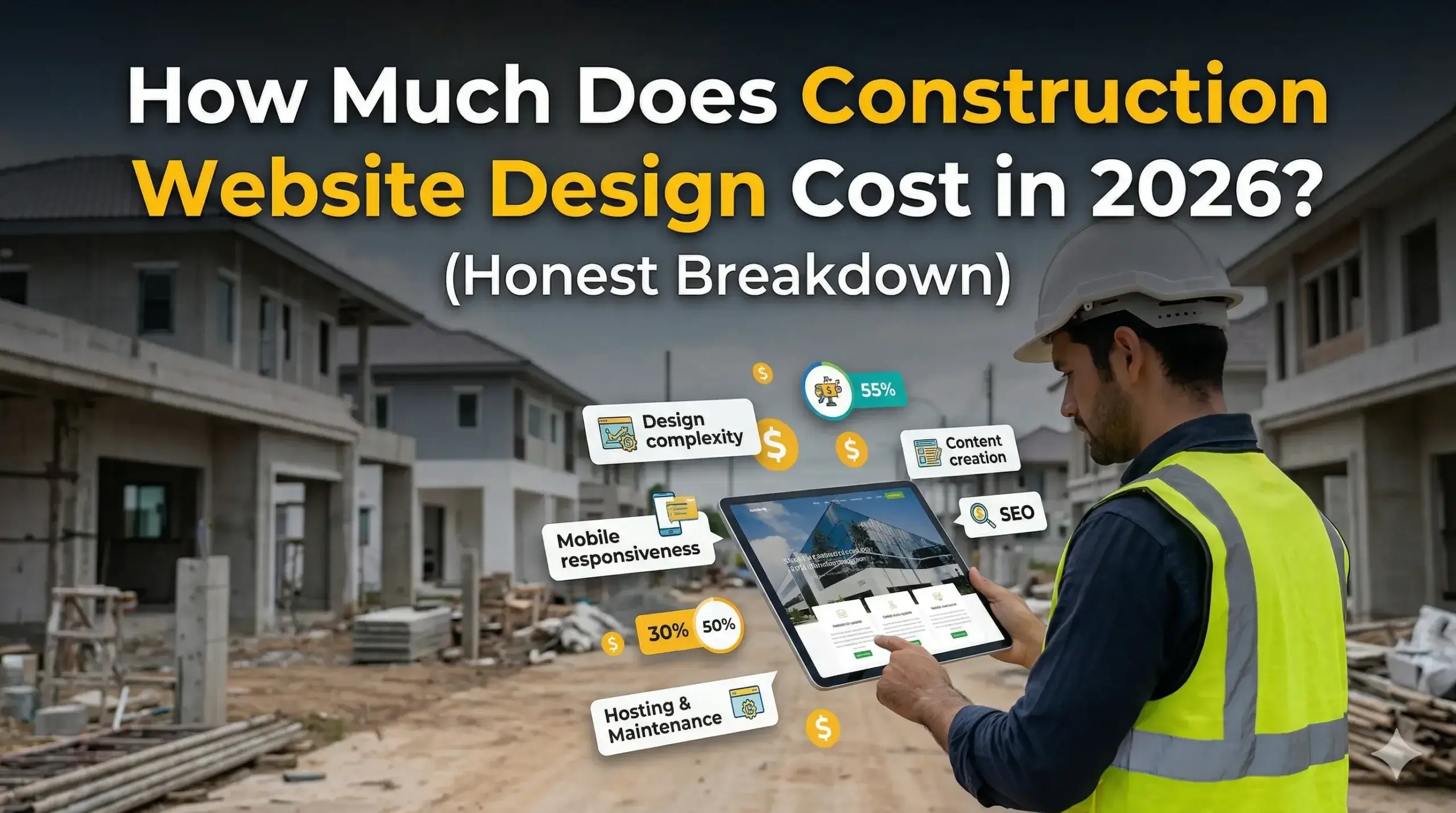
  • How Much Does Construction Website Design Cost in 2026? (Honest Breakdown)

    How Much Does Construction Website Design Cost in 2026? (Honest Breakdown)

    You’ve probably Googled your own company name at some point and felt that quiet frustration — a competitor you know does worse work than you shows up at the top, and your site is either buried or looks like it was built in 2014. You’re getting referrals, but the phone isn’t ringing from people who don’t already know you. And when someone does visit your site, they leave without calling.

    That’s not a coincidence. That’s a website doing its job poorly.

    This guide breaks down exactly what web design for a construction company costs in 2026, why the price varies so much, and — more importantly — what separates a site that generates leads from one that just sits there looking like a digital brochure.


    Why Most Construction Websites Don’t Bring in Work

    Think of your website like a job site foreman. If he doesn’t know the plan, can’t communicate with the crew, and gives visitors no direction — nothing gets done. That’s most construction websites in a nutshell.

    The problem isn’t always that the site looks bad. It’s that it’s not built to convert. No clear service areas, no strong call to action above the fold, no reason for a homeowner or project manager to pick up the phone over the next result they see.

    Here’s what that costs you in real terms:

    • A visitor lands on your site from Google
    • They don’t immediately see what you do, where you work, or how to contact you
    • They hit the back button and call your competitor instead

    That’s a lost lead you never knew you had. It happens dozens of times a month on sites that look “fine.”


    What Construction Website Design Actually Costs in 2026

    Prices range widely — and for good reason. Here’s an honest breakdown by tier.

    Tier 1: Budget Options ($500–$2,500)

    This is the territory of template builders, Fiverr freelancers, and “my nephew does websites.” You’ll get something that technically exists online, but it won’t be built for your industry, your market, or lead generation.

    Common issues at this tier:

    • No local SEO foundation (Google won’t know where you operate)
    • Slow load times on mobile (where most of your visitors are coming from)
    • Generic copy that could apply to any contractor in the country
    • No conversion strategy — just pages of information with no clear next step

    If you’re a solo operator just starting out, this might bridge a gap. For any established construction business trying to grow, it’s usually money spent twice.

    Tier 2: Mid-Range ($3,000–$8,000)

    This is where you start getting a site built with some strategy behind it. A competent agency or experienced freelancer will spend time understanding your services, service area, and ideal clients.

    What you should expect at this level:

    • Custom design (not a recycled template)
    • Mobile-first build with fast load times
    • Basic on-page SEO — title tags, meta descriptions, heading structure
    • A clear path for visitors to contact you
    • Integration with Google Business Profile

    This tier works well for small-to-mid-sized construction firms that need a professional presence and a solid local SEO foundation.

    Tier 3: Performance-Focused ($8,000–$20,000+)

    This is where the ROI conversation shifts. A high-performance construction website design at this level is built to rank, convert, and grow with your business.

    What separates this tier:

    • In-depth competitor and keyword research specific to your market
    • Service-area pages built to rank in every city or county you work in
    • Conversion-optimized layouts (the right message in the right place at the right time)
    • Page speed engineered to pass Google’s Core Web Vitals
    • Schema markup so Google understands exactly what your business does and shows it confidently in search results
    • Ongoing optimization, not a one-time build and abandon

    For a construction company doing $1M+ in revenue, a site in this tier often pays for itself within the first few months of ranking.


    The Hidden Cost Nobody Talks About: A Bad Website

    The most expensive website isn’t the one that costs $15,000. It’s the $2,000 site that’s been quietly losing you leads for three years.

    Do the math: if your average job is worth $8,000 and your site is costing you just two leads per month, that’s $192,000 in missed revenue every year. The website “saved” you $13,000 upfront and cost you six figures in the background.

    A slow, unclear, or invisible website isn’t free — it’s just costing you in a way that doesn’t show up on an invoice.


    💡 Pro Tip: Your Mobile Site Is Probably Your Biggest Problem

    Most construction business owners check their website on a desktop. Most of their potential customers visit on a phone. These are two completely different experiences — and they don’t always match.

    A site that looks great on a laptop can be nearly unusable on a phone: tiny text, broken layouts, buttons that are impossible to tap, and a phone number that isn’t clickable. If a visitor has to pinch and zoom to find your number, they won’t call you — they’ll call someone else.

    The fix isn’t complicated, but it requires your site to be built mobile-first, not mobile-as-an-afterthought. Ask any agency you’re evaluating to show you a live construction site they’ve built on a phone before you sign anything.


    Before & After: What a Real Construction Website Overhaul Looks Like

    The situation: A mid-sized general contractor in the Midwest — residential renovations and light commercial builds, 12 employees, solid reputation locally but almost no online presence. Their site was five years old, built by a local print shop that had “started doing websites.” It loaded in over 7 seconds on mobile, had no service-area pages, and buried the contact form on a third-level menu page.

    The problem in plain terms: They were ranking on page three for searches in their own city. Competitors who did smaller, lower-quality work were showing up first. The owner knew something was wrong but couldn’t pinpoint it.

    What changed: A full rebuild — new architecture, service and location-specific pages, a contact form above the fold on every page, Core Web Vitals passing green, and a Google Business Profile fully optimized and connected.

    The result: Within 90 days, they were ranking in the top three for their primary service terms in four neighboring cities. Monthly contact form submissions went from an average of 2–3 to 18–22. One of those leads turned into a $340,000 commercial contract.

    The site cost them $11,500. The ROI in the first quarter alone made the conversation irrelevant.


    Not sure if your construction website has these issues? Get a free website audit — no obligation, just a clear picture of what’s costing you leads right now.


    What Makes a Construction Website Different From a Regular Business Website

    A plumber and a general contractor both need websites. But what ranks and converts for a plumber won’t necessarily work for a construction firm — and a generic agency that doesn’t understand the difference will build you something in between.

    Construction projects are high-ticket and high-consideration. A homeowner doesn’t hire a contractor the same way they order pizza. They research, compare, look at photos, read reviews, and evaluate trust signals over days or weeks. Your website needs to support that decision-making process at every stage.

    That means:

    • Portfolio photography matters more — project galleries with real photos (not stock images) build credibility in a way no amount of copy can match
    • Licensing and insurance need to be visible — not buried in a footer, but front and center where cautious buyers will look
    • Service-specific pages outperform generic “what we do” pages — someone searching “commercial concrete contractor in Denver” needs a page that speaks directly to that, not a general services list
    • Testimonials and reviews need to be on-site, not just on Google — syndicated reviews on your own pages help conversion and SEO simultaneously

    Websites built for construction businesses account for all of this. A generic template or a generalist agency usually doesn’t.


    Your Path to More Leads: 5 Steps to Take Right Now

    You don’t need to overhaul everything at once. Here’s a practical sequence that moves the needle:

    1. Test your site on your phone — pull it up on mobile right now. Can you find your phone number in under five seconds? Can you tap it to call directly? If not, that’s your first fix.
    2. Google your own services — search “[your service] + [your city]” and see where you land. If you’re not on page one, you’re invisible to most of your potential clients.
    3. Check your load speed — go to PageSpeed Insights (free tool from Google) and run your URL. Anything under 50 on mobile is hurting you. Anything under 30 is actively costing you leads.
    4. Count your contact paths — how many ways can someone reach you from your homepage? Phone, form, and chat are the minimum. If your only contact option is a “Contact Us” page three clicks deep, you’re making it too hard.
    5. Audit your competitors — visit the top three sites ranking above you. What are they doing that you’re not? This is usually the fastest way to identify the gaps.

    Once you know what’s broken, fixing it gets a lot simpler.


    FAQ: What Construction Business Owners Actually Ask Before Hiring a Web Agency

    Why am I not getting calls from my website?

    The most common reasons are that your site doesn’t rank (so people aren’t finding it), loads too slowly on mobile (so people leave before they see your number), or doesn’t give visitors a clear reason to call. Usually it’s a combination of all three. A proper audit will tell you exactly which one is doing the most damage.

    How do I know if my construction website is actually working?

    If you can’t answer “how many leads did my website generate last month?” — it’s not working hard enough. A functioning lead-generation site has Google Analytics or equivalent tracking set up, and you should be able to see contact form submissions, phone call clicks, and traffic sources at a glance. If none of that is in place, you’re flying blind.

    How long does it take to see results from a new website?

    For a properly built site with solid SEO, you can typically see meaningful movement in rankings within 60–90 days. Full competitive positioning in a mid-sized market usually takes 4–6 months. That said, conversion improvements — more calls from the same traffic — can happen immediately after launch if the site is built right.

    What makes a construction website different from a regular business website?

    Construction clients take longer to decide, spend more money, and rely heavily on trust signals like portfolio work, licensing, reviews, and project photos. A construction website needs to support that research process — not just look good. It also needs location-specific pages to rank in the cities and counties where you actually work, which most generic web designers overlook entirely.

    Do I really need a fast website if my customers are local?

    Yes — especially because your customers are local. Local Google searches happen almost entirely on mobile devices, and Google’s ranking algorithm heavily weights page speed and mobile usability. A slow site doesn’t just lose visitors; it ranks lower in the first place, meaning fewer people find you at all. Speed isn’t a technical vanity metric — it’s a direct driver of how many calls you get.

    How do I know if I need a new website or just some fixes?

    Sometimes a full rebuild is the right move; sometimes targeted improvements get you 80% of the way there for a fraction of the cost. The only way to know is an honest assessment of your current site’s structure, speed, SEO foundation, and conversion setup. Get a free website audit and you’ll have a clear answer — no guesswork, no sales pressure.


    Stop Letting Your Website Cost You Work

    If you’ve read this far, you already know something about your current site isn’t working the way it should. The question isn’t whether to fix it — it’s how much longer you’re willing to let it bleed leads in the background.

    Digital Trace builds high-performance websites specifically for construction businesses across the US — sites that rank in your market, load fast on every device, and turn visitors into phone calls and form submissions.

    Book your free website audit today — we’ll show you exactly what’s costing you leads, what it would take to fix it, and what a realistic improvement looks like for your business. No obligation, no sales pitch, no generic report. Just a clear, honest picture of where you stand.

    Your competitors are already investing in this. The only question is whether you move first.

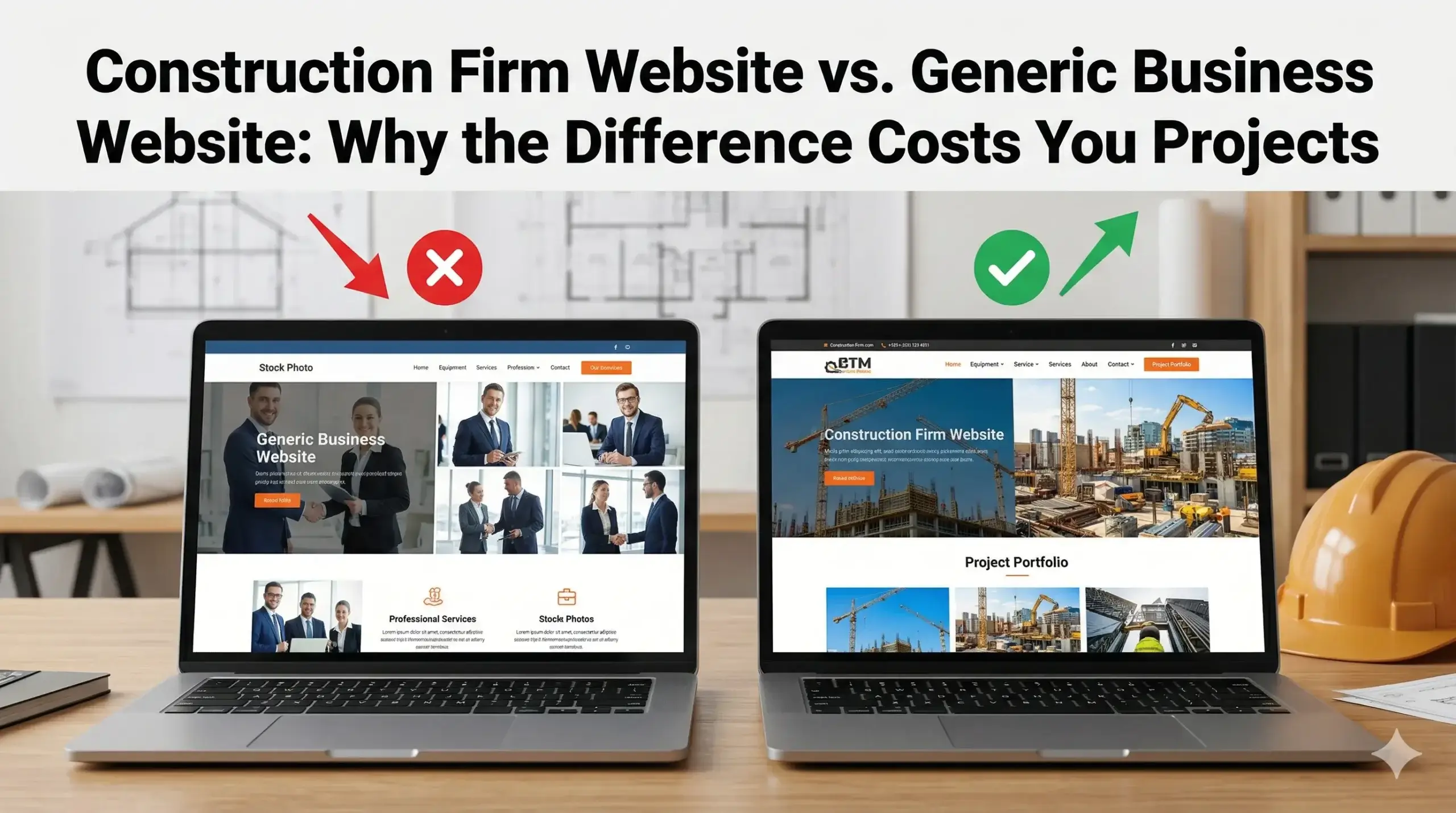
  • Construction Firm Website vs. Generic Business Website: Why the Difference Costs You Projects

    Construction Firm Website vs. Generic Business Website: Why the Difference Costs You Projects

    You built your construction business with skilled labor, good work, and word of mouth. Now you’ve got a website — and you’re still not getting the calls you expected. Meanwhile, a competitor across town (who you know does the same work, maybe worse) keeps showing up in Google and landing jobs.

    The frustrating truth? It probably isn’t your reputation, your pricing, or your portfolio. It’s your website — specifically, what kind of website it is.

    Most construction firms are running on generic websites built for businesses-in-general. These sites look fine enough. They have your logo, your phone number, maybe some photos. But they’re not built for the way people search for construction companies, evaluate contractors, or decide who to call when a project is on the line.

    This article breaks down exactly what a construction firm website needs to do differently — and why the gap between “a website” and the right website is where your projects are being lost.


    Your Website Is Competing in a High-Stakes Market — and It Doesn’t Know It

    Think about what happens when a property manager, general contractor, or homeowner needs a construction firm. They don’t flip through a binder. They go to Google, type in something like “commercial construction company near me” or “foundation contractor [city],” scan the first few results, click one or two, and make a judgment call inside of 30 seconds.

    That 30-second window is where your business is won or lost — and a generic website is built to fail it.

    Here’s what a generic site does during those 30 seconds:

    • Loads slowly, causing the visitor to click away before your phone number even appears
    • Shows vague language like “quality service” and “customer satisfaction” — the same words every other site uses
    • Offers no clear reason why your firm is the right choice for this specific type of project
    • Has no visible trust signals — no licenses, no certifications, no completed project photos with context

    A construction firm website built correctly does the opposite. It loads fast, immediately communicates what kind of work you do, shows proof, and makes it dead simple to call or request a quote.


    The “Cheap Blueprint” Problem: Why Generic Websites Don’t Convert Construction Leads

    Here’s a useful way to think about it. Imagine showing up to bid a complex commercial job with a generic proposal template you pulled off the internet — one that wasn’t adjusted for the project scope, the client’s industry, or the local code requirements. You’d probably lose that bid to someone who showed up with specifics.

    That’s exactly what a generic website does for your construction business every single day.

    Generic website templates are designed to work for anyone — a bakery, a law firm, a plumber. That flexibility is exactly why they fail for construction. The way people search for and evaluate a construction firm is completely different from how they choose a restaurant or a retail store.

    A few things generic sites consistently get wrong for construction businesses:

    • No project-type targeting. When someone searches “tilt-up warehouse contractor” or “historical renovation firm,” a generic site has no content that matches that intent. Google doesn’t show it. The visitor doesn’t find you.
    • No trust-building structure. Construction clients are making big financial decisions. They need to see licenses, insurance info, project timelines, and real completed work — not stock photos and boilerplate copy.
    • No local signal strength. Google ranks local contractors based on specific signals. A generic site often skips the geographic markers that tell Google where you work and what you do there.

    This is what websites built for construction businesses are designed to fix at every level — not just visually, but structurally and technically.


    Speed Is a Sales Problem, Not a Tech Problem

    Here’s a number worth knowing: most people decide whether to stay on a website or leave within the first three seconds. On mobile, it’s even less forgiving.

    When a potential client clicks your site and it takes five or six seconds to load — which is common with poorly optimized generic templates — most of them are already gone. They’ve hit the back button and clicked your competitor.

    This isn’t a technology problem. It’s a revenue problem.

    Construction clients are often busy people — project managers, property owners, GCs — who are doing quick research between meetings or on the job site from their phones. A slow, bloated website tells them nothing good about your operation.

    What causes this? Usually a combination of oversized images, unoptimized code, and cheap hosting. The fix isn’t glamorous, but it’s straightforward when someone who knows what they’re doing handles it.

    A properly built construction firm website loads fast on mobile, looks clean on any screen size, and gets the visitor to your phone number or contact form before they have time to second-guess clicking away.


    💡 Pro Tip: Your Homepage Is Probably Talking to the Wrong Person

    One of the most common mistakes in construction websites is writing homepage copy that describes the company instead of speaking to the client’s problem.

    Most homepages start with something like: “We are a full-service construction firm with 20 years of experience serving the greater [City] area.”

    That’s all about you. The visitor’s first thought is: “Okay, but can you solve my problem?”

    The fix is to lead with what the client needs. Something like: “Need a reliable contractor for your commercial build-out? We deliver on schedule, on spec, and on budget — every time.”

    This small shift in framing changes how visitors respond. It also helps with SEO, because search engines reward content that directly addresses what searchers are looking for.


    Why Your Competitor Shows Up on Google and You Don’t

    Local search rankings for construction companies aren’t random. Google uses specific signals to decide which firms to show and in what order.

    Generic websites often miss several of these signals entirely:

    • No location-specific content. If your site doesn’t mention the cities and regions you serve throughout the content, Google won’t confidently connect you to searches in those areas.
    • Missing structured data. Google uses behind-the-scenes code tags to understand what your business does, where you’re located, and what kind of services you offer. Most generic templates don’t include these, which means Google has to guess — and often guesses wrong.
    • Weak or nonexistent service pages. A single “Services” page with a bulleted list is not enough. Contractors who rank well typically have dedicated pages for each service type — commercial construction, tenant improvements, ground-up builds, etc.

    The result is a site that exists but isn’t found. Your firm is invisible to the people actively searching for exactly what you offer.

    Seeing how Digital Trace builds construction websites makes it clear how differently this can be approached — structuring each page to target specific search terms while building in all the trust signals that convert visits into calls.


    Real-World Example: Regain Construction, Denver, CO

    A realistic before/after scenario based on common construction firm challenges.

    Regain Commercial Builders had been in business for 14 years, doing mostly light commercial and industrial work in the Denver metro. They had a website — built by a cousin about five years earlier using a generic small business template. It had their logo, a few project photos, and a contact form.

    The problem: they were getting almost no inbound leads from their site. Every new job came from referrals. When they asked existing clients to check them out online, most reported the site looked outdated and didn’t load well on phones.

    Here’s what was wrong:

    • The site took 8+ seconds to load on mobile
    • There were no dedicated pages for their core services (tenant improvements, warehouse builds, ground-up commercial)
    • The homepage copy was generic, with no mention of the specific industries they served
    • Google couldn’t confirm their service area or specialties

    After a full rebuild — fast-loading, mobile-first, with dedicated service and location pages and proper structured data — results shifted measurably within 90 days:

    • Organic search traffic increased by roughly 3x
    • Inbound calls from the website went from near-zero to 8–12 per month
    • Two of those calls converted to project contracts within the first 90 days

    The work didn’t change. The team didn’t change. The website changed.


    Not sure if your construction website has these issues? Get a free website audit — no obligation, just a clear picture of what’s costing you leads.


    Your Path to More Leads: 5 Steps to a Construction Website That Actually Works

    Getting more calls from your website isn’t complicated — but it does require the right structure. Here’s what the path looks like:

    1. Audit what you have. Before anything else, understand where your current site is falling short. Speed, content gaps, missing trust signals, and local SEO issues are the most common culprits.
    2. Identify your highest-value services and build pages around them. Each major service you offer — new construction, renovations, tenant improvements, specialty work — deserves its own page with specific language and search targeting.
    3. Make mobile performance non-negotiable. Most of your potential clients are checking you out on their phones. If your site doesn’t load fast and look clean on mobile, you’re losing them before you even get a chance.
    4. Build in trust from the first scroll. Licenses, insurance, project photos with context, client types served, and years in business should all be visible without digging. Clients need to feel confident before they call.
    5. Turn your site into a lead capture machine. Phone numbers should be clickable. Contact forms should be simple. Every page should have a clear next step. Don’t make visitors work to reach you.

    FAQ: Real Questions from Construction Business Owners

    Why am I not getting calls from my website?

    The most common reasons are slow load times, no visibility in local search, or a site that doesn’t answer the questions prospects have when they land on it. Visitors decide in seconds whether to stay or leave — if your site doesn’t immediately communicate who you serve and why you’re the right choice, most people leave without calling. A proper free website audit can identify exactly where your site is losing people.

    How do I know if my construction website is actually working?

    If your website is working, you’ll know — because you’ll be getting regular inbound calls and form submissions from people who found you through Google. If every job still comes from referrals and your website hasn’t produced a qualified lead in months, it’s not working. The site might look fine, but looking fine and performing are two different things.

    What makes a construction website different from a regular business website?

    Construction clients evaluate contractors very differently from how people choose a restaurant or service shop. They’re making large financial decisions and need to see proof — project photos with context, licensing info, service-area specifics, and relevant experience. A generic business template isn’t structured for that decision-making process. A construction firm website is built to match how construction clients actually think and search.

    Do I really need a fast website if my customers are local?

    Yes — probably more so. Local clients are often searching on their phones while on the job site or between meetings. Google also factors site speed directly into local search rankings. A slow site hurts you twice: visitors leave before they see your number, and Google ranks you lower because of it.

    How long does it take to see results from a new website?

    Realistically, meaningful improvements in search visibility and inbound leads typically show up within 60–90 days of launching a properly built site. The speed and lead conversion improvements are often immediate — from the moment the new site goes live. SEO results build over time as Google recognizes the improved signals and begins ranking you for the terms your clients are searching.

    I’ve been burned by marketing agencies before — how is this different?

    That’s a fair concern, and it’s worth asking directly. The difference is in what’s being built and why. Generic web agencies build websites. Construction-focused web work is about building something that gets you projects — designed around how construction clients search, evaluate, and decide. The results should be measurable: more calls, more quote requests, more jobs. If an agency can’t tell you how they’ll measure success, that’s a warning sign.


    Stop Leaving Projects on the Table

    Every month your construction firm runs a generic website is a month competitors with better-built sites are picking up the calls that should be going to you.

    The fix isn’t complicated or expensive — but it does require someone who understands how construction clients search, how Google ranks local contractors, and how to turn website visits into phone calls.

    Get a free website audit from Digital Trace — no pitch, no pressure, just a clear breakdown of what your current site is costing you in leads, and what it would take to fix it. For construction firms serious about growing through better online visibility, it’s the fastest way to know exactly where to start.

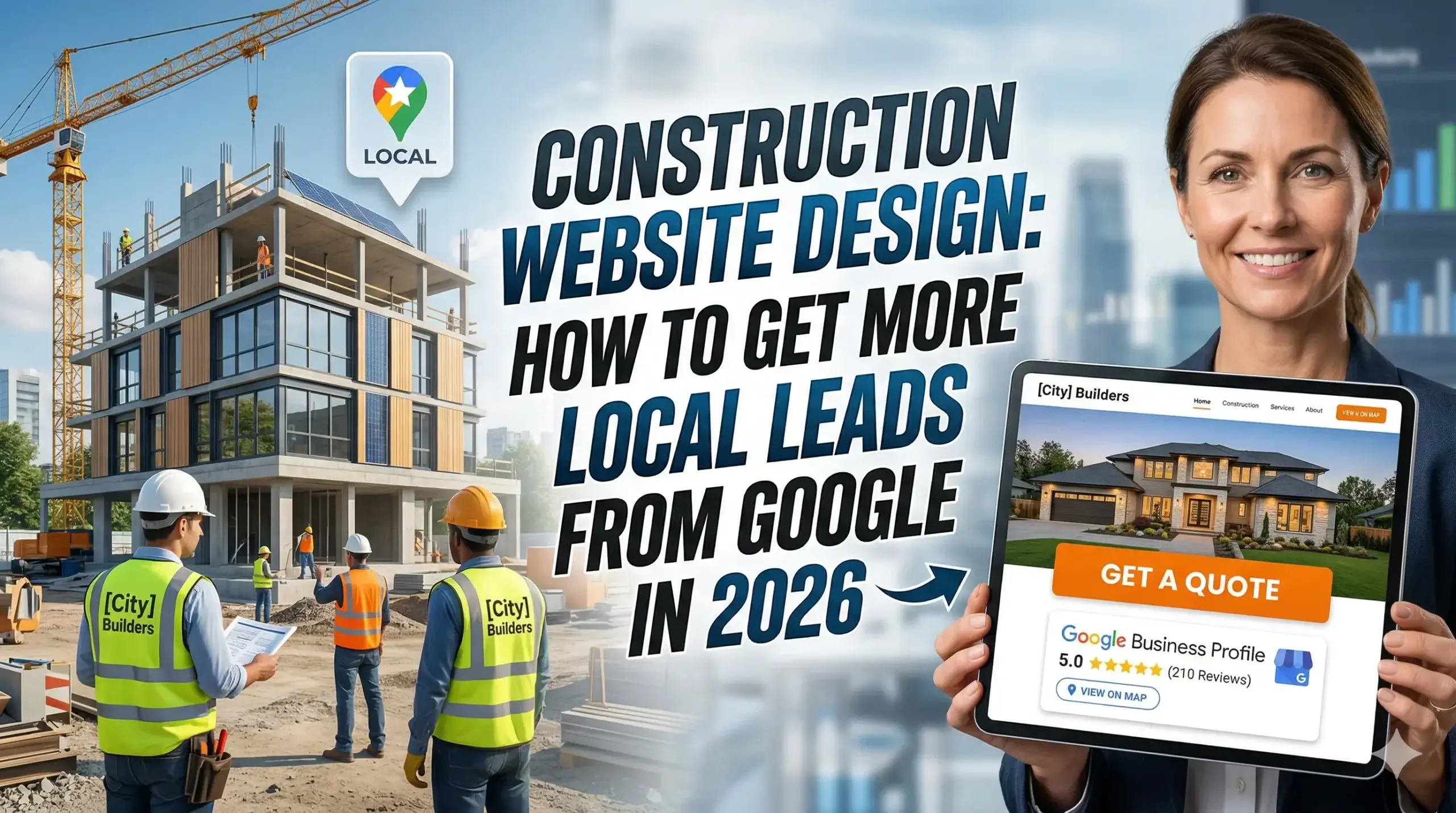
  • Construction Website Design: How to Get More Local Leads From Google in 2026

    Construction Website Design: How to Get More Local Leads From Google in 2026

    You’re busy running a construction business — managing crews, juggling bids, keeping projects on schedule. The last thing you have time to worry about is your website. But here’s the problem: your website is out there right now, either sending you leads or turning them away. And most construction company websites are doing the latter.

    The frustrating part? The owners don’t even know it.

    Most contractors assume a website just needs to exist — a few photos, a phone number, maybe a list of services. But that’s not how it works in 2026. When a homeowner or general contractor searches “roofing contractor near me” or “commercial builder in [city],” Google decides in milliseconds which businesses to show. And the companies showing up aren’t just the ones with the best crews — they’re the ones with websites built to earn Google’s trust and convert visitors into calls.

    This guide breaks down exactly why your construction website might be silently costing you jobs, and what a well-built construction website actually looks like when it’s working hard for your business.


    Why Your Construction Phone Isn’t Ringing (And Your Website Is the Reason)

    Picture this: you hand a potential client a business card that’s bent, has a typo on it, and directs them to a voicemail that’s full. That’s essentially what a slow, outdated, or poorly structured construction website does every single day.

    When someone lands on your site and it takes more than three seconds to load, most people leave — without ever seeing your services, your photos, or your phone number. They don’t call. They don’t come back. They go straight to your competitor.

    The technical term is “page load speed,” but the business impact is simple: every second of delay costs you real inquiries. A site built for construction needs fast hosting, optimized images, and lean code — things most generic website builders don’t prioritize.


    Your Site Looks Fine on a Desktop — But Your Customers Are on Their Phones

    Here’s something worth checking right now: pull up your website on your phone. Is the text tiny? Do you have to zoom in to find the phone number? Is the “Request a Quote” button buried at the bottom?

    Nearly 70% of people searching for local contractors do it on their phone. If your site doesn’t load cleanly, display your phone number prominently, and let someone tap-to-call in under five seconds — you’re losing leads on every single mobile visit.

    This isn’t just a design preference. Google penalizes sites that don’t perform well on mobile. That means a poor mobile experience doesn’t just frustrate visitors — it also pushes you lower in search results, making it harder for anyone to find you in the first place.

    The fix isn’t just making your text bigger. A properly built construction company website is designed mobile-first, meaning the phone experience is the priority, not an afterthought.


    Google Doesn’t Know Enough About Your Business to Trust It

    Think of Google like a new subcontractor you’re vetting before a big project. You want references, proof of work, credentials, and a clear scope of what they do. If the information is vague or missing, you move on to someone else.

    That’s exactly how Google treats your website. If your site doesn’t clearly tell Google:

    • Where you operate (specific cities and service areas)
    • What you do (general contracting, commercial builds, residential remodels — all clearly stated)
    • Who you are (your business name, address, phone number — consistent everywhere online)
    • What others say about you (reviews, trust signals, certifications)

    …then Google won’t feel confident showing your business to searchers. There’s a technical layer here called structured data (or schema markup) — basically a way of labeling your website’s content so Google can read it clearly. Without it, your construction firm website is speaking a language Google only half-understands.

    The result? You rank lower than competitors who have the same quality of work but a better-structured website.


    💡 Pro Tip: Your “Services” Page Is Probably Hurting You

    One of the most common mistakes construction company websites make is cramming every service onto a single page — roofing, siding, decks, additions, commercial work — all in one long list.

    Here’s the problem: if a homeowner searches “deck builder in [city]” and lands on a page that also talks about commercial roofing and foundation work, Google doesn’t see a focused, relevant match. It sees a general page that sort of applies.

    The fix is straightforward: create a dedicated page for each core service, written specifically for that service and that type of customer. A deck page for deck customers. A commercial page for commercial clients. Each one gives Google a clear, confident signal — and gives your visitor exactly what they came for. This single change often produces a meaningful lift in both rankings and conversions.


    What Happens When Everything Goes Wrong: A Before-and-After

    The situation: A mid-sized general contracting company in the Southeast — six full-time employees, strong reputation locally, good reviews on Google, and a website that had been built by a cousin seven years ago. The owner was running paid ads and getting some calls, but the cost per lead was high and organic search was essentially zero.

    The problems: The site took over eight seconds to load on mobile. The homepage mentioned the company name and city once, buried in the footer. There were no individual service pages — just a general “What We Do” section. The Google Business Profile had different contact info than the website. And there was no clear call-to-action above the fold on any page.

    What changed: A full rebuild focused on construction web design that matched how local customers actually search. Service-specific pages for residential renovations, commercial build-outs, and custom additions. Mobile load times cut to under two seconds. Consistent NAP (name, address, phone) data across the site, Google Business Profile, and key directories. A clear “Get a Free Estimate” button visible the moment someone lands on any page.

    The result: Within 90 days, the site was generating consistent organic inquiries without paid ads. The owner estimated they recovered at least three to five jobs per month that had previously been going to competitors — jobs that were there for the taking, just not visible.


    Not sure if your construction website has these problems? Get a free website audit — no pressure, just a clear, honest picture of what’s costing you leads right now.


    What a High-Converting Construction Website Actually Has

    A website built specifically for construction isn’t the same as a generic small business site with a hard-hat photo slapped on the banner. Here’s what separates a site that generates leads from one that just takes up space online:

    • Speed under two seconds on mobile — because that’s when most people decide to stay or leave
    • A tap-to-call phone number visible without scrolling — no one should have to search for how to reach you
    • Dedicated service pages — one page per core service, written for the customer searching for that specific thing
    • Real photos of your work — stock photos kill trust; your actual projects build it
    • Clear geographic signals — your city, your service areas, stated plainly and repeatedly
    • A simple, low-friction lead form — asking for name, phone, and project type is enough; a 10-field form gets abandoned
    • Social proof above the fold — star rating, number of reviews, or a short testimonial from a real client

    This is what Digital Trace builds for construction businesses — websites designed around the specific way people search for and hire contractors.


    Your Path to More Leads: 5 Steps That Actually Move the Needle

    You don’t need to become a digital marketing expert. You just need a clear picture of where the gaps are and someone who knows how to close them.

    Step 1: Audit what you have. Before changing anything, understand what’s working and what isn’t. Page speed, mobile experience, keyword visibility, and conversion paths — these all need to be assessed before you build or rebuild.

    Step 2: Fix your mobile experience. If your site is hard to use on a phone, everything else is secondary. This is where most construction websites lose the most leads — silently, every day.

    Step 3: Build service-specific pages. Stop sending every visitor to one generic page. Each core service deserves its own page, written for the specific customer who’s searching for it.

    Step 4: Make your local presence clear. Your city and service areas should be stated clearly across your site — in headings, in your content, and in your page metadata. Google needs to see it. So do your customers.

    Step 5: Make it easy to contact you. A visible phone number, a simple form, and a single strong call-to-action on every page. Remove every barrier between a visitor and a conversation with your business.


    FAQ: What Construction Business Owners Actually Ask Before Hiring a Web Agency

    Why am I not getting calls from my website?

    Usually it comes down to three things: people can’t find your site (you’re not ranking), people visit but leave before they call (bad mobile experience or slow load times), or people don’t trust what they see (weak social proof, no clear service focus). Most construction websites have at least two of these problems at once.

    How do I know if my construction website is actually working?

    If your site isn’t generating at least a few genuine inquiries per month from organic search — without paid ads — it probably isn’t pulling its weight. A good place to start is checking how many calls or form fills are coming from your website directly, not from your Google Business Profile or referrals. A free website audit can show you exactly where visitors are dropping off and what’s fixable.

    How long does it take to see results from a new website?

    A rebuilt site that’s properly optimized typically starts showing traction within 60 to 90 days — sometimes faster if the previous site was severely underperforming. You won’t dominate every keyword overnight, but consistent improvement in organic visibility and lead quality is realistic within the first quarter.

    What makes a construction website different from a regular business website?

    Construction customers search very differently from retail or service customers. They’re often looking for specific work types, in specific cities, sometimes on a tight timeline. A construction company website needs to match those search patterns precisely — with service-specific content, strong local signals, and a design that builds immediate trust (portfolio, reviews, credentials) since the jobs involved are high-stakes purchases.

    Do I really need a fast website if my customers are local?

    Yes — especially because your customers are local. When someone searches for a contractor in your city and your site loads slowly, Google notices that people leave and factors it into where you rank. Local competition is often intense, and a one-second advantage in load time can be the difference between showing on page one or page two. Most people never scroll to page two.

    I’ve hired agencies before and seen nothing. Why would this be different?

    That’s a fair and common frustration. The difference usually comes down to whether the agency builds a generic website or one built specifically for how your industry and your customers work. Construction web design isn’t a template job — it requires understanding how contractors get hired, what local search actually looks like for your services, and how to turn a website visit into an estimate request. Results should be measurable, and a good agency will show you exactly what’s changing and why.


    Ready to See What Your Website Is Actually Costing You?

    Most construction business owners are surprised to learn how much revenue their current website is leaving behind — not because their work isn’t good, but because their site isn’t built to compete.

    There’s no obligation and no sales pitch. Digital Trace will take a clear look at your website, show you exactly what’s working against you, and give you a straight answer about what it would take to fix it.

    Get your free website audit →

    If your competitors are showing up on Google and you’re not, the gap almost always starts with the website. Let’s find out what’s behind it — and close it.

  • How to Choose the Right Construction Web Design Agency (Without Getting Burned)

    How to Choose the Right Construction Web Design Agency (Without Getting Burned)

    You’ve spent years building a reputation in construction — delivering projects on time, keeping crews accountable, and earning referrals the hard way. Then you hired a web agency, paid a few thousand dollars, and… nothing changed. The phone didn’t ring more. The website looked fine but produced nothing.

    That’s not bad luck. That’s what happens when a general web agency builds a site without understanding how construction customers actually search, think, and decide who to call.

    Most construction business owners assume their website problem is about design. It’s usually not. The real problem is that your site was built to look good — not to rank on Google, load fast on a job-site phone signal, or convert a skeptical homeowner or project manager into a call.

    This guide breaks down exactly what to look for when choosing a construction web design agency — and what warning signs mean you’re about to get burned again.


    Your Website Is Like Your Work Truck — If It Can’t Perform, It’s Costing You Money

    Think of your website the way you think about your work truck. Nobody hires a contractor who shows up in a rusted-out, unreliable vehicle with no lettering on the side. First impressions matter. But more than looks, the truck has to actually run — it has to show up on time, carry the load, and get you to the job.

    A construction website works the same way. It has to show up (rank on Google), load fast (even on a phone with two bars of LTE), and carry a potential customer all the way from “I found this company” to “I’m calling them right now.”

    Most agencies build you a nice-looking truck that breaks down in the driveway.

    Here’s what actually matters — and how to tell the difference before you sign a contract.


    Red Flag #1: They’ve Never Built a Site for a Construction Company

    Generic web agencies build websites. That’s it. They’ll take your logo, write some copy about “quality craftsmanship and customer satisfaction,” throw in a stock photo of a hard hat, and call it done.

    The problem is they don’t know how construction customers actually find contractors. They don’t know that someone searching “commercial concrete contractor near me” is ready to hire — right now — while someone searching “what does a foundation repair cost” is still in research mode. Those two visitors need completely different pages.

    They don’t know that most of your traffic will come from mobile, often from someone standing in a parking lot or on a job site. They don’t know that your service area matters as much as your services. And they almost certainly don’t know how Google evaluates a construction business’s website differently than a restaurant or a law firm.

    Before you sign with any agency, ask them: Can you show me construction websites you’ve built? What happened to their leads after launch? If they fumble that answer, keep walking.


    Red Flag #2: They’re Selling You a Website — Not a Lead System

    A website that doesn’t generate calls is just an expensive business card.

    The agencies that get construction businesses real results understand that a website is a system, not a project. It has moving parts that all have to work together:

    • Speed: If your site takes more than 3 seconds to load, more than half your visitors leave before they see a single word. Not because they don’t need a contractor — because they moved on to the next result.
    • Mobile experience: Most people searching for a contractor are on their phone. If your site is hard to navigate on a phone screen, you’re losing those leads.
    • Clear calls to action: Every page needs to answer the question “what do I do next?” — with a phone number, a contact form, or a request-a-quote button that’s easy to find.
    • Local SEO: Google needs to understand exactly where you work and what you do. Without the right setup, your site might rank for your company name but not for “roofing contractor in [your city]” — which is what your customers are actually searching.

    A good construction web design agency builds all of this in from day one, not as add-ons you pay for later.


    Red Flag #3: Your Site Is Invisible on Google — and No One Told You

    Here’s a problem that’s more common than most construction owners realize: your website exists, but Google isn’t showing it to anyone who actually needs your services.

    Why does this happen? A few reasons.

    First, your pages may not be targeting the right phrases. There’s a big difference between having a page that mentions “we do roofing” and having a page built to rank for “metal roofing contractor [city].” Google reads your pages like a blueprint — if the blueprint isn’t specific, it doesn’t know what to build.

    Second, Google may not have enough information about your business to trust it. There’s a technical setup (called schema markup) that tells Google: “This is a licensed general contractor. They serve these zip codes. Here’s their phone number. Here’s what they specialize in.” Without it, Google treats your site like an unmarked truck — it doesn’t confidently recommend you.

    Third, if your site loads slowly or isn’t mobile-friendly, Google quietly pushes it down in rankings. You’ll never get a notification. You just stop showing up.


    💡 Pro Tip: Check How Your Site Loads on a Phone Before Anything Else

    Most construction business owners check their website on a desktop computer in the office. Their customers are checking it on a phone, standing in a parking lot, often on a weak signal.

    Pull out your phone right now and open your website on cellular data (turn off Wi-Fi). Time how long it takes to load. Then ask yourself: is your phone number visible without scrolling? Can someone tap to call you in under 10 seconds?

    If the answer to either question is no, you’re losing real leads every single day. A good web design agency will fix this before anything else — because no amount of design work matters if people leave before the page finishes loading.


    What a Real Before/After Looks Like

    Garcia & Sons Concrete — Dallas, TX

    Garcia & Sons had been in business for 11 years. Solid reputation, strong referral base, real project photos. Their website had been built by a local graphic designer five years earlier and hadn’t been touched since.

    The problem: they were getting fewer than 10 website visitors a week and almost no inbound calls from people who didn’t already know them. They were invisible on Google for nearly every search that mattered — “commercial concrete contractor Dallas,” “flatwork and slab installation,” “concrete driveway replacement near me.”

    The site also loaded in over 7 seconds on mobile, had no Google Business Profile integration, and was missing basic local SEO signals entirely.

    After rebuilding the site with construction-specific SEO, fast mobile performance, dedicated service area pages, and clear lead capture on every page, results shifted significantly within 90 days:

    • Organic website traffic increased by over 300%
    • Inbound calls from the website went from near-zero to 18–24 per month
    • The contact form was generating 6–10 qualified project inquiries per month

    None of their services changed. Their prices didn’t change. The only thing that changed was that the right people could finally find them — and when they landed on the site, it was built to make them call.


    Not sure if your construction website has these issues? Get a free website audit — no obligation, just a clear picture of what’s costing you leads.


    What to Actually Look for in a Construction Web Design Agency

    Now that you know what the wrong agency looks like, here’s what the right one does differently.

    They ask about your business before they talk about design. A good agency wants to know: What services make you the most money? What areas do you serve? Who are your best customers — homeowners, property managers, general contractors? The website strategy flows from those answers.

    They show you the plan, not just the portfolio. Any agency can show you screenshots. The right agency explains how the site will rank, what pages they’ll build, how they’ll handle your service areas, and what the lead flow will look like after launch.

    They build for performance, not just aesthetics. Fast load times, clean mobile experience, click-to-call buttons, real photos from your projects, and content that matches how your customers actually search — all of that has to be built in, not bolted on.

    They understand construction-specific SEO. Websites built for construction businesses need service-specific pages, location targeting, and Google Business Profile alignment. Without all three working together, you’ll rank for your company name and almost nothing else.


    Your Path to More Leads: 5 Steps That Actually Work

    Here’s a simple framework to go from invisible to consistently generating inbound construction leads:

    1. Audit what you have. Before spending money, know exactly what’s broken. Speed, mobile experience, SEO basics, and lead capture are the four areas that matter most.
    2. Build service-specific pages. Don’t put everything on one page. If you do residential roofing, commercial roofing, and storm damage repair — those are three different pages targeting three different searches.
    3. Fix your mobile experience. Your phone number should be tap-to-call, visible at the top of every page, on every device. No exceptions.
    4. Target your actual service area. If you work in 8 cities, you need content built around each of those cities — not just your headquarters location.
    5. Track what’s actually driving calls. A good agency sets up call tracking and form tracking from day one, so you’re not guessing whether the website is working.

    Frequently Asked Questions

    Why isn’t my construction website getting me any calls?

    Usually it’s one of three things: your site isn’t ranking for the searches your customers actually use, it loads too slowly on mobile so people leave before they see your number, or your pages don’t make it obvious what to do next. Most construction sites have all three problems at once. A quick audit will tell you exactly which one is costing you the most.

    How do I know if my construction website is actually working?

    If you can’t answer “how many calls came from the website this month?” — your website isn’t being tracked properly. A working construction website should have call tracking, form submission tracking, and Google Search Console set up so you can see which searches are bringing people to your site and which pages they’re landing on.

    How long does it take to see results from a new construction website?

    For most construction businesses, well-built sites start seeing measurable organic traffic growth within 60–90 days. Lead volume from the site typically builds over 3–6 months. Paid advertising can drive leads faster while organic rankings build. Either way, the results compound — the longer the site runs, the better it performs.

    What makes a construction website different from a regular business website?

    Construction customers search differently. They search by service type, location, and project type — often from a phone, often in a hurry. They want to see real photos of real work, clear service explanations, and an easy way to get a quote fast. A generic website template doesn’t account for any of that. Construction web design has to be built around how contractors actually win jobs.

    Do I really need a fast website if my customers are local?

    Yes — especially because they’re local. Local searches happen on phones. Someone searching for a contractor while standing at their property or sitting in their car needs your site to load fast and make it easy to call you immediately. A site that takes 6 seconds to load on mobile will lose that customer to the competitor who loads in 2 seconds, every single time.

    How do I know if an agency actually understands construction?

    Ask them: What service pages would you build for a general contractor? and How do you handle local SEO for businesses that serve multiple cities? If they can’t answer those specifically — or if they give you a generic answer about “SEO best practices” — they don’t have real experience in the construction industry. You want an agency that’s done this before and can show you the results. Get a free website audit to see exactly where your current site stands before talking to anyone.


    Stop Letting Your Website Cost You Jobs

    Every week your website isn’t ranking, loading fast, and converting visitors — you’re handing jobs to competitors who figured this out before you did.

    The construction businesses winning online aren’t the biggest or the oldest. They’re the ones whose websites show up when someone searches, load fast when someone clicks, and make it easy to call when someone’s ready to hire.

    If you’re not sure where your site stands, the fastest way to find out is to have someone who knows construction websites actually look at it.

    Get a free website audit from Digital Trace — no sales pitch, no pressure. Just an honest look at what’s working, what’s broken, and exactly what it would take to turn your website into a lead source you can count on.

  • 10 Must-Have Features Every Construction Company Website Needs in 2025

    10 Must-Have Features Every Construction Company Website Needs in 2025

    Your crew shows up on time. Your bids are solid. Your past projects speak for themselves. But your phone isn’t ringing the way it should — and if you’re honest, you already suspect your website might have something to do with it.

    Most construction company owners treat their website like a business card: something you print once, hand out, and forget about. The problem is, your website isn’t a business card. It’s your best salesperson — or your worst one. It’s working 24 hours a day, either convincing potential clients to call you, or quietly sending them to your competitor down the road.

    The difference between a website that sits there and one that actually generates leads comes down to a handful of specific features. Not flashy gimmicks. Not expensive redesigns for redesign’s sake. Specific things that make a visitor trust you, understand what you do, and pick up the phone.

    Here are the 10 features every construction company website needs in 2026 — and why missing even a few of them is costing you real jobs.


    1. A Load Speed That Doesn’t Drive Prospects Away

    Think about the last time you drove past a job site where the equipment was broken down and nothing was moving. That’s what a slow website feels like to a potential client. They pulled up, saw nothing happening, and left.

    If your construction firm website takes more than 3 seconds to load, most visitors are gone before they ever see your phone number. Google’s own research shows that mobile bounce rates spike dramatically as page load time increases — and most people searching for a contractor are on their phone, probably standing in their driveway.

    Slow sites usually happen because of uncompressed images, outdated hosting, or code that wasn’t built with performance in mind. It’s invisible to you but very visible to every visitor.

    What it costs you: A contractor in Phoenix recently discovered his site was averaging 8-second load times on mobile. He was spending $600/month on Google Ads, but most of that traffic was bouncing before the page finished loading. Fixing the speed issue alone cut his bounce rate significantly and more than doubled his lead conversions.

    Websites built for construction businesses are built performance-first — optimized images, fast hosting, lean code — because a slow site is a lead-killing site.


    2. A Phone Number You Can See Immediately — On Every Page

    This sounds obvious. You’d be surprised how many construction company websites bury the phone number at the bottom of a “Contact” page that requires three clicks to find.

    On mobile, your phone number should be tappable — a click-to-call link at the very top of the screen, on every single page. If someone is searching for a roofer or a general contractor at 7pm after getting a water damage estimate, they’re ready to call. The moment they have to hunt for your number, you’ve already lost half of them.

    The fix is simple: your number goes in the header, in the footer, and on a sticky bar that follows the visitor as they scroll. Make it effortless. Make it impossible to miss.


    3. Project Photos That Actually Show What You Can Do

    A construction website without strong project photos is like a contractor who shows up to bid a job without a portfolio. You might be the best in the business — but if you can’t show it, you’re just another name on a list.

    Real photos of your actual work build trust faster than any headline you could write. Before-and-after shots of remodels, structural builds in progress, finished commercial spaces — these tell the story of what it’s like to hire you.

    Stock photos of hard hats and power tools do the opposite. Visitors can spot them instantly, and they signal that you don’t have enough confidence in your own work to show it.

    • Use real job site photography when possible
    • Include captions with project type, location, and scope
    • Organize by project category so visitors can find relevant work fast

    4. Local SEO Signals That Help Google Find You

    Here’s the plain-English version of something most agencies overcomplicate: Google needs to understand where you work and what you do before it shows your business to anyone searching for it.

    If your website doesn’t clearly name the cities and regions you serve — in the content, in the page titles, in the site structure — Google genuinely doesn’t know where to rank you. Your competitor who built their site with local SEO in mind will show up every time someone in your area searches “general contractor near me.” You won’t.

    This isn’t about stuffing city names into every paragraph. It’s about building your site the right way from the start — with location-specific service pages, proper title tags, and a Google Business Profile that connects back to your site correctly.

    💡 Pro Tip: One of the most common mistakes construction businesses make is having only one generic “Services” page on their entire site. If you do roofing, framing, commercial fit-outs, and renovations, each of those should be its own page — with its own content, targeting its own search terms. A single page trying to cover everything ends up ranking for nothing. Google rewards specificity, and so do clients who want to know you specialize in exactly what they need.


    5. Trust Signals That Do the Selling Before You Pick Up the Phone

    A homeowner or project manager evaluating contractors is asking themselves one question: “Can I trust this company with my money and my property?”

    Your website needs to answer that question before they ever have to ask. Trust signals are the elements that do the convincing while you’re out on a job site:

    • Google reviews — displayed prominently, not hidden in a footer
    • Licenses and certifications — BBB accreditation, contractor license numbers, insurance badges
    • Named testimonials — real names, real projects, real results (not anonymous quotes)
    • Years in business — if you’ve been around a long time, say it clearly
    • Any press, awards, or recognitions — even local newspaper coverage counts

    The more a visitor can verify about you without having to ask, the more likely they are to call.


    6. A Clear, Specific “What We Do” Section

    Vague websites lose business. If someone lands on your homepage and can’t figure out within 10 seconds whether you do residential or commercial work, new construction or remodels, local or regional — they leave.

    Your construction firm website needs to be specific about who you serve and what you do. Not in a long block of text. In clear, scannable sections that answer the visitor’s real question: “Is this the right contractor for my project?”

    Think of it this way: a general contractor’s website that clearly says “We specialize in commercial tenant improvements in the Dallas-Fort Worth metro” will get fewer total visitors than a generic site — but the visitors it gets are the right ones, and the conversion rate will be dramatically higher.


    Proof: What Happens When You Fix These Things

    Before: A mid-size residential remodeling company in Atlanta had a website built in 2019. It looked fine on a desktop but was nearly unusable on mobile. Load times were slow, there were no project photos (just stock images), and the phone number was only on the contact page. The owner was getting maybe 2–3 web leads per month, most of them low-quality inquiries.

    After: A rebuilt construction company website with mobile-first design, real project photography, a click-to-call header, and local SEO pages for each service category in their target suburbs. Within 90 days of launch, inbound web leads climbed to 12–15 per month. More importantly, the quality improved — visitors were arriving pre-sold on the company’s work and calling with specific, serious projects.

    The revenue difference: At an average job value of $18,000, going from 2 web leads to 12 per month — even at the same close rate — represents a significant business transformation.


    Not sure if your construction website has these issues? Get a free website audit — no obligation, just a clear picture of what’s costing you leads.


    7. Mobile-First Design (Not “Mobile-Friendly” — Mobile-First)

    There’s a difference between a site that technically works on mobile and one that was actually built for it. “Mobile-friendly” often means a desktop site that shrinks down — menus get tiny, text runs together, buttons are too small to tap.

    Mobile-first means the entire experience was designed for the phone first, then expanded for desktop. That means large tap targets, readable fonts without zooming, fast-loading images, and a layout that guides a mobile visitor directly to calling you.

    More than 60% of local service searches happen on mobile devices. If your site wasn’t designed with that in mind, you’re delivering a frustrating experience to the majority of your potential clients.


    8. A Contact Form That Asks the Right Questions

    A generic “Name, Email, Message” form isn’t enough for a construction business. It invites tire-kickers and leaves you with vague inquiries that waste your time.

    A well-designed contact form for a construction website should pre-qualify the lead a little:

    • What type of project are you looking to complete?
    • What’s your approximate timeline?
    • What’s the address or city of the project?
    • How did you find us?

    These questions don’t scare away serious buyers — they actually make serious buyers more confident that you’re a professional operation. And they save you from spending 30 minutes on a phone call with someone who has a $2,000 budget for a $40,000 project.


    9. An SSL Certificate and a Secure, Professional Domain

    This one is non-negotiable and surprisingly easy to overlook. If your website shows “Not Secure” in the browser bar, you’ve already lost a portion of visitors — especially business owners and property managers who take cybersecurity seriously.

    An SSL certificate (the “https://” in your web address) is a basic trust signal. It’s also a Google ranking factor. Sites without it are actively penalized in search results.

    Beyond SSL, your domain matters too. A construction company still running on a free website builder subdomain (like yourcompany.wix.com) is signaling, whether you intend to or not, that you’re not fully established. A clean, professional domain tied to your business name costs almost nothing and makes a meaningful first impression.


    10. Google Analytics and Conversion Tracking (So You Know What’s Working)

    Most construction business owners have no idea how many people visit their website each month, where they came from, or whether any of those visitors called them. That’s like running job sites without tracking your labor hours or materials — you have no idea what’s profitable and what isn’t.

    Google Analytics, combined with call tracking software, tells you:

    • How many people visited your site this month
    • What pages they looked at
    • Whether they came from Google search, Google Maps, a referral, or an ad
    • How many called you directly from the website

    This data lets you make decisions. It tells you which service pages are pulling in traffic and which ones need work. It shows you whether your SEO is improving month over month. And when you’re ready to run paid ads, it ensures you’re not flying blind.

    How Digital Trace builds construction websites includes conversion tracking set up from day one — so you always know exactly what your site is doing for your business.


    Your Path to More Leads: 3 Steps to Start Today

    Step 1: Audit your current site honestly. Pull it up on your phone (not your desktop). Time how long it takes to load. Count how many clicks it takes to find your phone number. Look at it like a stranger would — someone who found you on Google and knows nothing about your company.

    Step 2: Identify your top 2–3 services and make sure each one has its own dedicated page with a clear description, a photo or two, and a call-to-action. If they don’t exist, that’s the first thing to build.

    Step 3: Get a professional set of eyes on it. A free audit from a team that builds construction websites specifically will find issues you can’t see yourself — and prioritize what to fix first based on actual business impact, not technical checklists.


    Frequently Asked Questions

    Why am I not getting calls from my construction website?

    The most common reasons are a slow load time, poor mobile experience, no local SEO, or a lack of trust signals like reviews and project photos. Visitors are landing on your site but leaving before they decide to call. A free audit can pinpoint exactly which of these is happening on your specific site — book one here at no cost.

    How do I know if my construction website is actually working?

    If you don’t have Google Analytics and call tracking set up, you genuinely don’t know. A working construction website should show you steady monthly traffic from local search terms, a low bounce rate (meaning visitors are staying and looking around), and a measurable number of inbound calls or form submissions tied directly to website visits.

    How long does it take to see results from a new website?

    A newly built site with proper local SEO in place typically starts seeing meaningful search traffic within 60–90 days. Lead volume usually follows within the first 3–4 months, assuming the site is built correctly from the start. Quick wins like Google Maps optimization can drive results even faster.

    What makes a construction website different from a regular business website?

    Construction buyers need to see proof before they commit — project photos, licenses, reviews, and specific service descriptions. They’re also highly local, which means local SEO structure matters far more than it would for an e-commerce brand. A good construction firm website is built around trust, proof, and frictionless contact — not generic templates designed for retail or services businesses.

    Do I really need a fast website if my customers are mostly local?

    Yes — especially if your customers are local. Local buyers searching on mobile expect fast results. Google also uses page speed as a ranking factor for local search, meaning a slow site can push you down in results for searches in your own backyard. The contractor who shows up first and loads fast wins the click, even over the one with a better reputation.

    I’ve been burned by agencies before. How is this different?

    That’s a fair concern, and it’s exactly why Digital Trace offers a free audit with no strings attached. You get a clear, honest assessment of what’s actually costing you leads — no pressure, no commitment. If you find it useful, great. If it’s not the right fit, you’ve lost nothing. Start with the free audit and judge from there.


    Ready to Find Out What Your Website Is Really Costing You?

    Every month your construction company website underperforms is a month your competitor answers the phone call you should have gotten. The jobs are out there. The searches are happening. The question is whether your website is capturing them or letting them walk.

    Digital Trace builds high-converting websites specifically for construction businesses across the US — sites that load fast, rank locally, and turn visitors into real leads.

    Get your free website audit →

    No obligation. No sales pitch. Just a clear, honest look at what’s working, what isn’t, and what it would take to start generating more leads from your website this year.

  • Local SEO for Roofers: Why Your Roofing Website Isn’t Bringing in Calls (And How to Fix It)

    Local SEO for Roofers: Why Your Roofing Website Isn’t Bringing in Calls (And How to Fix It)

    You’ve got a solid crew, good reviews, and years of experience under your belt. But when someone in your city searches for a roofer, your competitor shows up — and you don’t. Or maybe you do show up, but the phone still isn’t ringing.

    Most roofing business owners assume the problem is their Google ranking. But that’s usually not the whole story. The real issue is often the website itself — how it loads, what it says, and whether it’s built to turn visitors into calls.

    Working with the right roofing web design agency isn’t just about getting a pretty site. It’s about getting a site that actually works as your best salesperson — one that’s online 24/7, loading fast, and built to convince homeowners to pick up the phone.

    By the end of this guide, you’ll know exactly what’s costing your roofing business leads, what a high-performing roofing website actually looks like, and how to fix it.


    Why Your Phone Isn’t Ringing — Even If You’re on Page One

    Here’s something most agencies won’t tell you: ranking on Google and actually getting calls are two different things.

    You can show up on the first page and still lose the customer in the first 10 seconds. Why? Because if your website loads slowly, looks outdated on a phone, or doesn’t immediately tell visitors you serve their area — they hit the back button and call your competitor.

    Think of it like handing out your business card with a smudged phone number. You got in front of them. You just couldn’t close it.

    A roofing website needs to do three things the moment someone lands on it:

    • Load in under 3 seconds
    • Show your phone number immediately (not buried below a slideshow)
    • Make clear you serve their city or neighborhood

    If any one of those is missing, you’re paying for visibility you can’t cash in on.


    Your Website Is Probably Invisible in the Neighborhoods That Matter

    Ranking in your city is one thing. Ranking in the specific zip codes and suburbs where your customers actually live is another.

    Here’s the reality: when a homeowner in a suburb 15 miles outside your city searches “roofing contractor near me,” Google shows them businesses that have content, pages, and signals specifically tied to that area. If your site only mentions your main city once in the footer, Google isn’t confident enough to show you.

    This is called local geographic relevance, and it’s the most overlooked part of roofing SEO.

    What actually works:

    • Dedicated service area pages for each city or suburb you work in
    • Your full address, phone number, and service area mentioned clearly on every page
    • A verified and fully optimized Google Business Profile that matches your website exactly

    Without this, you’re essentially invisible to a huge chunk of the homeowners who are ready to hire someone right now.


    💡 Pro Tip: Stop Treating Your Roofing Website Like a Business Card

    The most common mistake roofing companies make online is building a site that looks nice but doesn’t do anything. It shows your logo, a few photos, and a “Contact Us” button — and then waits.

    A roofing website that actually generates leads needs to tell visitors exactly what to do the moment they arrive. That means a clickable phone number at the top, a short form for free estimates above the fold, and trust signals (like reviews and certifications) visible before anyone scrolls.

    The technical term is “conversion rate optimization,” but the business reality is simpler: if your site doesn’t give people a reason to call in the first 10 seconds, most of them won’t.


    Your Competitor’s Website Loads Faster Than Yours — And That’s Costing You Jobs

    Speed isn’t a tech problem — it’s a revenue problem.

    Studies consistently show that more than half of mobile users leave a website that takes longer than 3 seconds to load. For roofing, most searches happen on phones, often right after a storm when a homeowner is stressed and wants answers fast. If your site is slow, they’re gone before they see your number.

    Why does this happen? Usually it’s a combination of uncompressed photos (roofing sites are loaded with images), cheap shared hosting, and a website theme that wasn’t built for performance.

    What Digital Trace does differently: every roofing website design we build goes through speed optimization before it ever goes live — compressed images, fast hosting, and clean code that loads the phone number before anything else.


    Google Doesn’t Know Enough About Your Business to Rank You With Confidence

    This one is quiet but expensive.

    There’s a layer of information that helps Google understand your roofing business — your service areas, the type of work you do (residential vs. commercial, repairs vs. full replacements), your reviews, and how your business is described across the web. When that information is missing or inconsistent, Google holds back. It ranks businesses it understands more clearly.

    The fix is straightforward, but most roofing websites don’t have it:

    • Consistent NAP data (your Name, Address, Phone number) across your website, Google Business Profile, and directory listings
    • Structured data markup — code that tells Google exactly what your business does (you never see it; Google does)
    • A steady flow of genuine reviews that mention the type of work and location

    When these are in place, Google stops guessing and starts recommending you.


    What a Real Roofing Business Transformation Looks Like

    Take a roofing company out of the Dallas-Fort Worth area — a family-owned operation with 11 years in the business, strong word-of-mouth, but almost zero leads coming from their website. They were ranking on page two for their main city keyword, but their site was loading in over 6 seconds on mobile, had no suburb-specific pages, and their phone number wasn’t visible without scrolling.

    After a full rebuild focused on speed, local SEO structure, and conversion — with 8 service area pages for surrounding suburbs, a mobile-first design, and a Google Business Profile overhaul — their website traffic from local searches increased significantly within 90 days. More importantly, their inbound call volume roughly doubled compared to the same period the year before.

    The work didn’t change. The crew didn’t change. The website did.

    Not sure if your roofing website has these same issues? Get a free website audit — no obligation, just a clear picture of what’s costing you leads.


    Your Path to More Roofing Leads: 5 Steps That Actually Work

    If you’re ready to stop leaving jobs on the table, here’s what the path forward looks like:

    1. Audit what you have. Know exactly what’s broken before you try to fix it. Speed, mobile experience, local visibility, and conversion rate all need to be checked separately.
    2. Fix your Google Business Profile. This is often the fastest win. Make sure every field is filled out, your service areas are listed, and your photos are current.
    3. Build service area pages. One page per suburb or city you serve. Each one should be written for that specific location — not copied and pasted.
    4. Upgrade your website for speed and mobile. If your site takes more than 3 seconds to load on a phone, this is the single most important fix.
    5. Turn your website into a lead machine. Clear phone number at the top, a simple estimate request form, and trust signals visible before anyone scrolls.

    This is exactly what Digital Trace builds for roofing companies. See how we approach websites built specifically for roofing businesses.


    Frequently Asked Questions

    Why am I not getting calls from my website even though I have one?

    Most roofing websites are built to look good, not to convert. If your phone number isn’t immediately visible, your site loads slowly on mobile, or visitors can’t quickly tell you serve their area — they leave. Getting calls requires a site designed around those three things, not just one that looks professional.

    How do I know if my roofing website is actually working?

    If you don’t know how many calls or form submissions came directly from your website last month, it’s almost certainly not working hard enough. A working roofing site should be traceable — you should be able to see where visitors came from, how long they stayed, and whether they took action. A free website audit will show you exactly where yours stands.

    How long does it take to see results from a new roofing website?

    For speed and conversion improvements, results can show up within weeks — more calls from the same number of visitors. For local SEO rankings and organic traffic growth, expect meaningful results within 60–90 days, with continued improvement over 6 months. There’s no instant fix, but a properly built site compounds over time.

    What makes a roofing website different from a regular business website?

    Roofing customers are often in a reactive state — they’ve just spotted damage, had a storm come through, or got a surprise inspection result. A roofing website needs to meet that urgency. That means your phone number front and center, trust signals visible immediately, and fast load times on mobile. Generic website templates aren’t built for this specific buyer psychology.

    Do I really need a fast website if my customers are local?

    Especially if your customers are local. Most homeowners search for roofers on their phone — often right after checking damage on their roof. If your site takes more than a few seconds to load, they don’t wait. They hit back and call whoever loads first. Speed is one of the highest-return improvements you can make to a local roofing website.

    I’ve been burned by marketing agencies before. How is this different?

    That’s a fair concern — the industry is full of agencies that sell rankings but can’t show you a dollar of return. Digital Trace focuses specifically on roofing businesses, and every engagement starts with an honest audit of what’s actually happening on your site. No vague promises, no 12-month lock-in before you see anything. If your site has fixable problems, we’ll show you exactly what they are.


    Ready to Find Out What Your Website Is Costing You?

    Most roofing companies we talk to are losing leads they don’t even know they had. Someone searched, found your site, and left — because it loaded too slowly, didn’t show your number fast enough, or didn’t have a page for their neighborhood.

    That’s revenue you worked hard to be in position to earn — and a fixable problem.

    Get your free roofing website audit →

    No sales pitch. No obligation. Just a clear, honest look at what’s costing your roofing business leads — and what it would take to fix it.

  • Best Roofing Website Features That Generate Leads

    Best Roofing Website Features That Generate Leads

    You’re getting traffic to your roofing website. People are finding you. But the phone isn’t ringing the way it should be — and you can’t figure out why.

    Most roofing contractors assume the problem is marketing. They run more ads, post more on Facebook, or bump up their Google budget. But the real leak isn’t in your marketing. It’s in your website.

    A poorly built roofing website is like showing up to a job with a rusted-out truck and no ladder. You might get there, but you’re not closing anything. Homeowners visit your site, make a split-second decision, and either call — or click away to your competitor.

    This post breaks down the specific website features that actually generate roofing leads. Not generic design tips. The real stuff that determines whether a homeowner picks up the phone or moves on.


    Why Your Roofing Website Isn’t Generating Calls

    Here’s the honest truth most agencies won’t say: most roofing websites are built to look good in a presentation — not to win jobs.

    They have nice photos, a logo, maybe a contact form buried on page three. What they don’t have is a clear path that takes a stressed-out homeowner (who just discovered a leak after last night’s storm) and turns that urgency into a phone call or booked estimate.

    Every hour a panicked homeowner spends confused on your site is an hour they spend on a competitor’s site instead.


    Feature #1: A Phone Number That’s Always in Sight

    When a homeowner needs a roofer, they’re not browsing leisurely. They want a number. Fast.

    If your phone number isn’t visible at the top of every single page — especially on mobile — you’re losing calls before the conversation even starts. This isn’t a design opinion. It’s the single highest-impact change most roofing websites can make.

    What a strong roofing company website does instead:

    • Pins a clickable phone number to the top of the screen on mobile so it scrolls with the user
    • Uses a high-contrast color (orange, red, or bright green) so the number pops
    • Includes a “Call Now” button that one tap connects directly — no copying, no memorizing

    The goal is zero friction between “I need a roofer” and “I’m talking to one.”


    Feature #2: A Site That Loads Before They Get Impatient

    Most people give a slow website about three seconds before they leave. On mobile — which is where most of your traffic comes from — that window is even shorter.

    Think about that. You could be spending money on Google Ads, showing up in search results, and losing every single visitor because your site takes six seconds to load an image gallery from 2019.

    The business impact isn’t just annoying users. Google’s ranking algorithm now factors in speed directly. A slow site ranks lower AND converts worse — a double loss.

    What this looks like in practice:

    • Images that are properly compressed (big photos are the #1 speed killer on roofing sites)
    • A hosting plan that can actually handle traffic
    • Code that’s clean and doesn’t load unnecessary bloat

    Digital Trace builds every roofing contractor website with performance baked in from the start — not bolted on as an afterthought.


    Feature #3: A Homepage That Speaks to Stressed Homeowners — Not Search Engines

    Walk into any roofing website and you’ll see the same thing: “Quality Roofing You Can Trust.” “Serving [City] for 20 Years.” A stock photo of someone in a hard hat.

    That copy doesn’t make anyone pick up the phone. It doesn’t address what the homeowner is actually feeling: Is this company reliable? Will they show up? Are they going to rip me off?

    Your homepage needs to answer those questions in the first 10 seconds. That means:

    • A headline that names the specific problem you solve (“Storm damage? We respond same-day.”)
    • Social proof immediately visible — reviews, years in business, number of jobs completed
    • A clear, single call to action above the fold (“Get a Free Estimate” — not four different buttons)

    Every word on your homepage is either earning a call or costing you one.


    Feature #4: Reviews That Show Up Where Homeowners Are Looking

    You probably have great Google reviews. But if they’re not showing up in the right places — or not showing up at all — you’re leaving money on the table.

    Google uses review signals to decide how prominently to show your business in local search. More importantly, homeowners use reviews to decide whether to trust you before they’ve ever spoken to you.

    A high-performing roofing website pulls in live Google reviews so homeowners see them on your site — not just on your Google Business profile where competitors are also listed. It also uses structured data (the technical term is “schema markup”) so Google understands your business is a local roofing contractor with real customer feedback. In plain terms: it helps Google confidently recommend you over someone with no reviews or a thin profile.


    💡 Pro Tip: Your Contact Form Might Be Killing Conversions

    Most roofing websites have a contact form with six or more fields: name, email, phone, address, type of roof, message, preferred callback time… By field three, most homeowners have already closed the tab.

    The fix is simple: reduce your form to three fields maximum — name, phone number, and one line about their issue. Fewer fields = more submissions. A shorter form feels less like a commitment and more like a quick conversation starter. The roofing companies that make this one change alone often see a dramatic jump in form completions.


    Feature #5: Local SEO Built Into Every Page — Not Just the Homepage

    Here’s where most roofing websites fall completely flat. They optimize the homepage for “[City] Roofing” and call it done. But homeowners search for roofers in their specific neighborhood, zip code, or suburb — not just the city.

    If your site doesn’t have dedicated pages for the specific areas you serve, you’re invisible to a huge portion of your potential customers.

    Effective roofing web design services build out location-specific pages for every major service area. Each page targets the real search phrases homeowners use — “roof repair in [Neighborhood],” “emergency roofer near [Zip Code]” — and gives Google enough local context to rank you confidently.

    This is one of the biggest separators between roofing websites that generate a steady stream of leads and ones that just sit there.


    Before & After: What Happens When a Roofing Website Actually Works

    The Situation: A roofing contractor in the Midwest — 12 years in business, strong reputation, solid reviews — was getting roughly 400 website visitors a month but averaging only 6–8 contact form submissions. Their site was built by a nephew in 2017, loaded slowly on mobile, and had a contact form with nine fields.

    What Changed: A new site was built with a pinned mobile call button, fast load times, a three-field contact form, and location pages for the eight towns they actively served. Reviews were pulled in live from Google. The homepage headline was rewritten to address storm damage response directly.

    The Result: Within 90 days, form submissions jumped from 6–8 per month to over 35. Phone calls from the website more than doubled. Their cost-per-lead from Google Ads dropped because the site was converting the traffic they were already paying for.

    The leads didn’t change. The traffic didn’t change. The website changed — and the phone started ringing.


    Not sure if your roofing website has these problems? Get a free website audit — no obligation, just a clear picture of what’s costing you leads.


    Your Path to More Leads: 5 Steps to a Roofing Website That Works

    Step 1: Audit what you have. Look at your site the way a panicked homeowner would — on your phone, in 10 seconds. Can you find the phone number immediately? Is there a clear reason to call you over anyone else?

    Step 2: Fix the speed. Run your site through Google’s free PageSpeed Insights tool. If you’re scoring below 70 on mobile, your site is losing visitors before they see anything.

    Step 3: Simplify the conversion path. One headline. One call to action. One phone number. One short form. Complexity kills conversions.

    Step 4: Build out your local presence. Create dedicated pages for every area you serve. This is where the long-term lead flow comes from.

    Step 5: Let an expert handle the heavy lifting. The websites Digital Trace builds for roofing businesses are engineered from day one to generate calls — not just look professional. Speed, local SEO, conversion structure, and review integration are all built in, not added as extras.


    FAQ: Real Questions Roofing Contractors Ask Before Hiring a Web Agency

    Why am I not getting calls from my website even though people are visiting it?

    Traffic without calls almost always means a conversion problem, not a visibility problem. Your site might load slowly, have an unclear headline, bury the phone number, or make it hard to take the next step. The good news is these are fixable — usually without rebuilding the entire site.

    How do I know if my roofing website is actually working?

    If your website is working, you should be able to trace a clear percentage of your monthly calls and form submissions back to it. If you can’t — or if that number is near zero — your site is a placeholder, not a business asset. A free audit can show you exactly where visitors are dropping off.

    How long does it take to see results from a new roofing website?

    Conversion improvements (more calls from existing traffic) can show results within the first 30–60 days. Local SEO and organic ranking improvements typically build over 3–6 months. Most roofing contractors see meaningful lead increases within the first quarter after launch.

    What makes a roofing website different from a regular business website?

    Roofing customers are often in a stressful situation — they’ve just had storm damage, a leak, or a roof failure. They need to move fast and trust quickly. A roofing website has to communicate speed, credibility, and local expertise within seconds. Generic business website templates don’t account for any of that urgency.

    Do I really need a fast website if my customers are mostly local?

    Especially if they’re local. Local homeowners are searching on their phones, often while standing in a wet room or looking at a damaged roof. If your site takes more than three seconds to load on mobile, they’re already calling the next roofer. Site speed is also a direct Google ranking factor — a slow site ranks lower in local search results, which means fewer people even find you.

    I’ve been burned by agencies before. How is this different?

    That’s a fair concern — and it’s one Digital Trace hears often. The difference is accountability and specificity. A free audit shows you exactly what’s broken and what it’s costing you in concrete terms — before any money changes hands. There’s no pressure and no vague promises. Just a clear picture of where your website stands and what fixing it would actually mean for your business.


    Ready to Find Out What Your Roofing Website Is Costing You?

    Most roofing contractors don’t realize how much revenue is slipping through the cracks of a slow, confusing, or outdated website. The leads are out there — homeowners in your area searching for exactly what you do. The question is whether your website is capturing them or sending them to your competitor.

    A free website audit from Digital Trace takes a close look at your site’s speed, structure, local SEO, and conversion flow — and gives you a plain-English breakdown of what’s working, what isn’t, and what it would take to fix it.

    No hard sell. No long contracts. Just a clear, honest look at what you’re working with.

    Book your free roofing website audit →