Blog

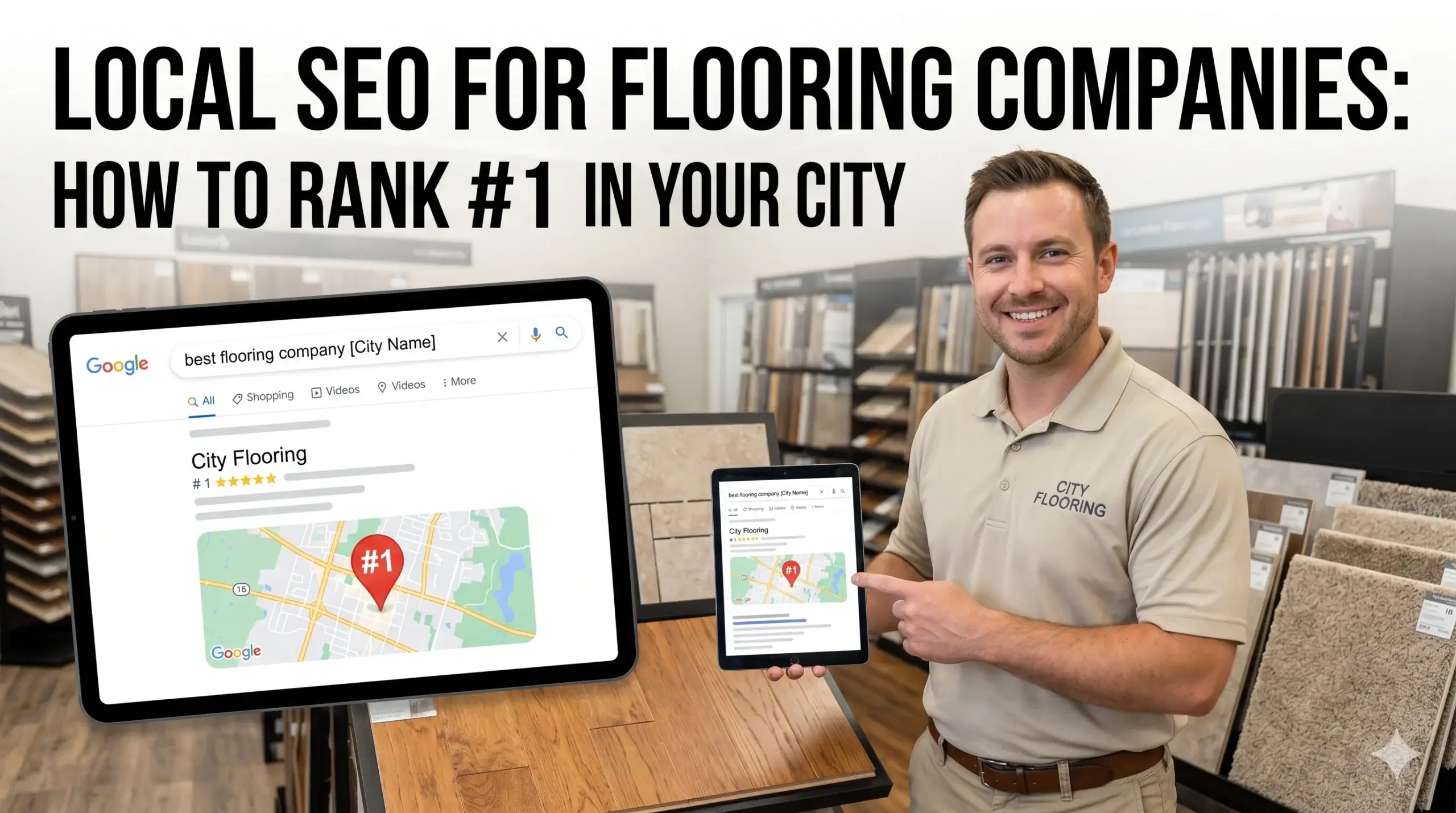
  • Local SEO for Flooring Companies: How to Rank #1 in Your City

    Local SEO for Flooring Companies: How to Rank #1 in Your City

    You’ve been in the flooring business long enough to know good work sells itself — but lately, it feels like the phone isn’t ringing the way it used to. You’ve got years of installs under your belt, happy customers, and a website someone told you looked “professional.” So why is the competitor down the street showing up on Google and you’re not?

    The hard truth is that most flooring companies have a website that looks decent but doesn’t actually work. It doesn’t rank. It doesn’t convert visitors into callers. It just sits there. And every day it sits there, leads you should be getting are going somewhere else.

    This guide breaks down exactly why that happens — and what a real fix looks like. No jargon. No empty promises. Just the specific reasons flooring businesses lose leads online and what it takes to get your phone ringing again.


    Why Your Flooring Website Isn’t Showing Up When It Matters Most

    Here’s the scenario: A homeowner in your city just cracked a tile in their kitchen. They grab their phone, type “flooring company near me,” and three names pop up. Yours isn’t one of them.

    That’s not a coincidence — it’s a technical problem with a fixable solution.

    Google ranks local businesses based on three main signals: relevance (does your site say what you do and where?), proximity (are you geographically close to the searcher?), and authority (does Google trust your site?). Most flooring websites fail on at least two of those three.

    The fix starts with your flooring website design — specifically, how your site is built, what it communicates to Google, and how fast it loads. These aren’t cosmetic choices. They directly determine whether your business shows up when someone nearby is ready to spend money.


    Your Site Loads Too Slowly — And It’s Costing You Real Jobs

    Think of your website like a showroom. If someone walks up to your door, tries to open it, and it takes eight seconds to unlock — they’re gone. They walked next door.

    That’s what slow websites do. Most visitors leave within three seconds if a page doesn’t load. On a mobile phone (where most of your potential customers are searching), a sluggish site might as well not exist.

    The technical culprit is usually one of three things:

    • Unoptimized images that are 10x bigger than they need to be
    • Cheap, shared hosting that can’t handle traffic spikes
    • Bloated website templates loaded with features you’ll never use

    Every one of those is fixable. At Digital Trace, sites are built for speed from the ground up — not retrofitted after the fact. That means faster load times, better rankings, and more visitors who actually stick around long enough to call you.


    Google Doesn’t Know Enough About Your Business to Trust It

    This one surprises a lot of flooring business owners. You’ve been in business for years, you have reviews, you have a Google Business Profile — and you’re still not showing up. Why?

    Because Google needs to see consistent, specific signals across your website, your listings, and your online presence before it’ll confidently push you to the top.

    When your website doesn’t clearly state what you install (hardwood? LVP? carpet? tile?), where you serve (which cities, which counties?), and what makes you different — Google treats you as a generic, lower-priority result. It’s not that Google dislikes you. It just doesn’t know enough about you.

    The fix involves making sure your website and your Google Business Profile are speaking the same language — same business name, same address, same phone number, same service areas — and that your site content gives Google the context it needs to match you with the right searches.


    💡 Pro Tip: Your Business Name, Address, and Phone Number Are Probably Wrong Somewhere

    One of the most common and damaging mistakes flooring companies make is having inconsistent contact information scattered across the web. Your website says one phone number. Yelp has an old address. Google Business Profile has a slightly different business name. To Google, these look like three different businesses — and none of them rank well. Run a quick audit of every place your business is listed online and make sure the name, address, and phone number are exactly the same everywhere. This single fix can move the needle faster than almost anything else.


    Your Homepage Talks About You — But Customers Are Searching for Themselves

    Read your homepage right now. Does it start with something like “Family-owned flooring company with 20 years of experience”? That’s about you. Customers searching Google aren’t looking for your backstory — they’re looking for a solution to their problem.

    “My hardwood floors are scratched and I need someone to replace them this week.”

    “I’m renovating my basement and need LVP that can handle moisture.”

    “I want to know how much flooring installation costs before I call anyone.”

    Your website should answer those questions immediately and specifically. A homepage that leads with your services, your service area, and a clear way to contact you — not buried at the bottom — converts dramatically better than one that starts with a company history.

    This is where flooring website design done right makes a measurable difference. A well-structured site tells visitors exactly what you do, where you do it, and how to reach you — within seconds of landing on the page.


    A Real Example: What Happens When the Website Finally Works

    The Situation: A flooring contractor in suburban Ohio had been in business for 14 years. Mostly word-of-mouth, a few Houzz leads, and a website his nephew built in 2018. It looked fine on desktop, loaded slowly on mobile, had no location-specific pages, and his Google Business Profile was barely filled out. He was averaging maybe two to three web leads per month — and half of those were low-budget tire-kickers.

    What Changed: A new site was built with mobile-first design, fast loading, and dedicated service pages for each city in his area (Columbus, Westerville, Dublin, Grove City). His Google Business Profile was fully optimized — photos, services, FAQs, weekly posts. His name, address, and phone number were corrected and made consistent across 40+ directories.

    The Result: Within 90 days, he was ranking in the top three on Google Maps for “flooring installation Columbus” and two surrounding cities. Monthly web leads went from two to three per month to 18 to 22 per month. Better yet, those leads were qualified — homeowners with real projects, not price-shoppers. His close rate stayed the same, but his revenue for the year was up significantly simply because more of the right people were finding him first.


    Not sure if your flooring website has these issues? Get a free website audit — no obligation, just a clear picture of what’s costing you leads.


    Your Path to More Leads: 5 Steps That Actually Move the Needle

    You don’t need to become an SEO expert. You just need to make sure the right things are in place. Here’s what a working local presence actually looks like for a flooring company:

    1. A fast, mobile-first website — Most of your customers are on their phones. If your site doesn’t load cleanly and quickly on mobile, you’re invisible to the majority of your potential market.
    2. Service pages built around what people actually search — Not one page that says “Our Services,” but dedicated pages for hardwood installation, LVP, carpet, tile — and ideally, separate pages for your key service cities.
    3. A fully optimized Google Business Profile — Complete with photos of your work, accurate hours, all services listed, and consistent contact info that matches your website exactly.
    4. Consistent business information everywhere — Your name, address, and phone number should be identical on every directory, social platform, and listing site where your business appears.
    5. A clear way to contact you on every page — Phone number in the header. A contact form that’s easy to use. A call-to-action that tells visitors what to do next.

    None of these are complicated in isolation. The challenge is doing all of them correctly, consistently, and in a way that works together — which is exactly what Digital Trace does for flooring businesses across the US.


    FAQ: Questions Flooring Business Owners Actually Ask Before Hiring a Web Agency

    Why am I not getting calls from my website even though I get visitors?

    Traffic without calls usually means one of two things: the wrong people are finding your site, or the right people are finding it but leaving before they act. Common causes include slow load times, no visible phone number above the fold, confusing navigation, or pages that don’t answer the visitor’s actual question. An audit usually reveals the exact drop-off point within minutes.

    How do I know if my flooring website is actually working for me?

    If you can’t point to specific leads that came from your website in the last 30 days, it’s probably not working. A site that works shows up in Google for local searches, loads fast on phones, and has a measurable number of visitors who call or fill out a form. If you don’t have that data — or you do and it’s flat — something needs to change.

    How long does it take to see results from a new flooring website?

    For a brand-new site with proper SEO from day one, most flooring businesses start seeing meaningful movement in local rankings within 60 to 90 days. Some faster, depending on competition in your area. The key is that a well-built site compounds over time — results don’t plateau the way paid ads do.

    What makes a flooring website different from a regular business website?

    Flooring customers make high-consideration purchases — they want to see your work before they call. That means your site needs strong project photo galleries, clear service breakdowns (hardwood vs. LVP vs. tile vs. carpet), and specific coverage of your service area. A generic “small business website” template doesn’t account for any of that. Get a free audit to see how your current site stacks up.

    Do I really need a fast website if my customers are local anyway?

    Yes — more so, actually. Local searchers are almost always on mobile, often in the middle of a task (comparing contractors, getting quotes, planning a renovation). They have no patience for slow pages. Google also factors page speed into local rankings, which means a slow site doesn’t just lose visitors — it loses visibility before those visitors even find you.

    I’ve paid for a website before and didn’t see results. Why would this be different?

    The most common reason websites don’t perform is that they were designed to look good, not to rank or convert. Design and SEO are two different disciplines. A site that wins awards for looks but isn’t built with local search in mind will never rank. At Digital Trace, every flooring website is built with both in mind from the first line of code — not treated as an afterthought.


    Stop Losing Leads You Should Already Be Getting

    Every day your flooring website isn’t ranking, a homeowner in your service area is calling your competitor instead of you. That’s not a hypothetical — it’s what’s happening right now.

    The good news is that the fix is usually more straightforward than most flooring business owners expect. The problems are real but solvable. The leads are out there. You just need a website and a local presence that are actually built to capture them.

    Digital Trace specializes in websites and local SEO for flooring companies across the US. We find what’s costing you leads, fix it, and build a foundation that keeps working for years — not just until the next algorithm update.

    Get your free website audit — we’ll show you exactly what’s holding your site back, what it’s costing you in lost revenue, and what a realistic fix looks like. No sales pressure. No obligation. Just a clear, honest picture of where you stand.

    See how Digital Trace builds websites for flooring businesses →
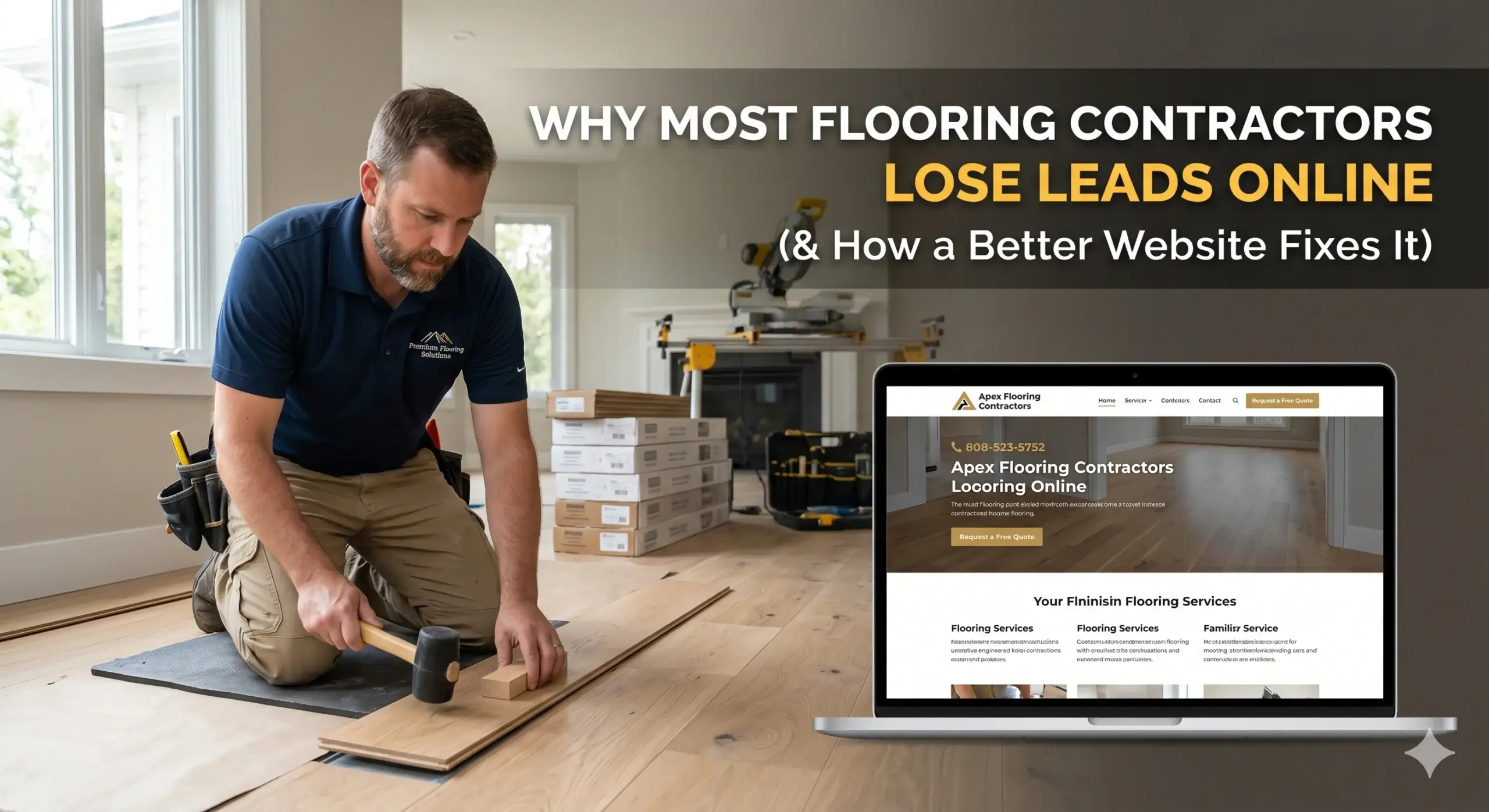
  • Why Most Flooring Contractors Lose Leads Online (And How a Better Website Fixes It)

    Why Most Flooring Contractors Lose Leads Online (And How a Better Website Fixes It)

    You do great work. You show up on time, your installs look clean, and your customers are happy — yet your phone isn’t ringing the way it should be. Meanwhile, another flooring company in your market somehow keeps popping up everywhere online, landing jobs you should be getting.

    The frustrating part? It’s probably not your pricing, your reputation, or even your service area. For most flooring contractors, the real problem is hiding in plain sight: their website.

    Most flooring business owners think of their website as a digital business card — something to point customers to when they ask. But your competitors who are winning online treat their website like their best salesperson — one that works 24/7, answers questions, earns trust, and turns visitors into phone calls before they click to the next result.

    This post breaks down exactly why flooring websites fail to generate leads, what the hidden causes are (in plain English), and what a properly built flooring website design actually looks like when it’s built to convert.


    Your Website Loads Slowly — And Customers Leave Before They See Your Number

    Think about how a homeowner shops for flooring. They pull out their phone, type something like “hardwood flooring installer near me,” and tap through a few results. If your site takes more than three seconds to load, they’re already gone — back to Google, clicking your competitor.

    The average mobile user won’t wait for a slow site. They’ve got options, and they know it. What most contractors don’t realize is that site speed is one of the top factors Google uses to decide which websites rank high in the first place. A slow site gets pushed down before a customer even has the chance to leave.

    This happens because most flooring websites are built on generic templates crammed with oversized images, bloated code, and add-ons that drag load times down. The site looks fine when you’re sitting at a desktop — but on mobile, in the field, on a 4G connection? It’s a different story.

    What a better approach looks like:

    • Images compressed and optimized for mobile without losing quality
    • Streamlined code that loads the most important content — like your phone number and call-to-action — first
    • Speed scores that meet Google’s performance standards so your site ranks and loads fast

    Google Doesn’t Know Enough About Your Business to Show It

    You might have a website up. You might even have some photos of your work, a services list, and a contact form. But if Google can’t clearly understand what you do, where you do it, and who you serve — it won’t confidently show your business to people searching in your area.

    There’s a simple technical layer that helps Google understand your business. Without it, your site is speaking a language Google partially ignores. Competitors who have it set up correctly get preference in local search results — those map listings and top results that appear when someone types “flooring company near me.”

    For flooring businesses, this means making sure your website tells Google: what type of flooring you install, what cities and counties you serve, how long you’ve been in business, and how customers have rated you. When Google has that information in a format it can read clearly, it trusts your site enough to show it.


    Your Site Looks Fine — But It Doesn’t Do Anything

    Here’s a question worth asking: when someone lands on your flooring website for the first time, what are they supposed to do next?

    If the answer is “look around, I guess,” that’s a problem. Most flooring websites are built to inform — not to convert. There’s no clear reason for the visitor to call right now, no urgency, no path that naturally leads them toward picking up the phone or filling out a form.

    Think of it this way: a great showroom isn’t just organized — it guides customers through a specific experience. The lighting hits the samples just right, a salesperson is there to answer questions at the perfect moment, and by the time the customer is ready to buy, they already trust you. Your website should do the same thing online.

    A high-converting flooring website leads visitors through a deliberate journey:

    • A headline that immediately tells them they’re in the right place (“Hardwood & LVP Installation in [City] — Free Estimates”)
    • Social proof up front — reviews, years in business, number of installs completed
    • A single, clear next step: call, text, or fill out a quick form
    • Photos of your actual work — not stock images — that build trust fast

    When a site is built this way, visitors don’t have to figure out what to do. They’re already dialing.


    You’re Not Showing Up for the Right Searches

    Most flooring contractors think about SEO in broad terms: “I want to rank for flooring.” But the people who are actually ready to hire someone aren’t searching “flooring.” They’re searching:

    • “LVP installation cost [city]”
    • “hardwood floor refinishing near me”
    • “tile installer [neighborhood]”
    • “flooring company free estimate”

    These are high-intent searches — people with credit cards ready, measuring tape in hand. If your website doesn’t have pages that specifically address these searches, you’re invisible to exactly the customers most likely to hire you.

    A properly built flooring company website creates dedicated content for each service and each location you serve. That means a page for hardwood installation, a page for tile, a page for LVP — and ideally, versions of those for each city in your service area. It sounds like a lot, but this is how flooring businesses consistently show up when the right people are searching.


    💡 Pro Tip: Your Contact Form Might Be Killing Your Lead Flow

    Many flooring websites have a contact form — but it asks for too much information up front. Name, email, phone, project type, square footage, preferred install date… by the time a homeowner hits question four, they’ve moved on.

    The fix is simple: reduce your form to three fields maximum (name, phone, and a one-line project description). The goal of the form isn’t to gather all the information — it’s to get the conversation started. You can ask the rest on the call. Shorter forms consistently produce more submissions, and in the flooring business, more submissions mean more booked estimates.


    Before & After: What a Real Flooring Business Transformation Looks Like

    The situation: A family-owned flooring company operating in a mid-sized metro area had been in business for over a decade. Word of mouth was strong, but new leads from online were nearly nonexistent. Their website was five years old, loaded in over seven seconds on mobile, had no local SEO structure, and sent visitors to a homepage with no clear call-to-action.

    What changed: The site was rebuilt from the ground up with performance as a priority — load times dropped to under two seconds. Separate service pages were created for hardwood, LVP, tile, and carpet, each targeting specific search terms. A streamlined quote request form replaced the old contact page. Local SEO structure was added so Google could clearly identify the company’s service areas.

    The result: Within 90 days, organic search traffic more than doubled. Monthly quote requests went from 2–3 to 15–20. The owner reported booking out three weeks in advance for the first time in years — with zero additional ad spend.

    That’s what a properly built flooring web design can do when every element is working together.


    Not sure if your flooring website has these problems? Get a free website audit — no obligation, just a clear picture of what’s costing you leads.


    Your Path to More Leads: 5 Steps That Actually Move the Needle

    If you’re reading this and nodding at more than a couple of these problems, here’s where to start:

    1. Test your site speed on mobile. Pull out your phone, go to your website, and time how long it takes to fully load. If it’s more than three seconds, you’re losing leads every single day.
    2. Ask yourself: what do I want visitors to do? If your site doesn’t have one clear, obvious next step — a call button, a “Get My Free Estimate” button — that needs to change before anything else.
    3. Count your pages. If your website is basically a homepage, an about page, and a contact page, Google has almost nothing to show in search results. You need service-specific and location-specific pages.
    4. Look at your reviews. Are they visible on your website? Google review counts and ratings should be right on your homepage — not buried, not missing.
    5. Get a professional audit. Most flooring business owners don’t know what they don’t know when it comes to their website. A proper audit will surface the exact issues costing you leads, ranked by impact.

    Digital Trace builds websites built for flooring businesses that are fast, optimized for local search, and designed to turn visitors into calls. Every site we build is built around one goal: more leads for your business.


    Frequently Asked Questions

    Why am I not getting calls from my website?

    The most common reasons are slow load speed, no clear call-to-action, and missing local SEO structure. If your site loads slowly on mobile, visitors leave before they see your phone number. If there’s no obvious “call now” or “get a quote” button, people don’t know what to do next. And if Google can’t figure out exactly what you do and where you do it, it simply won’t show your site to the right people.

    How do I know if my flooring website is actually working?

    A working website produces leads consistently — not occasionally. If you’re not getting at least a few quote requests or calls per week purely from your website, something’s broken. You can also check Google Search Console for free to see if your site is showing up for any searches at all. If it’s not, the site isn’t working.

    How long does it take to see results from a new website?

    Most flooring businesses start seeing measurable improvements in lead volume within 60–90 days of launching a properly optimized site. SEO is not instant, but a faster, better-structured site starts earning better Google placement relatively quickly — especially in local search where competition is often less intense than you’d expect.

    What makes a flooring website different from a regular business website?

    Flooring customers are highly visual — they want to see your work before they call. A flooring website needs to showcase high-quality project photos, be organized by service type (hardwood, LVP, tile, carpet), and speak directly to the concerns homeowners have: cost, disruption, timeline, and reliability. A generic business website template doesn’t address any of that. It’s built for no one in particular, which means it converts no one in particular.

    Do I really need a fast website if my customers are local?

    Yes — especially because your customers are local. Most local searches happen on mobile, often while someone is in their car or standing in a home improvement store. Mobile connections are slower than Wi-Fi, which means a slow website hits local customers the hardest. Google also ranks faster sites higher in local search results, so your speed directly affects whether you appear before your competitors.

    How do I find out what’s actually wrong with my website?

    The fastest way is a professional audit that looks at your site’s speed, SEO structure, mobile performance, conversion elements, and local search visibility — all together. Book a free website audit with Digital Trace and we’ll show you exactly what’s costing you leads, with no pressure and no sales pitch attached.


    Ready to Find Out What Your Website Is Costing You?

    Every week your flooring website isn’t performing, you’re handing jobs to competitors. Not because they’re better at what they do — but because their website is doing a better job of convincing customers to call.

    A free audit from Digital Trace will show you exactly where your site is losing leads, what’s fixable fast, and what a properly built flooring website could mean for your business in real numbers.

    Get your free flooring website audit →

    No contracts. No pressure. Just a clear picture of where you stand and what’s possible.

  • Flooring Company Website Design: What Your Site Needs to Book More Clients

    Flooring Company Website Design: What Your Site Needs to Book More Clients

    You do great work. Your installs are clean, your customers are happy, and your referrals are solid. But your phone isn’t ringing the way it should — and you’re watching competitors you know aren’t better than you show up all over Google.

    The frustrating part? Most flooring business owners assume the problem is that they “need more marketing.” But the real issue is usually the website itself. Not because it looks bad — but because it’s quietly failing at its only job: turning visitors into booked clients.

    This post breaks down exactly what’s wrong with most flooring company websites, what it’s costing you in real dollars, and what a high-converting flooring website actually looks like. By the end, you’ll know whether your site is working for you — or against you.


    Your Website Loads Too Slowly — And Your Customers Already Left

    Here’s something most flooring business owners don’t realize: if your website takes more than three seconds to load, the majority of visitors are gone before they ever see your phone number.

    Think about it like this — you wouldn’t let a customer walk into your showroom and stand at the door for 30 seconds staring at a blank wall. But that’s exactly what a slow website does.

    The technical reason is usually oversized images (those beautiful floor photos you uploaded are often 5–10x too large), outdated hosting, or a website builder that was never built for speed. The business impact is real: slow sites lose leads every single day, silently, without you ever knowing someone was there.

    At Digital Trace, every flooring website is built and optimized specifically for speed — so the first thing a potential client sees is your work, not a loading spinner.


    Your Site Doesn’t Tell Visitors What to Do Next

    Most flooring websites have the same invisible problem: they show off the work, but they don’t guide the visitor anywhere. No clear “Get a Free Quote” button. No phone number visible above the fold. No simple next step.

    It’s like finishing a beautiful hardwood install and then leaving without handing the customer a business card. The work speaks for itself — but you still need to close.

    When a homeowner lands on your site after searching “flooring contractor near me,” they’re already interested. They just need a reason to call you instead of clicking back and calling someone else. That reason is a clear, confident call-to-action — and it needs to be front and center, not buried at the bottom of the page.

    A flooring website built to convert has:

    • A phone number visible at the top of every page
    • A primary button (“Get a Free Quote” or “Book a Consultation”) above the scroll line
    • A short, clear headline that speaks to what the customer actually wants — not just “Welcome to ABC Flooring”
    • A lead form that takes less than 60 seconds to fill out

    Google Doesn’t Know Enough About Your Business to Show It

    You might have heard the term “local SEO” thrown around. Forget the jargon. Here’s what it actually means for your flooring business:

    Google is constantly deciding which flooring companies to show when someone nearby searches. It makes that decision based on signals — how complete your website is, how clearly it describes your services, and whether your business information appears consistently across the web.

    If your website doesn’t clearly state which cities you serve, which flooring types you install, or what makes you different — Google hesitates. And when Google hesitates, it shows your competitor instead.

    There’s also a behind-the-scenes fix called structured data (sometimes called schema markup) that tells Google exactly what your business is, where you’re located, and what services you offer. Most flooring websites are missing it entirely — and it’s one of the fastest ways to improve how often you show up in local search results.

    💡 Pro Tip: One of the most common mistakes flooring businesses make is having one generic “Services” page instead of separate pages for each flooring type — hardwood, LVP, tile, carpet, etc. Google treats each page as a separate ranking opportunity. A single page covering everything is like putting all your best samples in one box and hiding them in the back. Separate service pages get you found for more searches, by more customers, more often.


    Your Website Looks Fine — But It Doesn’t Build Trust

    A homeowner hiring a flooring company is making a big decision. They’re letting strangers into their home, spending thousands of dollars, and living with the result for years. They’re not just looking for the lowest price — they’re looking for someone they can trust.

    Most flooring websites look clean enough, but they fail the trust test. No real photos (just stock images of floors with no one in them). No reviews on the actual site. No “About Us” that feels human. No licenses or certifications mentioned anywhere.

    When a visitor can’t quickly find evidence that you’re credible, they leave — not because they don’t need flooring, but because they’re not sure they can trust you yet.

    A high-converting flooring website includes:

    • Real project photos with brief descriptions (what was installed, what the customer needed)
    • Google reviews embedded or displayed directly on the site
    • An “About” section that tells your actual story — not corporate filler
    • Any relevant licenses, insurance, or certifications clearly stated

    The Real Cost: What a Broken Flooring Website Looks Like

    Here’s a realistic picture of what this looks like in practice.

    A flooring contractor in the Pacific Northwest — let’s call him Marcus — had been in business for 11 years. He had a website. It looked decent. But he was getting maybe one or two leads per month from it, relying almost entirely on referrals.

    The problems on his site were invisible to him: it took 7 seconds to load on mobile, there was no clear quote button, his service area wasn’t mentioned anywhere on the page, and he had no individual pages for hardwood, LVP, or carpet — just one generic “Services” page.

    After a full rebuild — optimized images, fast hosting, dedicated service pages, a clear quote form, and local SEO setup — his site started generating 8–12 qualified leads per month within 90 days. Same service area. Same quality of work. The only thing that changed was the website.

    That’s not a magic number. It’s what happens when a site is actually built to do its job.

    Not sure if your flooring website has these issues? Get a free website audit — no obligation, just a clear picture of what’s costing you leads.


    Your Path to More Leads: What Actually Needs to Change

    If you’ve been nodding along reading this, here’s what the fix actually looks like — in plain terms:

    Step 1: Audit what’s broken. Before changing anything, find out exactly what’s wrong with your current site. Speed, missing pages, trust signals, SEO gaps — most flooring business owners are surprised by how many small issues add up.

    Step 2: Fix the speed and mobile experience. More than half of your visitors are on their phones. If your site isn’t fast and easy to navigate on mobile, you’re losing them.

    Step 3: Create dedicated pages for each flooring type. Hardwood, LVP, carpet, tile — each one deserves its own page. This is one of the highest-impact changes you can make for local search visibility.

    Step 4: Make the next step obvious. Every page should have a clear CTA. Don’t make visitors hunt for your phone number or guess how to get a quote.

    Step 5: Add real proof. Photos of your actual work, real reviews, and a human “About” section do more than any marketing copy ever will. If a potential client can picture you in their home, they’ll call.

    If you want someone to handle all of this — from the audit to the build — Digital Trace builds websites specifically for flooring businesses that are designed to rank, load fast, and convert.


    FAQ: Real Questions From Flooring Business Owners

    Why am I not getting calls from my website?

    The most common reasons are a slow load time, no clear call-to-action, and poor local SEO — meaning Google isn’t confidently showing your site to people nearby. Usually it’s a combination of all three, not just one.

    How do I know if my flooring website is actually working?

    If you can’t tell where your leads are coming from, that’s already a red flag. A working website should be generating consistent, trackable leads — not just sitting there looking presentable. Get a free audit to find out exactly what your site is and isn’t doing.

    How long does it take to see results from a new website?

    For local flooring businesses, most see meaningful improvement in leads within 60–90 days of launching a properly built site. SEO builds over time, but design and conversion changes can show results within weeks.

    What makes a flooring website different from a regular business website?

    A flooring website needs to do a few specific things: showcase visual work in a way that loads fast, rank for location-specific searches, and convert homeowners who are comparison shopping. Generic website templates weren’t built for any of that.

    Do I really need a fast website if my customers are local?

    Yes — especially because your customers are local. They’re searching on their phones while standing in a home improvement store or sitting in their car. If your site takes more than three seconds to load, they’re already calling someone else.

    I’ve worked with agencies before and didn’t see results. Why would this be different?

    A lot of agencies build websites that look good in a demo and then disappear. What actually moves the needle for flooring businesses is a site built around how local customers search, decide, and book — not just a site that looks professional. The audit will show you specifically what’s missing, before you commit to anything.


    Ready to Find Out What Your Flooring Website Is Costing You?

    Every week your website isn’t converting, you’re handing jobs to competitors. Not because they’re better — because their site is doing its job and yours isn’t.

    The free website audit from Digital Trace is a no-pressure, no-obligation review of exactly what’s working, what isn’t, and what’s costing you leads right now. There’s nothing to lose — and a lot of booked jobs to gain.

    Claim your free flooring website audit →

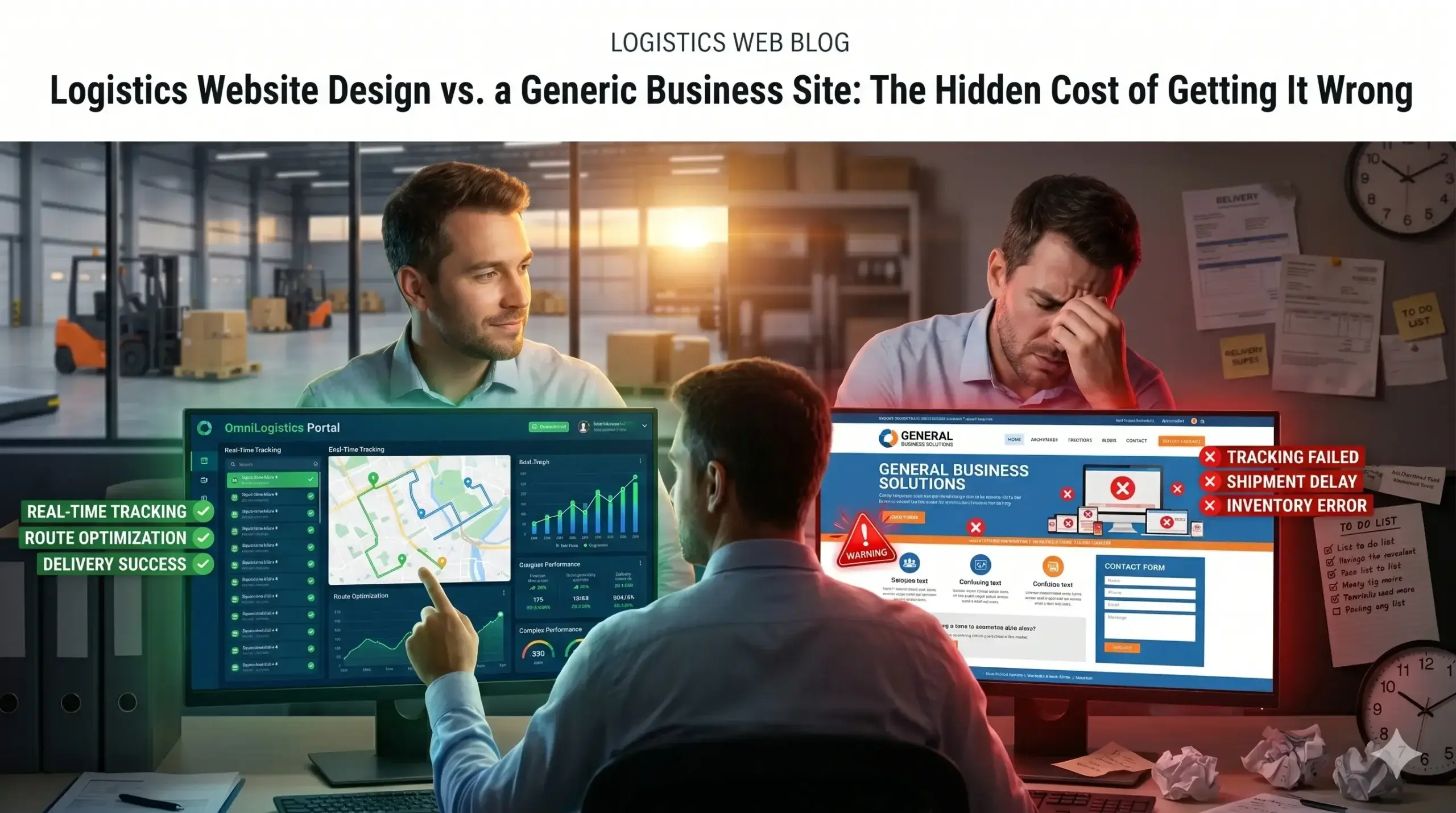
  • Logistics Website Design vs. a Generic Business Site: The Hidden Cost of Getting It Wrong

    Logistics Website Design vs. a Generic Business Site: The Hidden Cost of Getting It Wrong

    You paid for a website. Maybe a few thousand dollars, maybe more. It looks decent, loads okay, and has your phone number on it. So why isn’t it bringing in new business?

    Most logistics business owners assume their website “just needs more traffic.” But traffic isn’t the problem. The problem is that a generic website — the kind built for any business in any industry — is quietly costing you customers every single day. And you’d never know it from looking at the site.

    There’s a significant difference between a website that sits there and one that actively works to bring you freight contracts, fleet clients, and logistics partnerships. By the end of this article, you’ll know exactly what that difference looks like — and how to tell which one you have.


    Your Website Looks Professional, But Shippers Are Still Calling Your Competitor

    Here’s the frustrating reality: a logistics business can have a clean, modern-looking website and still rank nowhere near the top when a shipper searches “freight carrier [city]” or “third-party logistics provider near me.”

    Generic websites aren’t built around how buyers in the logistics space actually search. A manufacturer looking for a reliable carrier isn’t typing “business services.” They’re searching specific terms — lane coverage, freight types, capacity availability. If your site doesn’t speak that language, Google won’t show it to the right people.

    The technical reason is straightforward: Google ranks pages based on relevance to specific search intent. A logistics company website design built around your actual services, service areas, and freight specialties signals relevance in a way a one-size-fits-all template never will.

    What this costs you: Every week your site sits invisible in search results is another week your competitor picks up the RFQ you never heard about.


    A Slow Website Is Like a Truck That Won’t Start — Nobody Waits Around

    Picture this: a procurement manager needs a carrier quote before end of day. They click your website link, and it takes six seconds to load. They’re gone before your logo even appears.

    Page speed isn’t a nice-to-have. It’s the first impression. Studies consistently show that most users abandon a website if it doesn’t load within three seconds — and in logistics, where decisions are time-sensitive, that window is even shorter.

    Generic websites built on bloated templates are loaded with unnecessary code, unoptimized images, and third-party scripts that slow everything down. A purpose-built logistics company website design is engineered lean from the start — fast on desktop, fast on mobile, fast for the dispatcher checking your site from a truck stop.

    What this costs you: Slow load times mean fewer people ever see your services, your credibility, or your contact form. You’re losing leads before a single word is read.


    Google Doesn’t Know Enough About Your Logistics Business to Rank It

    Think of Google as a freight broker. It needs enough information to match the right carrier (your website) to the right shipper (the person searching). If your site doesn’t clearly communicate what freight you handle, where you operate, and who you serve — Google hedges its bets and shows someone else instead.

    The technical side of this is called structured data and on-page signals. It’s how Google reads your site to understand: Is this a full truckload carrier or an LTL broker? Do they service the Midwest? Do they handle temperature-controlled freight?

    A generic business template doesn’t provide those answers. A logistics website built by Digital Trace is structured so that Google can confidently match your business to the people actively searching for your specific capabilities.

    What this costs you: Without clear signals, your site competes against thousands of irrelevant results instead of ranking where it should — directly in front of shippers and fleet managers looking for exactly what you offer.


    💡 Pro Tip: One of the most common mistakes logistics companies make is listing their services in vague, broad terms like “transportation solutions” or “supply chain management.” These phrases mean everything and nothing. Your website should name your actual freight types, lanes, and equipment — dry van, reefer, flatbed, LTL, FTL, intermodal. The more specific your language, the more Google trusts that you’re the right answer for specific searches. This applies to your page titles, service descriptions, and even your image labels.


    Visitors Land on Your Site and Leave Without Calling — Here’s Why

    Getting someone to your site is only half the job. Once they arrive, your website has about 10 seconds to convince them to stay, trust you, and take action.

    Generic websites fail this test constantly. They’re designed to look good in a portfolio screenshot — not to move a skeptical logistics buyer toward picking up the phone. They bury the contact information, lead with company history instead of customer problems, and offer no clear reason to choose you over the carrier down the road.

    A high-converting logistics website does three things immediately:

    • States clearly who you serve and what you handle (not “we provide transportation solutions” — but “FTL and LTL carrier serving the Southeast, specializing in automotive and industrial freight”)
    • Shows proof fast — real lanes, real equipment, real capacity, real testimonials from actual clients
    • Makes it frictionless to act — a visible phone number, a simple quote request form, a clear next step

    What this costs you: A visitor who lands on your site and leaves without calling is a real opportunity lost. Multiply that by dozens of visitors per month, and you’re watching revenue walk out a door you didn’t know was open.


    What Happens When a Logistics Website Actually Does Its Job: A Real Scenario

    Consider a mid-sized regional carrier operating out of the Midwest — 18 trucks, solid reputation with existing clients, but struggling to land new accounts outside of referrals. Their website was five years old, built by a general web agency, and hadn’t been touched since. It ranked for their company name and nothing else.

    Before: Their site averaged around 200 monthly visitors, almost entirely existing contacts. Inbound leads from the website: near zero. Every new client came through a sales call or word of mouth.

    After rebuilding with a logistics-focused approach: The new site was structured around their actual freight specialties (refrigerated and flatbed), their primary lanes (IL to TX, OH to GA), and their target customers (food manufacturers and building suppliers). Load times dropped from 7 seconds to under 2. Local and regional search terms started ranking within 90 days.

    Within six months: monthly organic visitors grew to over 900, inbound quote requests averaged 8–12 per month, and they closed three new contract accounts worth over $280,000 in annual revenue — none of which came from outbound sales activity.

    The site didn’t just look better. It worked.


    Not sure if your logistics website has these same problems? Get a free website audit — no obligation, just a clear picture of what’s costing you leads.


    Your Path to More Leads from Your Logistics Website

    If you want your website to actually generate business, here’s what that path looks like:

    1. Audit what you have. Understand your current traffic, rankings, and load speed before changing anything. You need a baseline to measure against.
    2. Get specific about who you serve. Your website should name your freight types, lanes, equipment, and ideal customer — not offer vague descriptions that fit everyone and attract no one.
    3. Fix your speed. If your site takes more than 3 seconds to load on a phone, you’re losing leads before the page even appears. This is fixable.
    4. Build for the buyer’s journey. The first page a shipper sees should answer: Can you handle my freight? Where do you operate? Why should I trust you? How do I contact you? In that order.
    5. Track what’s working. A logistics website that’s actually performing will show you increasing organic traffic, lower bounce rates, and real inbound inquiries. If you can’t measure it, you can’t improve it.

    Digital Trace handles all of this — from the technical foundation to the content strategy — specifically for logistics businesses. No guesswork, no generic templates.


    Frequently Asked Questions

    Why am I not getting any calls from my website?

    The most common reasons are that your site isn’t ranking for the searches your customers actually use, or it’s ranking but not convincing visitors to act. A site can look polished and still fail on both counts. A quick audit usually reveals the exact gap within minutes — you can get one here for free.

    How do I know if my logistics website is actually working?

    If you can’t tell where your inbound leads come from, that’s your answer. A working logistics website drives measurable organic traffic, produces inbound quote requests, and ranks for freight and carrier searches in your service area — not just your company name.

    What makes a logistics website different from a regular business website?

    Logistics buyers search differently, evaluate differently, and decide differently than retail consumers. They need to see lane coverage, freight types, equipment lists, and capacity information — not a homepage hero image and a vague tagline. A logistics-specific website is built around that buying process from the ground up.

    How long does it take to see results from a new website?

    Most logistics businesses start seeing meaningful movement in organic traffic within 60–90 days of launching a properly built, optimized site. Significant ranking gains and consistent inbound leads typically follow within four to six months. The timeline depends on your market, competition, and how targeted the build is.

    Do I really need a fast website if my clients aren’t looking for carriers on their phone?

    Yes — because Google uses mobile performance to rank your site for everyone, including desktop users. A slow mobile site tanks your search rankings across the board, which means shippers searching on their desktop still may never find you. Speed is a ranking factor, not just a user experience issue.

    I’ve worked with web agencies before and didn’t see results. Why would this be different?

    Most general agencies build websites that look great in a presentation and produce no business results. The difference is industry focus. Digital Trace builds specifically for logistics companies — the content strategy, the technical setup, and the conversion structure are all built around how freight buyers actually search, evaluate, and decide.


    Stop Letting Your Website Cost You Freight Contracts

    Every week a logistics business runs on a generic, underperforming website is another week of inbound leads going to a competitor with a better-built site. The good news: the problems are fixable, and they’re usually faster to address than most business owners expect.

    Digital Trace specializes in logistics company website design — websites that rank, load fast, speak the language of your buyers, and convert visitors into quote requests and new accounts.

    Book your free website audit today — we’ll show you exactly what your current site is costing you and what it would take to fix it. No pitch, no pressure. Just a clear, honest look at where you stand.

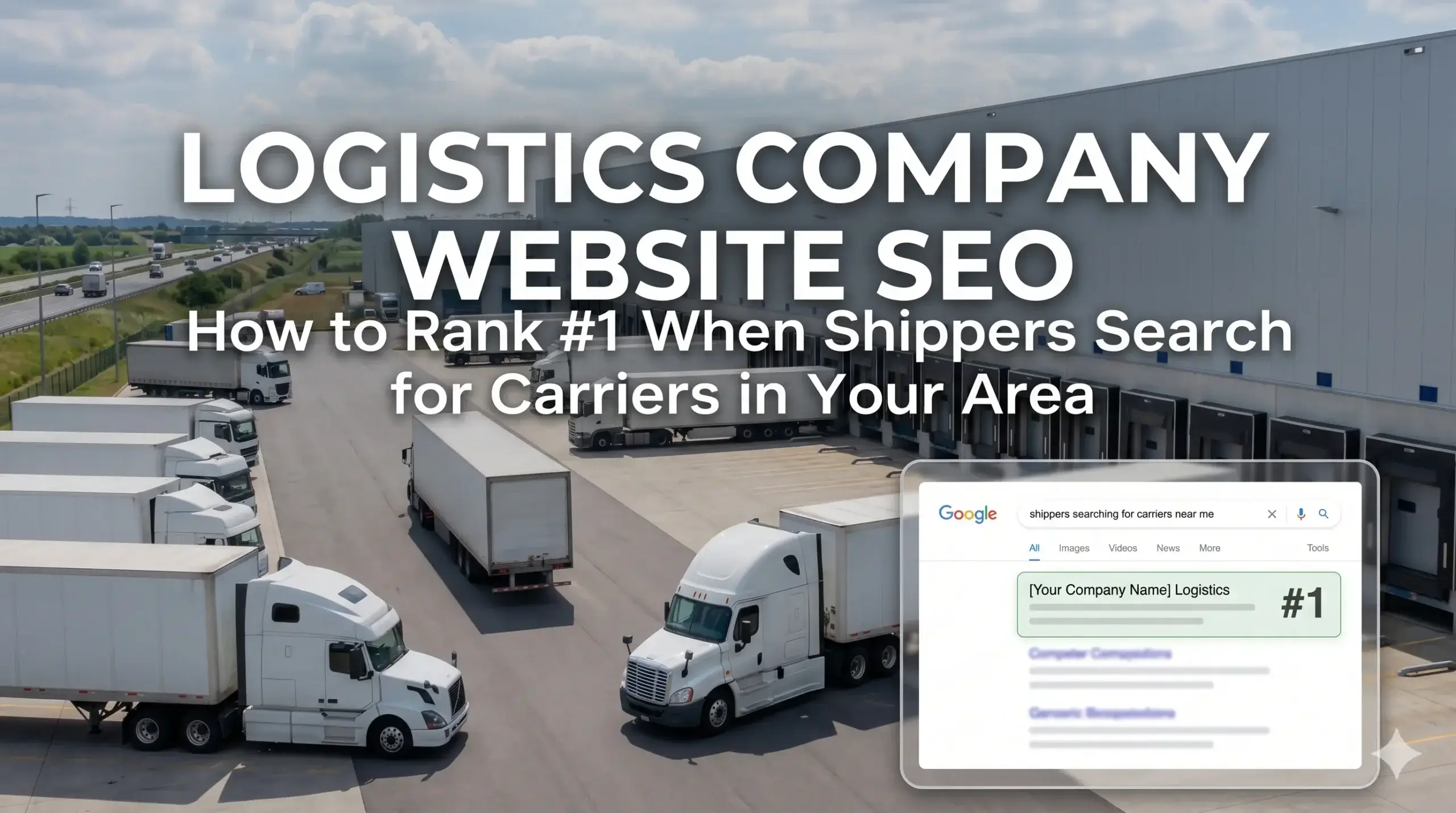
  • Logistics Company Website SEO: How to Rank #1 When Shippers Search for Carriers in Your Area

    Logistics Company Website SEO: How to Rank #1 When Shippers Search for Carriers in Your Area

    You’ve built a real business. You’ve got trucks on the road, drivers you trust, and routes you run every week. But when a shipper in your area goes to Google and types “freight carrier near me” or “local trucking company,” your name isn’t showing up — and someone else is getting that call.

    That’s not a marketing problem. It’s a website problem — and it’s more fixable than you think.

    Most logistics business owners assume they’re not ranking because they “need more SEO.” What’s actually happening is more specific: their website is missing the signals Google needs to trust it, and it’s missing the experience that makes a shipper want to pick up the phone. The good news is that once you know what’s broken, fixing it produces measurable results — more calls, more quote requests, more contracts.

    This article walks you through exactly what’s costing you visibility and leads, and what a properly built logistics company website design actually looks like.


    Your Website Is Like a Truck with No Markings Running a Route Nobody Knows About

    Think about it this way: if your truck had no company name, no DOT number, and no contact info on the side, shippers couldn’t identify you on the road — and dispatchers couldn’t vouch for you. Your website works the same way.

    Google is the dispatcher. It needs to know who you are, where you operate, what you haul, and whether you’re a credible carrier before it sends business your way. A generic, poorly structured site gives Google almost none of that information — so Google sends shippers to someone else.

    The fix isn’t just “add more content.” It’s about building your site so it speaks Google’s language while speaking your customer’s language at the same time.


    Why Shippers Can’t Find You (Even When You’re Right in Their Area)

    Your Site Doesn’t Tell Google Where You Actually Operate

    Most logistics websites have a Contact page with a city and state. That’s not enough. Google needs to see your service areas, your lanes, and your location tied to your business in multiple places — your homepage, your service pages, your footer, and in structured data that Google reads in the background.

    When that information is missing or scattered, Google can’t confidently show your business to shippers in your area. You may be the best carrier in three states, but if your site doesn’t make that clear, you’re invisible.

    The fix: Your site needs dedicated service area content, consistent NAP (name, address, phone) data, and what’s called “local schema markup” — a few lines of code that tell Google exactly what you do and where. How Digital Trace builds logistics websites includes all of this from day one.

    Your Homepage Talks About You — Not What the Shipper Needs

    Walk through your current homepage and count how many times it says “we” versus how many times it addresses the shipper’s actual problem. Most logistics sites lead with company history, fleet size, or mission statements. Shippers don’t care about your founding year. They want to know: Can you move my freight reliably, on time, to the right place?

    When your site doesn’t answer that question in the first five seconds, the shipper hits the back button — and goes to your competitor.

    The fix: Lead with what you solve, not who you are. Your homepage should immediately communicate your lanes, your reliability, and how to get a quote. Keep the “about us” story — but put it after the value.

    Your Website Loads Too Slowly to Compete

    Most shippers searching for carriers are on the go — a phone call away from making a decision. If your website takes more than three seconds to load on a mobile device, a significant portion of visitors will leave before they ever see your phone number.

    Slow load times don’t just cost you visitors. Google actively penalizes slow sites in search rankings. So you’re losing on two fronts: fewer people find you, and the ones who do leave before calling.

    The fix: Image compression, proper hosting, and technical cleanup can dramatically improve load times. It’s not glamorous work — but it’s often the single fastest way to improve both rankings and conversions.


    The Hidden Problem: Google Doesn’t Know Enough to Trust Your Site

    Missing Signals That Tell Google You’re Legitimate

    Google ranks businesses it trusts. Trust, in Google’s world, comes from signals: reviews, citations, backlinks from relevant sources, consistent business information across the web, and a website that’s technically sound.

    Logistics businesses often have strong reputations offline but weak digital footprints. If your business isn’t listed consistently on freight directories, trucking associations, and local business profiles — or if your website has broken links, duplicate content, or outdated pages — Google sees you as a lower-confidence result.

    That means shippers searching in your exact service area see your competitors first, even if you’ve been in business longer and have a better track record.

    Your Competitors Have Done the Work — You Can Catch Up

    Here’s something worth knowing: in most local logistics markets, the top-ranked carriers aren’t necessarily the biggest or the best. They’re the ones whose websites are built correctly. That means a mid-sized regional carrier with a well-structured, fast, keyword-relevant site will consistently outrank a large operation with a neglected website.

    This is actually good news. You don’t need a massive marketing budget. You need a site that’s built right.


    💡 Pro Tip

    The most common mistake logistics companies make: using one generic page for every service.

    If you offer LTL freight, FTL loads, and regional delivery, each of those should have its own dedicated page — not a single “Services” page that mentions all three in a paragraph. Google needs specific pages to rank for specific searches. A shipper searching “LTL freight carrier Ohio” won’t find you if that keyword only appears once buried on a general services page. Build out individual pages for each service and each primary service area. It’s one of the fastest ways to expand your ranking footprint.


    Real-World Example: What Changes When a Logistics Site Is Built Right

    Before: A regional flatbed carrier based in the Midwest had been in business for 11 years. They had a website built around 2018 that hadn’t been updated since. It loaded slowly, had no service area pages, and ranked on page 4 for their primary search terms. The owner was getting most new business through referrals and a few broker relationships — but wanted to grow direct shipper relationships. He figured the website “was fine” since it had all his contact info.

    After: A full rebuild was done with proper service area pages for each state they operated in, individual pages for flatbed and step-deck loads, fast mobile load times, and a homepage that led with shipper pain points rather than company history. Within four months, the site was ranking on page 1 for six target searches in their primary lanes. Direct quote requests through the website went from near zero to a consistent 8–12 per month. One of those turned into a dedicated lane contract worth over $180,000 annually.

    The site didn’t change the business. It made the business findable.


    Not sure if your logistics website has these issues? Get a free website audit — no obligation, just a clear picture of what’s costing you leads.


    Your Path to More Leads: 5 Steps to a Logistics Website That Actually Works

    1. Audit what you have. Before changing anything, understand what’s broken. A proper audit looks at load speed, keyword rankings, content gaps, and technical errors — and prioritizes what will move the needle fastest.
    2. Build service area and service-specific pages. Each lane you run and each service you offer deserves its own page with specific, relevant content. This is how you get found for searches that are actually worth money.
    3. Clean up your business listings. Make sure your name, address, and phone number are identical across Google Business Profile, freight directories, and your website. Inconsistencies hurt rankings more than most people realize.
    4. Make it fast and mobile-ready. Most of your potential customers are checking their phones between loads. Your site needs to load in under three seconds and be easy to navigate on a small screen.
    5. Add clear calls to action. Every page should make it obvious what the shipper should do next — call you, request a quote, or fill out a form. Don’t make them hunt for your contact information.

    Frequently Asked Questions

    Why am I not getting calls from my website even though it looks decent?

    Looking good and performing well are two different things. A site can have professional photos and a clean layout but still fail to rank because it’s missing the technical signals Google needs — proper page structure, service area content, schema markup, and page speed. If shippers can’t find your site in search, it doesn’t matter how good it looks.

    How do I actually know if my logistics website is working?

    The clearest sign is whether you’re getting inbound quote requests or calls from people who found you online. If all your new business comes from referrals or brokers, your website isn’t working as a lead source. A proper audit will show you exactly where visitors are dropping off and what searches you’re missing. Start with a free website audit here.

    How long does it take to see results from a rebuilt logistics website?

    Most logistics businesses start seeing ranking improvements within 60 to 90 days of a properly built site going live. Conversions — actual calls and quote requests — often improve faster than that, because a better site converts the traffic you already have. Full ranking momentum typically builds over four to six months as Google indexes and validates the new content.

    What makes a logistics website different from a regular business website?

    The structure, the content, and the intent behind every page are different. A logistics site needs to speak to shippers’ specific concerns — reliability, coverage area, load types, insurance, and response time. It also needs to be structured around the lanes and services you actually run, not generic “we move stuff” messaging. Generic web designers don’t know how shippers think. That’s why websites built for logistics businesses perform better than off-the-shelf designs.

    Do I really need a fast website if most of my customers are local businesses?

    Yes — especially if they’re local. Local searches happen on mobile devices all the time, often mid-route or between pickups. If your site takes five seconds to load on a phone, most visitors will leave and call whoever loads faster. Speed also directly affects your Google rankings, which determines whether local shippers find you at all.

    I’ve been burned by marketing agencies before. How is this different?

    That’s fair — and it’s the right question to ask. The difference is accountability and specificity. A website audit gives you concrete, documented findings before you commit to anything. You’ll see exactly what’s broken and what it’s costing you. There’s no guesswork, no vague promises about “increasing your digital presence.” If the numbers don’t support moving forward, you’ll know that too.


    Stop Losing Business to a Website That Isn’t Working for You

    Every week your site sits in its current state, shippers in your service area are finding your competitors and signing contracts you should have won. The freight is moving — it’s just not moving through you.

    A proper logistics company website design doesn’t just look better. It ranks higher, loads faster, and converts more of the shippers who are already searching for what you offer.

    Get your free website audit — we’ll show you exactly where your site is losing you leads, with no obligation and no sales pressure. Just a clear, specific picture of what’s costing you business, and what it would take to fix it.

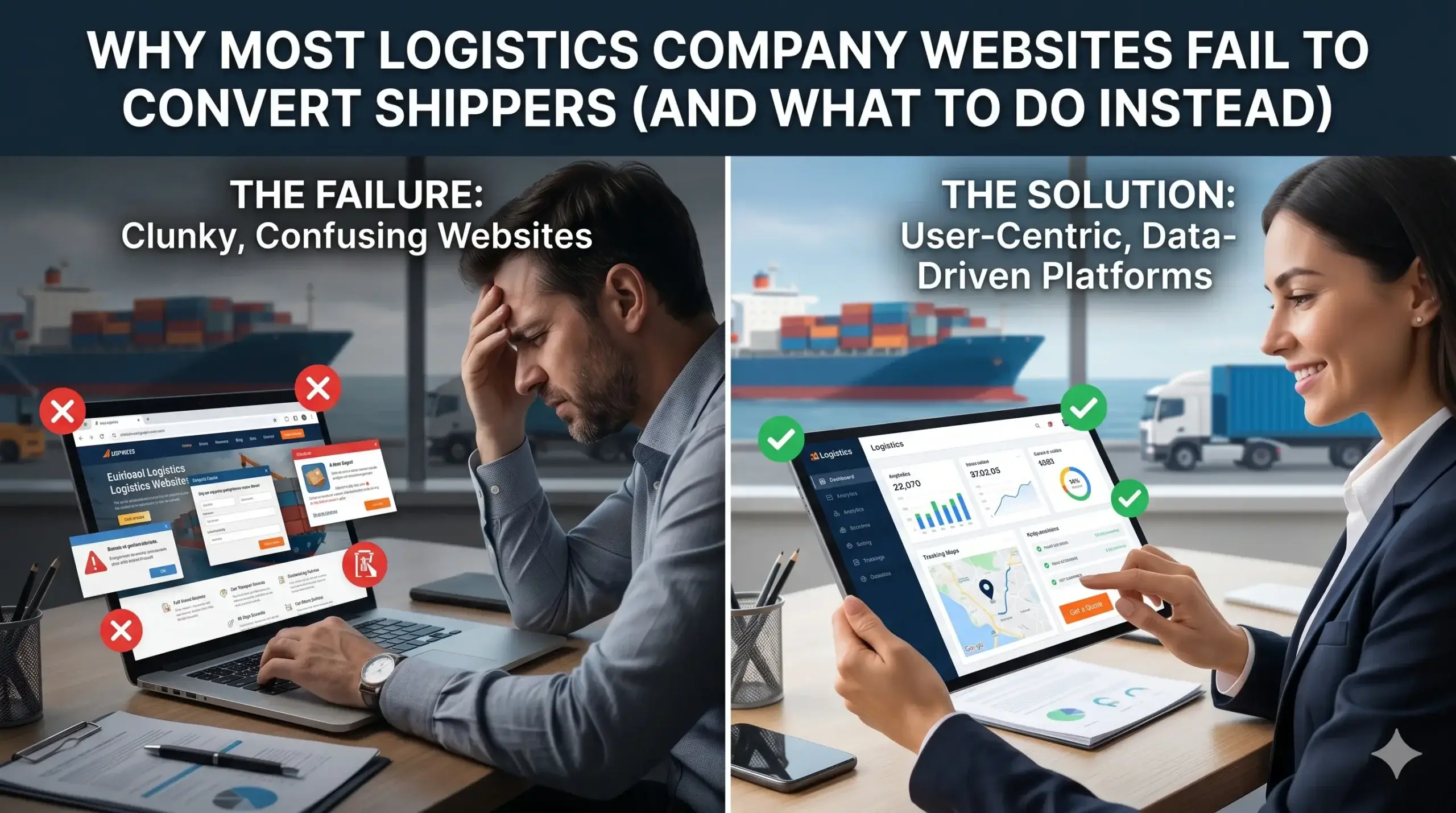
  • Why Most Logistics Company Websites Fail to Convert Shippers (And What to Do Instead)

    Why Most Logistics Company Websites Fail to Convert Shippers (And What to Do Instead)

    You’ve got trucks moving freight, drivers on the road, and dispatch working the phones — but your website? It’s sitting there quietly, doing nothing. No quote requests coming in. No new shipper inquiries. Just a page your cousin built five years ago that you’d rather not think about.

    Here’s what most logistics company owners assume: “My website just needs more traffic.” So they talk to an SEO guy, maybe run some Google Ads, and wonder why the phone still doesn’t ring.

    The traffic isn’t always the problem. The website itself is.

    Shippers searching for freight partners are making fast decisions. If your site doesn’t immediately answer their questions, earn their trust, and give them a clear next step — they’re gone. In the time it took you to read this paragraph, a potential customer just clicked over to your competitor.

    This post breaks down exactly why most logistics websites lose business before they even have a chance — and what a properly built site actually looks like.


    Your Website Loads Slowly — And Shippers Are Already Gone

    Think of your website like a freight terminal. If a shipper pulls up to drop off a load and stands around for 10 minutes before anyone acknowledges them, they’re leaving and calling someone else. That’s exactly what a slow website does.

    Most logistics websites are bloated with heavy images, outdated code, and hosting plans that weren’t designed for business performance. The result: your site takes 5, 6, sometimes 8 seconds to load.

    Studies consistently show that most visitors leave within the first 3 seconds if a page hasn’t loaded. That’s not just a bounce — that’s a shipper who needed a freight partner, landed on your site, and left before they even saw your phone number.

    The fix isn’t complicated, but it does require intentional website design for logistics companies — not a generic template off the shelf.

    What Digital Trace does instead: Every site we build is optimized for speed from the ground up. Compressed images, lean code, enterprise-grade hosting. Your site loads fast on a phone, on a desktop, on any connection — because shippers aren’t always at a desk.


    Your Homepage Talks About You — Not About What Shippers Need

    Here’s the trap most logistics companies fall into: the homepage opens with “Welcome to [Company Name]. We are a family-owned freight brokerage serving the continental US since 2003.”

    The shipper doesn’t care yet. They’re not looking for your company story. They’re looking for the answer to one question: Can these people solve my problem?

    If your homepage doesn’t answer that in the first 5 seconds, your visitor leaves. It’s that simple.

    Your website needs to lead with the shipper’s pain, not your credentials. What lanes do you cover? What freight types do you handle? What does working with you actually look like? Get to that immediately.

    What Digital Trace does instead: We structure logistics websites with the shipper’s decision process in mind. Your most critical information — service areas, freight types, contact options — is front and center, before anyone has to scroll. Your story gets told, but at the right moment, after trust is already building.


    There’s No Clear Next Step — So Visitors Do Nothing

    Imagine a shipper lands on your site, reads through your services, thinks “okay, this looks solid” — and then has no idea what to do next. Is there a form? Should they call? Email? Do they need to create an account?

    Confusion kills conversions. When a visitor isn’t sure what action to take, they default to the easiest one: they leave.

    This is one of the most common problems in logistics website design, and it’s completely fixable. Every page on your site should have one clear, obvious call to action. Not five options competing for attention. One.

    What Digital Trace does instead: We design every page with deliberate conversion paths. A shipper lands, they get the information they need, and the next step — whether that’s requesting a quote, filling out a contact form, or calling your dispatch line — is unmissable. No second-guessing required.


    Google Doesn’t Know Enough About Your Business to Show It

    You might have a decent-looking website but still be invisible in search results. Here’s why: Google doesn’t just scan your site — it looks for specific signals to understand what your business does, where it operates, and whether it’s trustworthy enough to show to searchers.

    If those signals aren’t there, Google hedges. Your competitor who has them shows up. You don’t.

    This isn’t about stuffing keywords everywhere. It’s about structure — the technical signals behind your pages that tell Google exactly what freight services you offer, what regions you cover, and that your business is legitimate and established.

    💡 Pro Tip: One of the most overlooked fixes in logistics website development is adding structured data (also called schema markup) to your site. Without it, Google treats your site like an unlabeled freight shipment — it may know it exists, but it’s not confident enough to put it front and center. Adding proper business and service schema is a straightforward fix that helps search engines confidently match your site to the right shipper searches.

    What Digital Trace does instead: We build every logistics site with proper technical foundations — structured data, clean site architecture, and on-page optimization that tells Google exactly who you are and where you serve. The result is a site that earns visibility without you needing to become an SEO expert.


    Your Site Doesn’t Work on a Phone — And That’s Where Shippers Are

    Logistics is a mobile industry. Shippers are checking options from a job site. Fleet managers are researching freight partners from a tablet. Decisions get made on phones, not just desktops.

    If your website isn’t built to work smoothly on mobile — small text, buttons that don’t tap right, forms that are impossible to fill out with your thumbs — you’re turning away a massive portion of potential business.

    A site that’s hard to navigate on a phone isn’t just annoying. It signals to the visitor (consciously or not) that your operation might not be up to date either.

    What Digital Trace does instead: Every logistics website we build is designed mobile-first. That means the phone experience is engineered first, and the desktop version grows from there. Click-to-call buttons, easy quote request forms, fast load times on cellular — all of it.


    Real-World Example: A Mid-Size Freight Broker in the Midwest

    A regional freight brokerage — running 12 lanes across the Midwest with a solid book of shipper accounts — came to us because their inbound leads had flatlined. They were doing fine on referrals but wanted to grow. Their website was five years old, built on an outdated template, and hadn’t been touched since launch.

    The problems we found:

    • Site loaded in 6.8 seconds on mobile
    • Homepage led with a company history paragraph
    • No quote request form — just a general contact email buried in the footer
    • Zero structured data; Google had no clear picture of their service area or freight types
    • Not one clear call to action on any page

    What changed: We rebuilt the site from scratch — fast-loading, mobile-optimized, with a homepage structured around shipper needs. We added a prominent “Request a Quote” form above the fold, clear lane and freight-type information, and full structured data implementation.

    The result: Within 90 days of launch, inbound quote requests increased from near-zero to an average of 18 per month. Organic search impressions tripled. The owner told us the site now “works harder than our best salesperson.”

    Not sure if your logistics website has these same issues? Get a free website audit — no obligation, just a clear picture of what’s costing you leads.


    Your Path to More Leads: 5 Steps That Actually Work

    You don’t need to become a web developer to fix your site. You just need to know what needs fixing and work with people who know the logistics space.

    1. Start with an honest look at your current site. Pull it up on your phone and pretend you’re a shipper who’s never heard of your company. Is the value clear in the first 5 seconds? If not, that’s your biggest problem.
    2. Fix your speed. A slow site is actively costing you business right now. Speed optimization alone can make a measurable difference in how long visitors stay and whether they take action.
    3. Rewrite your homepage around your shipper’s needs. Lead with what you do, who you serve, and what lanes or freight types you cover. Move your company story to the About page.
    4. Add one strong call to action to every page. A quote request form, a phone number, a scheduling link — pick one and make it obvious. Don’t make shippers hunt for it.
    5. Work with someone who understands logistics, not just websites. Generic web agencies build generic websites. A logistics website needs to speak the language of shippers — and be structured to convert them.

    Frequently Asked Questions

    Why am I not getting calls from my logistics website?

    The most common reason is a mismatch between what shippers are looking for and what your site shows them. If your homepage doesn’t quickly communicate what freight services you offer and what to do next, most visitors leave without acting. Speed, mobile usability, and a clear call to action are the three things we look at first.

    How do I know if my logistics website is actually working?

    If you’re not tracking where your calls and quote requests are coming from, you genuinely don’t know. A working website produces a consistent, measurable stream of inbound inquiries. If you haven’t gotten a lead from your site in the last 30 days, it’s not working. Book a free website audit and we’ll show you exactly where the gaps are.

    How long does it take to see results from a new logistics website?

    Realistic timelines vary, but most clients see meaningful improvement in inbound traffic and lead quality within 60–90 days of a new site launch — especially when SEO foundations are built in from day one. A redesign isn’t a magic switch; it’s a business asset that compounds over time.

    What makes a logistics website different from a regular business website?

    Shippers have very specific decision criteria: what freight types you handle, what lanes you cover, your capacity and reliability, and how easy it is to get a quote. A generic business website doesn’t address any of that. A logistics-specific website is structured around those exact questions — so shippers find answers fast and trust you enough to reach out.

    Do I need a new website, or can my current one just be fixed?

    It depends on the foundation. Some sites can be significantly improved with targeted fixes — speed optimization, new content, better calls to action. Others are built on outdated platforms that make meaningful improvement nearly impossible. The audit process is how we figure out which situation you’re in before recommending anything.

    I’ve paid for web design before and didn’t see results. Why would this be different?

    That’s the most common thing we hear — and it’s a fair question. Most agencies build sites that look good but aren’t designed to convert. They optimize for aesthetics, not for the specific behavior of shippers who are comparing freight partners. The difference is in the strategy behind the build, not just the design itself.


    Stop Leaving Money on the Table

    Your competitors are showing up in search results. Shippers are landing on their sites, getting their questions answered, and sending quote requests. Meanwhile, your website sits there looking like a parked truck with no driver.

    The good news: this is a solvable problem, and solving it doesn’t require months of guesswork.

    Digital Trace specializes in website design and development for logistics companies — built to rank in search, load fast, and turn shipper visits into actual business conversations.

    Get your free website audit →

    We’ll take a close look at your site, identify what’s costing you leads right now, and give you a clear picture of what a higher-performing site would look like — with no obligation and no sales pressure. Just real answers about your real website.

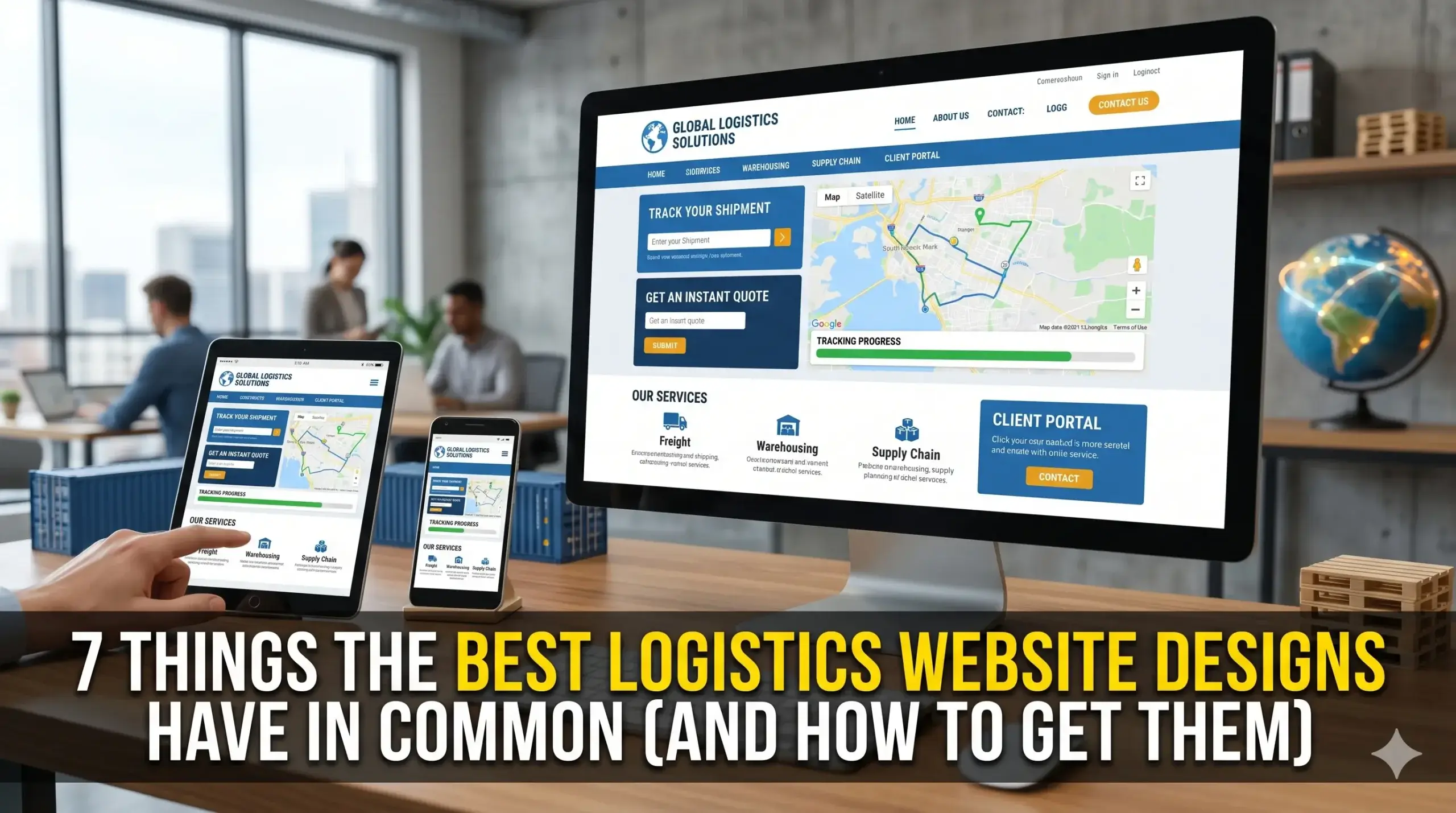
  • 7 Things the Best Logistics Website Designs Have in Common (And How to Get Them)

    7 Things the Best Logistics Website Designs Have in Common (And How to Get Them)

    You’ve got the trucks, the team, and the track record. But your phone isn’t ringing the way it should — and you’re watching competitors pick up jobs that should be yours.

    Most logistics business owners assume the problem is their pricing, or that they just need more reviews. Rarely do they look at the real culprit: their website. Not just how it looks, but how it works — or doesn’t.

    Here’s the truth: a logistics company’s website isn’t a digital business card. It’s a 24/7 sales rep. And if it’s slow, unclear, or hard to use, it’s quietly costing you freight contracts, fleet inquiries, and warehouse clients every single week.

    This guide breaks down the seven things that separate high-performing logistics company website designs from the ones that just sit there collecting digital dust — and shows you exactly what to do about each one.


    1. They Load Fast — Because Slow Sites Kill Deals Before They Start

    Think about how your customers find you. They’re a procurement manager or operations director under deadline pressure. They pull up three tabs at once, comparing logistics providers. If your site takes more than three seconds to load, they’re already reading your competitor’s page.

    Speed isn’t a “nice to have.” Studies consistently show that over half of all web visitors leave a page that takes longer than three seconds to load — and in a B2B context, that’s a qualified lead walking out the door before you even knew they were there.

    The technical reason is usually fixable: uncompressed images, bloated code, cheap hosting, or a theme loaded with features nobody uses. The business impact is immediate and ongoing.

    What the best logistics websites do: They’re built lean and fast — optimized images, clean code, and hosting matched to the site’s actual traffic needs. At Digital Trace, every site we build for logistics companies is performance-tested before it goes live.


    2. They Make It Obvious What You Do — Within Five Seconds

    Your homepage has one job before anything else: tell a visitor exactly what you do, who you serve, and why they should care. Not in three paragraphs. In a headline and a supporting line.

    Most logistics websites fail this test badly. They lead with vague language like “Your trusted logistics partner” or a stock photo of a highway at sunset — and leave the visitor doing detective work to figure out if you actually handle their type of freight, their geography, or their volume.

    A confused visitor doesn’t call. They leave.

    What works instead: A clear headline that names the service and the customer. Something like: “Nationwide LTL Freight Solutions for Mid-Size Manufacturers.” That sentence alone tells a shipper whether they’re in the right place — and if they are, they keep reading.


    3. They’re Built for the Phone — Not Just the Desktop

    More than 60% of B2B buyers now research vendors on mobile devices. That includes the warehouse manager comparing 3PL quotes from their phone while walking the floor. If your site isn’t built for mobile from the ground up, you’re invisible to a huge slice of your potential clients.

    “Mobile-friendly” isn’t the same as “mobile-optimized.” Friendly means it technically works on a phone. Optimized means it’s easy to navigate, fast to load, and designed so that tapping “Call Now” or “Request a Quote” feels effortless — not like solving a puzzle.

    The test: Pull up your own site on your phone right now. Can you find your phone number in under five seconds? Is the quote form easy to fill in with your thumbs? If not, you already know the problem.


    4. They Build Trust Before Asking for Anything

    Here’s the psychology of a logistics buyer: they’ve been burned before. A carrier missed a pickup. A 3PL lost track of a pallet. They’re not going to hand their supply chain to a company they just found on Google unless they trust you.

    The best logistics websites understand this and front-load proof: years in business, industries served, geographic coverage, certifications, equipment lists, and real client results. They don’t hide this in an “About” page buried in the navigation. It’s visible on the homepage and every service page.

    What trust signals actually matter for logistics:

    • Specific industries or freight types served (not just “all cargo”)
    • Coverage map or service area
    • Carrier ratings or compliance certifications (FMCSA, ISO, etc.)
    • Named clients or recognizable logos (where permitted)
    • Photos of your actual fleet, facility, or team — not stock imagery

    Generic claims like “industry-leading service” do nothing. Specifics do everything.


    5. They Have One Clear Next Step on Every Page

    Walk through the average logistics company website and count how many different things it asks you to do. Call us. Email us. Get a quote. Fill out this form. Follow us on LinkedIn. Subscribe to our newsletter. Read our blog.

    That’s decision paralysis in action. When visitors have too many options, they pick none.

    The best logistics websites choose one primary action per page — and make that action impossible to miss. For most logistics companies, that action is “Request a Quote” or “Get a Free Consultation.” Everything on the page is designed to move the visitor toward that one click.

    💡 Pro Tip: The single most common mistake logistics companies make is putting their contact form only on the Contact page. By the time a visitor navigates there, most have already left. Put a short, 3-field quote request form directly on your homepage — Name, Company, What They Need. That alone can double your inquiry rate from the same traffic.


    6. They Use Language Their Customers Actually Use

    This one sounds obvious, but most logistics websites are written the way the owner thinks about their business — not the way their customers search for it.

    A shipper looking for help doesn’t type “integrated supply chain solutions provider.” They type “freight broker for automotive parts” or “cold chain logistics Florida.” If your website doesn’t use the words your customers use, Google won’t show you to them — and the ones who do land on your site won’t recognize themselves in what you’ve written.

    What this means in practice:

    • Use the actual names of freight types, industries, and routes you serve
    • Write service pages that speak to the customer’s specific pain point, not your internal terminology
    • Match your language to how your target customer describes their own problem

    Web design for logistics companies done right means the copy, structure, and keywords all work together — not just the visuals.


    7. They’re Structured So Google Understands Them

    Your site could check every box above and still be invisible on Google if it’s not structured correctly on the technical side. This doesn’t mean stuffing in keywords. It means giving Google the information it needs to confidently match your business to the right search query.

    Think of it this way: Google is a massive freight matching platform. It’s trying to connect a shipper (someone searching) with the right carrier (your website). If your “load details” are incomplete — no location signals, no service descriptions, no clear page hierarchy — Google puts you at the back of the queue.

    The technical fixes are straightforward: proper page titles, structured data that tells Google your business type and location, internal linking between your service pages, and a clean site map. None of this requires you to understand code. It does require someone who knows what they’re doing.


    What This Looks Like in the Real World

    A regional flatbed carrier in the Midwest was generating solid revenue from existing clients but struggling to win new ones online. Their website was five years old, built on a template, and loading in over six seconds on mobile. Their homepage said “Quality Service, On Time, Every Time” — which told a visitor exactly nothing.

    After a full rebuild — faster hosting, mobile-first design, homepage copy that named their freight type and service area, and service pages optimized for the searches their buyers were actually running — the results shifted within 90 days. Organic inquiries more than doubled. Their average monthly quote requests went from 4–5 to over 20. More importantly, the quality of leads improved: callers were already sold on what the company did before they picked up the phone.

    That’s what happens when a website does its job.


    Not sure if your logistics website has these issues? Get a free website audit — no obligation, just a clear picture of what’s costing you leads.


    Your Path to More Leads: 5 Steps That Actually Work

    You don’t need to overhaul everything overnight. Here’s a clear sequence:

    1. Test your site speed. Use Google’s free PageSpeed Insights tool. If your mobile score is under 70, you have a problem worth fixing immediately.
    2. Read your homepage like a stranger would. Cover your logo and ask: does this tell me what the company does, who they help, and why I should care — in under 10 seconds?
    3. Check your mobile experience. Open your site on your own phone. If finding your phone number or filling out a form is frustrating, it’s frustrating for your leads too.
    4. Audit your trust signals. Is there specific proof on your homepage — industries, certifications, real numbers — or just generic claims?
    5. Get a professional review. A 15-minute audit with someone who builds logistics websites for a living will tell you more than hours of guessing on your own.

    Frequently Asked Questions

    Why am I not getting calls from my website even though I get some traffic?

    Traffic and leads are two different things. You can have hundreds of visitors a month and get zero calls if your site doesn’t load fast, make your value clear, or have an obvious next step. Most logistics websites have at least two or three of these problems working against them at once. A free audit will show you exactly where visitors are dropping off and why.

    How do I know if my logistics website is actually working?

    If you can’t answer these three questions, your site probably isn’t working: How many quote requests did you get last month from your website? Where do those visitors come from? Which pages are they landing on? If you don’t have Google Analytics or Search Console set up, you’re flying blind — and fixing that is the first step.

    How long does it take to see results from a new logistics website?

    For most logistics companies, you’ll see meaningful changes within 60–90 days of a properly built and optimized site going live. Early wins are often faster loading times and improved local visibility. Organic search rankings for competitive terms take longer — typically 3–6 months — but the compounding effect over time is where the real value is.

    What makes a logistics website different from a regular business website?

    Logistics buyers are skeptical, detail-oriented, and often making large financial decisions. They need to see proof of capability before they’ll trust you with their freight or supply chain. A generic website template doesn’t accommodate service-specific pages, coverage maps, freight type breakdowns, or the trust signals that actually move a logistics buyer to pick up the phone. The structure, copy, and conversion flow all need to be tailored to how logistics buyers think and search.

    Do I really need a fast website if most of my clients come from referrals?

    Referrals are great — until they slow down. And even referred prospects check your website before they call. A slow, outdated, or confusing site can lose you a referral-sourced deal before you ever get a chance to pitch. More importantly, a fast and well-structured site opens up organic search as a second revenue channel — one that works while you’re running operations, not just when someone happens to recommend you.

    What does “website design for logistics companies” actually include?

    Done right, it includes strategy (what the site needs to accomplish and for whom), copywriting in logistics-specific language, performance optimization, mobile design, SEO structure, and conversion elements like quote forms and clear calls to action. It’s not just making something that looks professional — it’s building something that generates qualified inquiries consistently.


    Ready to See What Your Website Is Actually Costing You?

    Every week your current site stays as-is, it’s quietly turning away qualified freight clients, fleet inquiries, and warehouse contracts who found you — and then left.

    The fix doesn’t start with a big commitment. It starts with clarity.

    Get your free website audit — we’ll review your logistics website, show you exactly what’s working against you, and give you a clear picture of what’s possible. No sales pressure. No jargon. Just answers.

    Claim Your Free Audit →

  • Does Your Logistics Company Website Design Drive Leads — or Drive Clients Away?

    Does Your Logistics Company Website Design Drive Leads — or Drive Clients Away?

    You built a solid logistics operation. You deliver on time, your drivers are reliable, and your clients trust you. But when a new shipper or supply chain manager searches for a freight partner online — they land on your website, spend about eight seconds looking around, and call your competitor instead.

    That’s not bad luck. That’s a website working against you.

    Most logistics business owners assume their website just needs to “look professional.” But a professional-looking website and a lead-generating website are two completely different things. One sits there. The other works like a 24/7 sales rep — qualifying prospects, building trust, and getting your phone to ring.

    This post breaks down exactly why most logistics company websites lose leads before they even get a chance to compete — and what the ones that actually convert look like.


    Your Website Is Loading Too Slowly — and Losing Clients Before They See Your Phone Number

    Picture this: a procurement manager at a mid-size manufacturer needs to find a new LTL carrier. She Googles, clicks your site, and nothing happens for four seconds. She hits the back button and calls your competitor.

    That’s not hypothetical — it happens dozens of times a week on slow logistics websites.

    Why it happens: Most logistics websites are built on bloated templates with uncompressed images, too many plugins, and no performance optimization. Every extra second of load time isn’t just annoying — it’s a conversion killer.

    The real cost: Studies consistently show that a site taking more than three seconds to load loses more than half its visitors. In logistics, where clients are comparing multiple vendors in a single session, you don’t get a second chance.

    What to do instead: Your site needs to be technically optimized from the ground up — compressed images, clean code, fast hosting, and a build that prioritizes speed on mobile and desktop alike. Websites built for logistics businesses by Digital Trace are engineered for speed first, because that’s where most operators are silently bleeding leads.


    You’re Not Showing Up When Local Shippers Search for You

    Your competitor down the road runs a scrappier operation than you. Their trucks are older, their rates aren’t lower — but they’re showing up on the first page of Google when shippers search for freight carriers, and you’re not. How?

    Their website is doing the work yours isn’t.

    Why it happens: Google needs clear signals to understand what your business does, where you operate, what lanes you cover, and who you serve. If your website has a generic homepage, vague service descriptions, and no location-specific content, Google doesn’t have enough to go on — so it doesn’t rank you with confidence.

    The real cost: Think about how many shippers search for “logistics company [your city]” or “freight carrier [your state]” every month. Every one of those searches you don’t show up for is a potential client that never knew you existed.

    What to do instead: Your site needs dedicated service pages built around the specific lanes, regions, and freight types you handle — written in a way Google understands and shippers trust. This isn’t about stuffing keywords. It’s about being clear about what you do and who you serve.


    Your Website Looks Like It Was Built for Someone Else’s Business

    Here’s a quick test: remove your logo from your homepage. Could it belong to any other logistics company in America?

    If the answer is yes, that’s a problem.

    Why it happens: Most logistics websites are built from generic templates with stock photos of semi-trucks and warehouses that no one in the industry finds interesting. There’s no personality, no proof of expertise, and nothing that separates you from 10,000 other operators.

    The real cost: When a shipper can’t tell what makes you different in the first few seconds, they default to whoever they’ve heard of — or whoever they find first. Generic = forgettable. Forgettable = calls your competitor.

    What to do instead: Your website should reflect exactly what kind of logistics company you are. Are you specialized in cold chain? Oversized freight? Last-mile retail delivery? That needs to be front and center — not buried in a “Services” page no one scrolls to. Think of your website like your dispatch board: every piece of information should be where it belongs, visible at a glance, and serving a purpose.


    Visitors Don’t Know What to Do Next — So They Leave

    This is one of the most common and most expensive mistakes on logistics websites. A potential client lands on your site, reads a bit, and then… nothing. No clear way to get a quote. No reason to call. No obvious next step.

    Why it happens: Most logistics websites were designed to inform, not to convert. There’s an “About Us” page, a list of services, maybe a contact form buried at the bottom. But there’s no clear path from “I’m interested” to “I’m ready to talk.”

    The real cost: Every visitor who leaves without contacting you is a lead you paid for — through SEO, word of mouth, or your reputation — and lost for free.

    What to do instead: Every page on your site should have one clear call to action. For logistics companies, that usually means making it dead simple to request a quote, get a rate, or schedule a call. The friction between “I’m interested” and “I reached out” should be as close to zero as possible.


    💡 Pro Tip: One of the biggest hidden mistakes on logistics websites is having a contact form that goes to a general email inbox — and then takes 48+ hours to get a response (or never gets one at all). That’s not a design problem — it’s a follow-up problem that kills conversions. A fast, well-designed website still fails if no one responds quickly. The best logistics websites route leads directly to whoever responds fastest and include an auto-reply so prospects know their request was received.


    Real-World Results: From Invisible to In-Demand

    The situation: A regional dry van carrier based in the Midwest had been in business for 11 years. Their website was built in 2017, hadn’t been touched since, and was loading in over six seconds on mobile. They were getting traffic — but almost none of it was converting. They were losing to newer carriers with slicker websites, even on lanes they’d covered reliably for years.

    What changed: Digital Trace rebuilt their site from scratch with a focus on three things: mobile speed (down to under two seconds), clear service pages for each of their primary lanes, and a prominent, easy-to-use quote request form on every page.

    The result: Within 90 days, their inbound quote requests increased by over 60%. Their Google visibility for freight-related searches in their region improved substantially, and they landed two new shipper accounts — both of which mentioned finding them online as the reason they called.

    Their operation didn’t change. Their website finally started working for them.


    Not sure if your logistics website has these issues? Get a free website audit — no obligation, just a clear picture of what’s costing you leads.


    Your Path to More Leads: A Simple 5-Step Roadmap

    You don’t need a marketing degree to fix this. Here’s how the process works:

    1. Audit your current site — Find out where you’re losing visitors, how fast your site loads, and whether Google can actually understand what you do. A free audit from Digital Trace gives you this in plain English.
    2. Fix your speed and mobile experience — If your site takes more than three seconds to load on a phone, that’s your first fix. Most shippers are searching from mobile at some point in their buying process.
    3. Create pages that match how shippers search — Build dedicated pages for your lanes, freight types, and service areas. Generic service pages don’t rank. Specific ones do.
    4. Make your next step obvious — Every page should make it easy for a prospect to request a quote or pick up the phone. Remove every barrier between interest and action.
    5. Track what’s working — Know which pages are driving calls, which aren’t, and why. The best logistics websites get better over time because they’re monitored and adjusted — not just built and forgotten.

    Frequently Asked Questions

    Why am I not getting any calls from my website?

    The most common reasons are slow load speed, weak visibility on Google, or no clear call to action on your pages. Visitors might be finding your site — but something is stopping them from picking up the phone. A free audit will show you exactly which of these is happening on your site.

    How do I know if my logistics website is actually working?

    If you can’t answer “how many leads did my website generate this month,” your site probably isn’t being tracked properly — or isn’t generating any. A working logistics website has measurable inbound activity: form submissions, calls traced to the site, or quote requests. If you’re not seeing any of that, something is wrong.

    What makes a logistics website different from a regular business website?

    Shippers and supply chain managers evaluate vendors differently than most consumers. They want to know your lanes, your capacity, your reliability track record, and how fast they can get a quote. A logistics website needs to answer those specific questions fast — before the visitor bounces and calls someone else. See how Digital Trace builds logistics websites differently.

    How long does it take to see results from a new website?

    For technical fixes — speed improvements, better mobile experience, cleaner design — you can see an immediate improvement in how long visitors stay and whether they take action. For SEO improvements like Google rankings, expect meaningful movement within 60–120 days depending on your competition and region.

    Do I really need a fast website if most of my clients come from referrals?

    Yes — because referrals still check your website before they call. Even a warm referral will Google your company name to look at your site before deciding whether to reach out. If what they find looks outdated, slow, or confusing, it creates doubt. Your website is either confirming the referral’s decision or giving them a reason to hesitate.

    How much does a logistics company website cost to build?

    It varies based on the size of your operation and what you need. What’s more useful to think about is what a broken website is costing you. If your site is losing even two or three shipper accounts per year that would have converted otherwise, the cost of a new site pays for itself quickly. Start with a free audit to understand your current gap before making any decisions.


    Stop Letting Your Website Cost You Clients

    Your website is either your best sales tool or your quietest liability. For most logistics companies operating in the US right now, it’s the latter — and the owners don’t even know it.

    The good news: the problems are fixable. And most of them don’t require a complete overhaul — just the right diagnosis and the right team to act on it.

    Digital Trace specializes in website design and development for logistics companies — built for speed, search visibility, and converting the right kind of clients. Not pretty-for-pretty’s-sake. Built to perform.

    Find out exactly what your logistics website is costing you — claim your free website audit here. No obligation. No sales pitch. Just a clear, honest look at what’s working and what isn’t — so you can decide what to do next.

  • DIY Towing Website vs. Professional Towing Website Design: Which One Actually Grows Your Business?

    DIY Towing Website vs. Professional Towing Website Design: Which One Actually Grows Your Business?

    You’ve got a towing business to run — dispatch calls coming in, trucks on the road, drivers to manage. So when it came time to build a website, you handled it yourself (or had a nephew do it), got something live, and moved on.

    But here’s the problem: the phone isn’t ringing from it.

    You’re not alone. Most towing company owners assume that having any website is good enough. The truth is, there’s a massive difference between a website that just exists and a towing website design that actually converts visitors into paying customers. One is a digital placeholder. The other is your best salesperson — working 24/7, capturing calls at 2am when someone’s car breaks down on the highway.

    By the end of this article, you’ll know exactly why your website might be failing you, what a professionally built towing service website actually does differently, and how to find out what it’s costing you right now.


    Why Your Towing Website Isn’t Bringing In Calls

    Think about the moment someone needs a tow. Their car just died on the side of the road. They’re stressed, maybe in the dark, and they pull out their phone. They type “tow truck near me” or “towing service [city name]” — and they call the first company that looks trustworthy.

    If your website isn’t showing up in that search, or if it shows up but looks outdated or loads slowly, that customer calls your competitor. Not because they preferred them — just because your site didn’t show up or didn’t pass the split-second trust test.

    That’s not a traffic problem. That’s a towing website design problem.


    The DIY Website Trap: What It Costs You Without You Knowing

    A DIY site built on Wix, Squarespace, or a free WordPress template might look fine on your laptop. But “looks fine” and “performs” are two completely different things for a towing service website.

    Here’s what’s typically broken under the hood:

    • It loads too slowly. Most people searching for a tow truck are on their phones, often with spotty signal. If your site takes more than 3 seconds to load, the majority of visitors leave before they ever see your phone number. That’s not an exaggeration — it’s a consistent pattern across local service websites.
    • Google can’t figure out what you do or where you do it. Without the right technical setup (called local schema markup), Google doesn’t have the structured information it needs to confidently recommend your business in local searches. The fix isn’t complicated, but most DIY builders skip it entirely.
    • Your phone number isn’t click-to-call. On a phone, a number that isn’t tappable means the customer has to memorize it, switch apps, and dial manually. Most don’t bother.
    • You’re invisible in the city areas you actually serve. DIY sites rarely have the location-specific pages that tell Google “this towing company serves [city], [city], and [city].” Without those, you show up for almost nothing.

    What a Professional Towing Website Design Actually Does Differently

    Here’s the analogy that makes this click for most towing operators: imagine you’ve got a great truck, but the radio doesn’t work, the GPS is broken, and it doesn’t show up in dispatch. It can still tow — but you’d never get a call for it.

    That’s a DIY website. A professional towing website design is the fully operational truck: it shows up when someone needs help, it looks reliable, and it makes it effortless to call.

    Specifically, a professionally built towing company website does these things:

    • Loads in under 2 seconds — so customers on the side of the road aren’t waiting and bouncing
    • Has a prominent, click-to-call phone number visible above the fold on every page
    • Targets the specific cities and service areas where you actually want to win work
    • Is structured so Google understands your services — roadside assistance, flatbed towing, long-distance towing, whatever you offer
    • Builds immediate trust with real photos, clear service descriptions, and visible reviews

    💡 Pro Tip: Your Homepage Might Be Turning Customers Away in the First 5 Seconds

    Most DIY towing websites make the same mistake: they open with a generic tagline like “Reliable Towing Services” and a stock photo of a highway. There’s no immediate answer to what the customer is thinking: “Can you tow me right now, in my city, and how much will it cost?”

    A professional tow truck website answers those three questions before the visitor even scrolls. That means city-specific language, a visible service list, and a clear call button — all in the first screen they see. This single change alone can dramatically increase the number of people who actually pick up the phone.


    Real-World Example: What Changed When One Towing Company Got Serious About Their Website

    Take a roadside and recovery operation based in the Dallas–Fort Worth area — a 4-truck operation with solid word-of-mouth, but a website that had been cobbled together years ago and never updated.

    The problems: The site took nearly 7 seconds to load on mobile. The phone number wasn’t clickable. There were no city-specific pages, so the company only appeared in search results for their home city — missing out on five surrounding suburbs they regularly served. Google Business Profile existed but wasn’t connected properly to the site.

    What changed: A rebuilt towing service website design — mobile-first, fast-loading, with dedicated service area pages for each city they covered. The phone number moved to a sticky header visible on every page. Local schema markup was added so Google could fully understand the business. Reviews were integrated from their existing Google profile.

    The result: Within 90 days, organic calls from the website more than doubled. They started appearing in local pack results for three cities they’d been invisible in. The owner reported that he stopped relying entirely on referrals to keep his trucks busy during slow weeks — the website was now pulling its weight.


    Not sure if your towing website has these issues? Get a free website audit — no obligation, just a clear picture of what’s costing you leads.


    Your Path to More Leads: 5 Steps That Actually Move the Needle

    You don’t need to understand web development to know what a better website should do. Here’s what the path forward looks like in plain terms:

    1. Find out what’s broken first. Before spending anything, get a clear diagnosis. A free audit will show you exactly what’s costing you calls right now — slow load times, missing city pages, broken click-to-call, and more.
    2. Fix the mobile experience. The majority of towing searches happen on phones. If your site isn’t built for mobile, you’re losing customers every single day.
    3. Build pages for every city you serve. Each city you want work from needs its own page. This is how you show up in searches beyond your home city.
    4. Make calling effortless. One tap to call. That’s the only goal of every page on a towing website.
    5. Work with someone who knows the towing industry. Generic web agencies build generic websites. A team that has built websites for towing businesses knows which pages to build, which cities to target, and which trust signals actually convert a stressed-out driver into a call.

    Frequently Asked Questions

    Why am I not getting calls from my towing website?

    The most common reasons are slow load speed (people leave before the page opens), no click-to-call number, and missing local SEO — meaning your site doesn’t appear in searches for the cities you actually serve. Any one of these alone can kill your incoming calls. Together, they mean your website is essentially invisible to the customers who need you most.

    How do I know if my towing website is actually working?

    If you can’t point to a specific number of calls or form submissions that came directly from your website each month, it’s probably not working. A properly set up site will have call tracking and Google Analytics showing you exactly how many people found you online and what they did next. A free audit can show you the baseline — and what you’re currently missing.

    How long does it take to see results from a new towing website?

    For local SEO results, most towing businesses see meaningful movement within 60–90 days of launching a properly optimized site. Some improvements — like click-to-call rates and mobile conversions — happen immediately on launch day because the experience is simply better for the visitor.

    What makes a towing website different from a regular business website?

    Towing customers are almost always in an urgent situation. They’re not browsing — they need help right now. That means a towing service website has one job above all others: get the visitor to call in under 10 seconds. The design, the structure, and the content all have to support that single goal. Generic websites are built to inform. A towing website is built to convert under pressure.

    Do I really need a fast website if my customers are local?

    Especially if your customers are local. Local customers are searching on their phones, often outdoors with inconsistent signal. A slow site doesn’t just frustrate them — it gets abandoned. And Google’s ranking algorithm specifically penalizes slow mobile sites, meaning your slower competitor with a faster website will outrank you even if your business is better.

    I’ve been burned by a web agency before. How is this different?

    That’s a fair concern, and it’s one we hear often. The difference is specificity. Agencies that build generic websites can’t explain why a towing website needs different city pages than a plumber’s. They can’t tell you which trust signals matter most to someone on the side of the road at midnight. Digital Trace works specifically with towing and roadside businesses — so the strategy isn’t guesswork, it’s built on what actually works in your industry.


    There Are Calls You’re Missing Right Now — Let’s Find Them

    Every day your current website sits there underperforming, someone types “towing service near me,” finds a competitor, and calls them instead. That’s real revenue walking out the door — and most towing operators don’t even know it’s happening because they have no way to measure what they’re missing.

    A free website audit changes that. You’ll get a clear, honest look at exactly what’s broken on your current towing website, which cities you’re invisible in, and what it would take to fix it. No pressure, no complicated jargon — just a straightforward picture of what’s costing you leads.

    Get your free towing website audit today →

  • How a Professional Tow Truck Website Pays for Itself in 30 Days

    How a Professional Tow Truck Website Pays for Itself in 30 Days

    Your truck is ready. Your crew is ready. But your phone isn’t ringing — at least not the way it should be.

    Most towing business owners assume the problem is competition. There are just too many other companies out there, right? Maybe. But here’s what’s actually happening: customers are searching for a tow truck right now, in your area, and your website is quietly losing them before they ever pick up the phone.

    The average person in a roadside emergency makes a decision in under 10 seconds. They land on a site, scan it fast, and either call or go back to Google to find someone else. If your site loads slowly, looks outdated, or doesn’t immediately show them a phone number and a reason to trust you — they’re gone. And you never even knew they were there.

    This article breaks down exactly why that happens, what it’s costing you in real dollars, and how the right towing website design changes that equation — fast.


    Your Website Is Your Dispatcher. Is It Doing Its Job?

    Think about your best dispatcher. They answer fast, give callers confidence, and get the job booked before anyone hangs up. Now imagine your dispatcher taking 8 seconds to pick up the phone, speaking quietly, and forgetting to mention your service area.

    That’s what a slow, poorly built towing website does every single day.

    When someone searches “tow truck near me” at 11pm on the side of a highway, they are ready to hire. They’re not browsing — they need help now. Your website either closes that call or hands it to your competitor in the next Google result.

    The problem isn’t that you don’t have a website. The problem is that your website isn’t working fast enough, clearly enough, or confidently enough to win that customer in the moment they need you most.


    Why Your Towing Website Isn’t Generating Calls

    It Loads Too Slowly — and Customers Don’t Wait

    Most visitors decide whether to stay or leave within 3 seconds of landing on a page. If your site takes 6, 7, or 8 seconds to load on a phone, the majority of your visitors are already gone — without ever seeing your phone number.

    This isn’t just an inconvenience. Google also tracks how fast your site loads and uses it as a ranking signal. A slow site doesn’t just lose visitors; it gets buried lower in search results, meaning fewer people find you in the first place.

    The fix isn’t glamorous, but it’s powerful: properly compressed images, clean code, and fast hosting can cut load time dramatically. Websites built for towing services businesses by Digital Trace are built with speed as a foundation — not an afterthought.

    Your Phone Number Isn’t Obvious Enough

    This sounds too simple to matter. It isn’t.

    On mobile — where the majority of towing customers are searching — your phone number needs to be visible immediately, tappable with one finger, and present on every page. If a visitor has to scroll, zoom, or hunt for your number, most won’t bother. They’ll go back to Google and call whoever has it front and center.

    Check your own site right now on your phone. How many taps does it take to call you?

    Google Doesn’t Know Enough About Your Business to Recommend You

    There’s a behind-the-scenes layer of information that helps Google understand your business — things like your service area, your business category, your hours, and the specific services you offer. When that information is missing or incomplete, Google becomes less confident showing your site to searchers.

    This doesn’t mean you’re penalized. It means you’re invisible in moments where you should be the obvious answer. A properly structured towing website tells Google exactly who you are, where you serve, and what you do — so it shows your site to the right people at the right time.


    The Design Problem Nobody Talks About: Trust Signals

    Picture this: you’re stranded at midnight and you find two towing companies online. One has a clean site, real photos of their trucks, visible reviews, a clear service list, and a phone number at the top. The other has a cluttered layout, stock photos, no reviews, and it’s hard to tell what cities they even cover.

    Who do you call?

    Your website either builds trust instantly or raises doubt. And doubt, in a high-stress roadside situation, always loses.

    Trust signals that actually move the needle for towing businesses:

    • Real photos of your actual trucks and crew (not stock images)
    • Visible customer reviews — ideally pulled in from Google
    • A clear list of services with cities or counties covered
    • Licensing, insurance, or certifications mentioned prominently
    • Response time or availability (“24/7 Dispatch — We Answer Every Call”)

    Most towing websites are missing three or more of these. That’s not a branding problem — it’s a revenue problem.


    💡 Pro Tip: Your Homepage Is Probably Costing You Jobs

    Here’s a common mistake in the towing industry: business owners build a homepage that talks about their company — years in business, family-owned, proud to serve — but buries the things customers actually need in an emergency. Customers in roadside situations don’t care about your history in the first 5 seconds. They need to know: Can you come to me? How fast? What’s the number? Put your service area, response time, and phone number above the fold on your homepage — meaning visible without any scrolling. Everything else can come after. This one change alone can meaningfully increase the number of calls you get from people who land on your site.


    Real Story: From Ghost Town to Booked Solid

    A towing company in the Dallas-Fort Worth area had been in business for 11 years. They had a website — had for years — but most of their work still came from word of mouth and one referral relationship with a local auto shop. Their site was pulling in some organic traffic, but the phone rarely rang from it.

    Here’s what the audit found:

    • Site loaded in 7.4 seconds on mobile
    • No click-to-call button visible on mobile homepage
    • Phone number only appeared in the footer
    • Service area pages existed but weren’t optimized for local searches
    • No customer reviews visible on the site

    After a full redesign focused on speed, mobile usability, local SEO structure, and trust signals, the results shifted quickly:

    • Mobile load time dropped to under 2 seconds
    • Inbound calls from organic search increased by roughly 3x within the first 30 days
    • Within 60 days, they had reduced their reliance on the referral relationship because online leads were consistent enough to fill the schedule

    The investment in a proper towing website design paid for itself within the first month — not because of magic, but because the site finally started doing what it was supposed to do: convert searching customers into booked calls.


    Not sure if your website has these same issues? Get a free website audit — no obligation, just a clear picture of what’s costing you leads.


    What Makes a Towing Website Different From a Generic Business Website

    A plumber, a restaurant, and a towing company all need websites. But the urgency and decision-making speed of a towing customer is entirely different.

    When someone searches for a tow truck, they are almost always in a high-stress, time-sensitive situation. They’re not comparing five options over two days. They’re picking from the top two or three results and calling immediately.

    That means your site needs to be engineered for speed of decision — not depth of browsing. Every design choice, from where the phone number lives to how fast the page loads to whether reviews are visible, should be made with one goal in mind: get this customer to call in under 10 seconds.

    Generic website builders and templates aren’t designed with that in mind. They’re designed to look clean and check a box. A towing-specific build considers your emergency customer’s psychology, your local competition, and your specific service areas from the ground up.


    Your Path to More Leads: What the Next 30 Days Can Look Like

    Here’s what it looks like when a towing company gets serious about their website:

    Step 1: Audit what’s actually happening. Before changing anything, understand what your current site is doing and where it’s falling short. A good audit covers speed, mobile usability, local SEO structure, and conversion elements.

    Step 2: Fix the fast stuff first. Speed and mobile phone number visibility can often be addressed quickly — and they have an immediate impact on calls.

    Step 3: Build out your local presence. Service area pages, Google Business Profile alignment, and local keyword targeting make sure you show up when someone nearby searches for what you do.

    Step 4: Add trust signals. Real photos, visible reviews, and clear service information turn visitors into callers. These aren’t decorative — they’re functional.

    Step 5: Track what changes. After a professional towing website design build, you should be able to see changes in call volume, form submissions, and search rankings within 30 to 60 days. If you can’t measure it, you can’t improve it.


    Frequently Asked Questions

    Why am I not getting calls from my towing website?

    Usually it’s one of three things: your site loads too slowly on mobile, your phone number isn’t immediately visible and tappable, or your site isn’t showing up high enough in local search results for people to find you. Often it’s all three. A quick audit will tell you exactly which problems are actually costing you calls.

    How do I know if my towing website is actually working?

    If you can’t answer “how many calls did my website generate last month,” your site isn’t working. A properly built site is connected to call tracking and analytics so you can see exactly what’s happening. If your current site has no tracking in place, you’re flying blind.

    How long does it take to see results from a new website?

    For towing companies, improvements in mobile conversions and call volume typically show up within the first 30 days of a properly built site going live. Local SEO improvements — ranking higher in your service areas — generally take 60 to 90 days to fully take hold. The fastest wins come from speed improvements and better mobile usability.

    What makes a towing website different from a regular business website?

    Towing customers are almost always in emergency situations. They’re not browsing — they’re deciding in seconds. A towing website needs to be built for fast decisions: immediate phone number visibility, clear service area information, trust signals up front, and fast mobile load times. A generic template or builder doesn’t account for any of that.

    Do I really need a fast website if my customers are local?

    Yes — especially because your customers are local. Local searches happen overwhelmingly on mobile, and mobile users are the least patient. If your site takes more than 3 seconds to load on a phone, you’re losing a significant percentage of visitors before they ever see your number. Speed matters more for local emergency services than almost any other type of business. Get a free audit to see exactly how your site performs right now.

    I’ve paid for a website before and it didn’t help. How is this different?

    Most websites are built to look good — not to generate leads. The difference is in the strategy behind the build: local SEO structure, mobile conversion optimization, trust signal placement, and speed. Digital Trace builds towing websites specifically to drive inbound calls, not just to exist online.


    Stop Losing Jobs to a Website That Isn’t Working

    Every day your website loads slowly, hides your phone number, or fails to show up in local searches is a day you’re handing jobs to competitors — without knowing it.

    The good news: these problems are fixable, and the impact shows up fast when they’re fixed correctly.

    Digital Trace specializes in towing website design that’s built from the ground up to drive calls — not just look good. If you’re not sure what your site is actually costing you, find out now.

    Book your free website audit — no pitch, no pressure. Just a straight answer on what’s working, what isn’t, and what it would take to turn your website into your best salesperson.