Blog

  • 10 Features Every Plastic Surgery Website Must Have to Book More Consultations

    10 Features Every Plastic Surgery Website Must Have to Book More Consultations

    Your front desk isn’t the first impression anymore — your website is. And if your plastic surgeon website design isn’t doing its job, you’re losing patients to competitors before a single conversation happens.

    Most plastic surgeons assume their website is “fine.” It looks professional, it has before-and-after photos, and it lists their services. But looking good and converting visitors into consultation bookings are two very different things. A website that doesn’t convert is less like a polished waiting room and more like a locked door — people show up, can’t get in, and walk away to the practice down the road.

    This post breaks down the 10 features that separate a plastic surgery website that fills your consultation calendar from one that quietly bleeds leads every day. No fluff, no tech jargon — just the real reasons your phone isn’t ringing and what actually fixes it.


    1. A Homepage That Answers “Why You?” in Under 5 Seconds

    When someone lands on your homepage, they’re not reading — they’re scanning. They want to know instantly: Is this doctor right for me? Do they do the procedure I want? Do they look legit?

    If your homepage leads with your practice name and a generic “Welcome to our practice” headline, you’ve already lost them. Visitors make a split-second judgment before they scroll, before they click, before they read a single word of your bio.

    The fix is a clear, benefit-driven headline paired with your top procedures and a trust signal — like board certification, years of experience, or number of procedures performed — visible above the fold.

    What Digital Trace does: Every website built for plastic surgery businesses leads with a message engineered to match exactly what your target patients are searching for and feeling when they land.


    2. Mobile Design That Doesn’t Just “Work” — It Converts

    More than 70% of people searching for plastic surgeons are doing it on their phones. If your mobile site is hard to navigate, has tiny buttons, or forces visitors to pinch-and-zoom, they’re gone within seconds.

    Mobile-friendly doesn’t just mean it displays on a phone — it means the consultation request form is easy to tap, your phone number is clickable, and the experience feels as intentional as your desktop site.

    A poor mobile experience is especially damaging in plastic surgery because your patients are making high-trust, high-cost decisions. If your site feels clunky on their phone, that feeling transfers to how they perceive your practice.


    3. Page Speed That Doesn’t Cost You Patients

    Your site loads too slowly — and most people leave in the first 3 seconds before they ever see your phone number, your before-and-after gallery, or your consultation button.

    This happens because most plastic surgery websites are built with large, uncompressed images (your gallery is beautiful, but it’s killing your load time), outdated themes, and cheap hosting that can’t handle traffic spikes.

    Every second of delay costs you real patients. Someone who waited 5 seconds for your page to load is already halfway through a competitor’s site.

    The result: Fast websites don’t just rank better on Google — they keep visitors long enough to actually convert.


    4. A Before-and-After Gallery That Builds Trust (Not Just Shows Results)

    Your before-and-after photos are your single most powerful sales tool. But how they’re presented makes all the difference between a visitor saying “wow” and closing the tab.

    A gallery that’s poorly organized, hard to filter by procedure, or loads slowly defeats the purpose. Patients want to find photos that match their situation — same body type, same procedure, similar age. If they can’t find themselves in your results, they’ll find a surgeon whose site makes it easier.

    Your gallery should be:

    • Filterable by procedure (rhinoplasty, breast augmentation, liposuction, etc.)
    • Fast-loading with high-quality images
    • Paired with brief context about the procedure — not just a side-by-side photo

    5. Clear, Low-Friction Consultation Booking

    This is where most plastic surgery websites lose the patient at the finish line. Someone is ready to book. They’re interested. They’ve looked at your gallery, read about you, and they want to take the next step.

    Then they find: a generic “Contact Us” form with 10 fields asking for their address, insurance, and how they heard about you. Or worse — just a phone number with no online option.

    Your consultation request process should feel effortless. A short form (name, email, phone, procedure of interest) with a clear confirmation that someone will follow up is all it takes. Every unnecessary field is a patient you’re sending to a competitor who makes it easier.


    6. Procedure Pages That Actually Answer Patient Questions

    Google doesn’t send traffic to a homepage that lists “Breast Augmentation, Rhinoplasty, Liposuction” in a menu. It sends traffic to specific pages that answer specific questions.

    If you don’t have a dedicated page for each procedure you offer — with real information about recovery, results, candidacy, and what to expect — you’re invisible for the searches that matter most. Someone typing “rhinoplasty recovery time” or “breast augmentation consultation near me” is ready to book. If your site doesn’t have a page that answers those questions, that patient finds someone else who does.

    Each procedure page should include:

    • What the procedure involves (in plain language)
    • Who is a good candidate
    • What recovery looks like
    • Real before-and-after photos specific to that procedure
    • A consultation CTA

    7. Local SEO Signals Google Actually Understands

    Google doesn’t know enough about your plastic surgery practice to show it confidently in search results — and there’s a simple fix for that.

    Most plastic surgery sites are missing what’s called local schema markup — essentially a coded label that tells Google exactly what your business is, where it’s located, what procedures you offer, and how to contact you. Without it, Google has to guess. And when Google guesses, your competitor who has it set up correctly gets the call.

    This also applies to your Google Business Profile, your NAP consistency (Name, Address, Phone — it needs to match everywhere online), and location-specific content that signals your relevance to patients in your city.


    💡 Pro Tip

    One of the most common mistakes on plastic surgery websites: using the same page title and meta description for every procedure page. If your rhinoplasty page, breast augmentation page, and facelift page all say “Procedures — [Your Practice Name],” Google sees them as the same page competing against itself. Each procedure page needs a unique title, description, and keyword focus. This one fix alone can significantly increase how many of your pages appear in search results.


    8. Patient Testimonials and Social Proof in the Right Places

    Trust is the currency of plastic surgery. Patients are making irreversible decisions about their appearance, often spending $5,000–$30,000 or more. They need to feel confident before they ever pick up the phone.

    Testimonials buried in a “Reviews” page that nobody visits don’t do the job. Social proof needs to be woven throughout your site — on your homepage, on individual procedure pages, and near your consultation form.

    Video testimonials, written reviews with full names (or initials with consent), and verified reviews pulled from Google or RealSelf carry significantly more weight than a generic “Our patients love us” statement.


    9. HIPAA-Conscious Design and Trust Signals

    Plastic surgery patients are sharing sensitive personal information — photos, health details, financial information. If your website doesn’t visibly signal security and professionalism, they’ll hesitate.

    This means having an SSL certificate (the padlock in the browser bar — if yours is missing, Google actively flags your site as “Not Secure”), a clearly stated privacy policy, and HIPAA-compliant contact forms if you’re collecting any health-related information.

    Beyond the legal requirements, these signals matter psychologically. A patient deciding between two equally skilled surgeons will choose the one whose digital presence feels more trustworthy and professional.


    10. Analytics That Tell You Where You’re Losing Patients

    Most plastic surgery websites have Google Analytics installed and ignored. Without knowing where visitors drop off, which pages convert, and where your form abandonment happens, you’re flying blind.

    The best plastic surgery web design isn’t just about how the site looks at launch — it’s about having the data to continuously improve. Are people landing on your rhinoplasty page and leaving immediately? That page needs work. Are they getting to your consultation form and stopping? Your form is too long or too complicated.

    How Digital Trace builds plastic surgery websites includes conversion tracking and analytics setup so you always know what’s working and what’s silently costing you bookings.


    Real-World Scenario: What a Performance Overhaul Actually Looks Like

    A plastic surgery practice in Texas — focused primarily on breast augmentation and body contouring — had a website they’d paid $4,000 for three years earlier. It looked professional. The photos were great. But the phone wasn’t ringing from online searches the way it should have been.

    When their site was audited, the problems were clear: the site took over 6 seconds to load on mobile, there were no dedicated procedure pages (just a single “Services” page listing everything), the before-and-after gallery had no filtering, and the contact form had 12 fields including insurance information.

    After rebuilding with procedure-specific pages, a fast and filterable gallery, a streamlined 4-field consultation form, and proper local SEO signals, their organic consultation requests went from roughly 4–6 per month to over 25 per month within 90 days. The same traffic. The same ad spend. Just a website that actually converted.


    Not sure if your plastic surgery website has these issues? Get a free website audit — no obligation, just a clear picture of what’s costing you leads.


    Your Path to More Consultation Bookings

    Here’s what the process looks like when you decide to fix this:

    1. Audit what you have. Find out specifically where your current site is losing patients — speed, mobile experience, SEO gaps, or conversion issues.
    2. Prioritize the highest-impact fixes. Not everything needs to change at once. The right diagnosis tells you where to start.
    3. Build procedure-specific pages. This is the single biggest SEO and conversion lever for most plastic surgery practices.
    4. Streamline your consultation path. Make it as easy as possible for a ready patient to raise their hand.
    5. Track, measure, and improve. A good website gets better over time when you know what the data is telling you.

    Frequently Asked Questions

    Why am I not getting calls from my plastic surgery website?

    The most common reasons are slow load speed, no dedicated procedure pages, a complicated contact form, and missing local SEO signals. Your site might look good but be invisible to Google for the searches that matter, or it might rank but lose patients before they ever reach your phone number. A quick audit usually surfaces the exact issue within minutes.

    How do I know if my plastic surgery website is actually working?

    If you’re not tracking consultation form submissions, phone calls from the website, and which pages visitors land on and leave from, you genuinely don’t know. A working website has measurable conversion points — not just traffic numbers. A free audit from Digital Trace will show you exactly what’s happening and what it’s costing you.

    How long does it take to see results from a new plastic surgery website?

    Technical fixes like speed and mobile improvements can show impact in 4–8 weeks. SEO-driven results from new procedure pages typically build over 60–90 days as Google indexes and ranks the new content. The consultation form and conversion improvements are often immediate — patients who were already visiting can start booking as soon as the friction is removed.

    What makes a plastic surgery website different from a regular business website?

    The stakes are higher, the trust bar is higher, and the patient journey is more research-intensive. Patients spend weeks comparing surgeons, reading reviews, and studying before-and-after results before they ever contact anyone. Your website needs to support that research process — answering questions, building confidence, and making the next step feel obvious and easy. A generic business website template doesn’t account for any of that.

    Do I really need a fast website if most of my patients are local?

    Yes — especially because your patients are local. When someone in your city searches for a plastic surgeon and your site loads in 6 seconds while a competitor’s loads in 1.5, they’re already reading your competitor’s procedure pages. Local patients have plenty of options. A slow site isn’t just an annoyance — it’s a daily, invisible transfer of your potential patients to someone else.

    I already paid an agency for a website. Why isn’t it working?

    Most general web agencies build sites that look great in a design presentation but aren’t built for conversion or search performance. Plastic surgery has specific SEO needs — procedure-level keyword targeting, local signals, gallery performance, and trust-building content — that a non-specialized agency often misses. The design might be beautiful and the site still costs you leads every single day.


    Your Consultation Calendar Shouldn’t Depend on Luck

    A plastic surgery practice with excellent results and a surgeon patients love deserves a website that reflects that — and sends those patients a clear signal to book.

    The gap between where you are now and a calendar full of consultations usually isn’t a bigger ad budget or a complete rebrand. It’s a handful of fixable problems on a website that’s already getting traffic and nearly converting.

    Find out exactly what’s holding your site back. Get your free plastic surgery website audit from Digital Trace — no pressure, no obligation, just an honest look at what’s costing you leads and what it would take to fix it.


  • Plastic Surgery Website Design: Why Most Surgeon Sites Lose Patients Before They Even Call

    Plastic Surgery Website Design: Why Most Surgeon Sites Lose Patients Before They Even Call

    Your phone should be ringing more than it is. You’ve invested in your practice, your skills, and your reputation — but when a prospective patient lands on your website, something breaks down. They leave. They don’t call. They book with someone else.

    Here’s what most plastic surgeons get wrong: they assume a beautiful-looking website is a high-performing one. Those are two very different things. A site can look polished and still bleed patients quietly, every single day — through slow load times, confusing navigation, missing trust signals, and pages Google can’t properly read.

    This article breaks down exactly why most plastic surgery websites fail to convert visitors into consultations, what the hidden technical problems actually mean for your practice, and what a properly built plastic surgery website looks like when it’s done right.


    Your Website Is Like Your Consultation Room — And Right Now, the Door Is Stuck

    Think about your consultation room. It’s carefully designed — comfortable, clean, professional. It signals to patients that they’re in the right hands before you’ve said a word.

    Your website is supposed to do the same job, but faster. A potential patient finds you on Google and has about three seconds to decide whether to stay or hit the back button. If your site loads slowly, looks cluttered on a phone, or doesn’t immediately answer “why should I trust this surgeon?” — they’re gone.

    The painful part? You’ll never know they visited. There’s no missed call notification, no record of the lead. They just disappear — and usually end up booking with a competitor whose site happened to load faster and feel more confident.


    Slow Load Times Are Silently Killing Your Consult Requests

    Most plastic surgery websites are loaded with high-resolution before/after photos, video testimonials, and large hero images. All of those are valuable — but if they’re not optimized, your site takes 6, 8, even 10 seconds to load fully.

    Research consistently shows most users abandon a page within the first 3 seconds if it doesn’t load. For plastic surgery patients — who are often making a high-consideration, emotionally driven decision — that first impression matters enormously. A slow site doesn’t just frustrate visitors. It signals, subconsciously, that the practice may not be up-to-date.

    The fix isn’t removing your photos. It’s compressing images without sacrificing quality, loading content in the right order, and hosting your site on fast servers. At Digital Trace, every plastic surgery website build includes full performance optimization so your site loads fast on every device — especially mobile, where most of your patients are searching.


    Google Doesn’t Know Enough About Your Practice to Recommend It

    Here’s something most plastic surgeons never hear: Google doesn’t automatically understand what your website is about. It reads code, not intentions. If your site is missing certain behind-the-scenes signals — things like structured data that tells Google your specialty, your location, your patient reviews, and your services — Google treats your site as a generic page rather than a trusted local medical provider.

    That means when someone searches “rhinoplasty surgeon near me” or “best breast augmentation surgeon in [your city],” your competitor with a technically stronger site shows up — and you don’t.

    There’s no dramatic visual symptom of this problem. Your site looks fine to you. But Google is quietly routing patients elsewhere because it doesn’t have enough confidence in your page to rank it prominently.

    The fix involves adding structured metadata that clearly communicates your practice’s details to search engines. It’s invisible to patients but critical to Google — and it’s a standard part of how Digital Trace builds plastic surgery websites that actually get found.


    Your Website Isn’t Built for How Patients Actually Search

    Most plastic surgery sites are organized the way surgeons think about their services — by procedure category. But patients search the way they feel. They type things like:

    • “how much does a tummy tuck cost”
    • “best rhinoplasty surgeon near me”
    • “is liposuction worth it”
    • “what to expect after a facelift”

    If your website only has pages titled “Body Contouring” or “Facial Procedures,” it’s missing the language your future patients are actually using. Google can only send patients to pages that match what they search. No match, no traffic.

    The solution is building your site with dedicated pages for each major procedure, written the way patients actually talk — answering their real questions, addressing their concerns, and guiding them naturally toward booking a consultation. Every page becomes its own entry point from Google.


    💡 Pro Tip

    The #1 mistake plastic surgery websites make: using generic templates not built for medical practices.

    Most web designers build a site that looks great in a demo and then hand it over. What they don’t account for is that plastic surgery patients are doing deep research — they’re comparing surgeons, reading credentials, looking for before/after photos that match their goals, and checking reviews. A generic template has no strategy for any of that.

    What you actually need are procedure-specific landing pages, a before/after gallery that’s easy to filter, trust signals placed at exactly the right moment in the patient journey, and a contact flow that’s frictionless on mobile. That’s not a template — that’s a custom conversion strategy.


    Mobile Experience: Where Most Plastic Surgery Sites Actually Lose Patients

    More than 70% of Google searches happen on a mobile device. For plastic surgeons, that number is likely even higher — patients are searching during lunch breaks, commutes, or late at night when they’ve finally decided to explore their options.

    If your website wasn’t specifically designed to work beautifully on a phone, you’re losing the majority of your potential consultations. This isn’t just about the layout shrinking to fit a screen. It means:

    • Your before/after photos load correctly and are easy to zoom
    • Your phone number is a tap-to-call button, not text someone has to copy
    • Your contact form works without zooming in and mistyping
    • Your page doesn’t shift around while loading

    A site that looks fine on desktop but breaks on mobile isn’t just a design problem — it’s a revenue problem. Google also ranks mobile performance heavily, so a poor mobile experience hurts your visibility in search results too.


    Real-World Scenario: What Changes When the Website Actually Works

    A board-certified plastic surgeon in the Southeast had a website that looked professional and had been built a few years prior by a local agency. The problem? Traffic was flat, consult requests came in sporadically, and the practice relied mostly on word-of-mouth.

    An audit revealed three core issues: the site took over 7 seconds to fully load on mobile, the practice had no procedure-specific pages (just a single “Services” page listing everything), and Google had no structured signals identifying the surgeon’s specialties or location.

    After rebuilding the site with fast load times, dedicated pages for each core procedure, mobile-first design, and proper local SEO signals, the practice saw consultation requests more than double within 90 days. More importantly, the quality of inquiries improved — patients were arriving pre-educated about specific procedures, making consultations more efficient and conversion rates higher.

    Not sure whether your site has these issues? Get a free website audit — no obligation, just a clear picture of what’s costing you leads.


    Your Path to More Consultations: What Actually Needs to Change

    If your website isn’t consistently generating consultation requests, here’s the straightforward roadmap:

    1. Fix your load speed. If your site takes more than 3 seconds to load on a phone, you’re losing patients before they see anything. Image compression and server performance are the usual culprits.
    2. Build procedure-specific pages. Each major service you offer — rhinoplasty, breast augmentation, liposuction, facelifts — should have its own dedicated page written in patient language.
    3. Add trust signals in the right places. Board certifications, before/after galleries, patient testimonials, and accreditation badges need to appear where patients are making decisions — not buried at the bottom of your About page.
    4. Make mobile the priority. Redesign the patient experience starting from a phone screen, not a desktop. The desktop version adapts from there.
    5. Tell Google who you are. Structured data, consistent location information, and a properly configured Google Business Profile all help Google connect patients to your practice when they’re searching.

    Frequently Asked Questions

    Why am I not getting calls from my website even though I have decent traffic?

    Traffic and conversions are two completely different problems. Visitors can land on your site and leave without calling for a dozen reasons — your page loads too slowly, your contact form isn’t easy to find on mobile, your site doesn’t clearly communicate why you’re the right surgeon, or there’s no strong call to action guiding them toward a consultation. Getting traffic is step one; getting that traffic to act is step two, and most plastic surgery websites aren’t built for step two.

    How do I know if my plastic surgery website is actually working or just sitting there?

    If you can’t point to a specific number of consultation requests that came directly from your website each month, it probably isn’t working as hard as it should be. A properly set-up site tracks form submissions, calls originating from the site, and which pages patients visit before contacting you. If you don’t have that data, you’re flying blind. A free website audit will show you exactly what’s happening — and what’s not.

    How long does it take to see results from a new or redesigned website?

    For technical fixes and performance improvements, you’ll often see an impact within 30–60 days as Google re-crawls and re-evaluates your site. For new content and procedure pages, meaningful ranking improvements typically show up within 60–120 days, with sustained growth beyond that. The first month almost always shows improvement in conversion rate — more of your existing traffic starts turning into actual consultation requests.

    What makes a plastic surgery website different from a regular business website?

    Everything. Plastic surgery patients are making deeply personal, high-stakes decisions. They’re researching for weeks or months before they contact anyone. Your site needs to build trust at every step — through credential presentation, before/after photo galleries, transparent information about procedures and recovery, and social proof that feels genuine rather than generic. A regular business website is built to get someone to make a purchase. A plastic surgery website needs to earn trust, educate, and convert a patient who’s been thinking about this decision for a long time.

    Does my website really need to be that fast if my patients are local?

    Yes — and especially if they’re local. Local search results are intensely competitive. When three or four plastic surgeons appear in Google’s results for the same search term, the one with the fastest, most mobile-friendly site gets the click. Beyond that, Google’s ranking algorithm explicitly factors in page speed as a signal. A slow site doesn’t just frustrate visitors; it actively pushes you down in local search results and sends patients to your competition.

    I had a website built a few years ago and it looked great at the time. Why isn’t it working now?

    Web standards and Google’s requirements change constantly. A site that was well-optimized in 2020 or 2021 may now be missing mobile performance standards, updated structured data formats, or page experience signals that Google now uses as ranking factors. The design may still look fine, but the underlying technical foundation can be outdated — and outdated sites get outranked by practices that have invested in keeping their sites current.


    Your Next Step: Find Out Exactly What’s Costing You Patients

    If you’ve read this far, there’s a good chance your website has at least one of the issues described above — and quite possibly several of them. The problem is that these issues are largely invisible. Your site looks normal to you. It’s just quietly losing patients in the background every day.

    Digital Trace specializes in building and rebuilding plastic surgery websites that don’t just look professional — they generate consistent consultation requests. That means fast load times, procedure-specific pages built to rank on Google, mobile-first design, and the kind of trust signals that convert a hesitant browser into a booked patient.

    The first step is finding out exactly where your current site stands. Get a free website audit from Digital Trace — no pitch, no pressure. Just a clear, honest breakdown of what’s working, what isn’t, and what it would take to turn your website into your best source of new patients.

    You’ve built something worth finding. Make sure patients can actually find it.

    Claim your free audit →

  • How to Choose the Right Orthodontist Web Design Agency in the US (Without Getting Burned)

    How to Choose the Right Orthodontist Web Design Agency in the US (Without Getting Burned)

    You spent thousands on a website. It looks decent enough. But the phone isn’t ringing the way it should, and when you search your own practice on Google, you’re nowhere to be found — yet somehow your competitor down the street always shows up first.

    Most orthodontists assume this is just “how it is.” It’s not. The problem isn’t your location, your prices, or your reputation. In most cases, the culprit is a website that was built to look good in a portfolio screenshot — not to actually win you patients.

    Choosing the wrong web design agency is one of the most expensive mistakes an orthodontist can make. This guide walks you through exactly what to look for, what red flags to avoid, and how to find an agency that treats your website as a patient-generating machine — not a digital checkbox.


    Why Most Orthodontist Websites Quietly Lose Patients Every Day

    Here’s something nobody tells you: a website that isn’t actively winning you patients is actively costing you them.

    Think of your website like your front reception desk. If someone walks in and the desk is cluttered, the staff is slow to respond, and nobody can tell them what to do next — they walk out. That’s exactly what happens on thousands of orthodontic sites every single day. Visitors land, feel confused or unimpressed, and book with whoever showed up next in their search.

    The most common culprits:

    • No clear “next step.” A visitor lands on your homepage and doesn’t immediately see how to book a consultation. They shouldn’t have to hunt for it.
    • Slow load times. Most people are browsing on their phones between school pickups and work meetings. If your site takes more than 3 seconds to load, more than half of those visitors are already gone — before they’ve even seen your phone number.
    • Generic content. If your website could belong to any orthodontist in any city, Google has no strong reason to show it to people in your city.
    • No trust signals. Before a parent books their child’s first ortho consultation, they want to see reviews, before/after photos, staff bios, and proof that you’re the real deal.

    A website that’s missing any of these isn’t just underperforming — it’s handing patients directly to your competitors.


    What “Good Design” Actually Means for an Orthodontic Practice

    A lot of agencies will show you a beautiful mockup and call it done. But for an orthodontic clinic, good design has nothing to do with aesthetics and everything to do with what happens after someone lands on your page.

    Does it load fast on a phone? The majority of people searching for an orthodontist are doing it on a mobile device. A site that looks great on a desktop but loads slowly or breaks on mobile is failing most of your potential patients.

    Does it make the next step obvious? Every page on your site should point visitors toward one clear action — booking a free consultation, calling your office, or at minimum, filling out a contact form. If someone has to scroll and think, you’ve already lost their attention.

    Does it speak to your specific patients? Parents of teens searching for braces have different concerns than adults looking into Invisalign. A high-performing orthodontic website speaks directly to those worries — cost, treatment length, what to expect — and answers them before the patient even has to ask.

    When Digital Trace builds websites for orthodontist practices, every design decision is made with one question in mind: will this bring in more consultations? That’s the only metric that matters.


    The Hidden Reason Your Website Doesn’t Show Up on Google

    Your website might look perfectly fine. But if it’s not showing up when someone in your city searches “orthodontist near me” or “braces for kids [your city],” there’s likely a technical problem hiding underneath the surface.

    Google needs to understand your business before it will confidently send people to you. If your site is missing the right signals — things like proper location information, fast performance, correct page structure, and content that matches what people are actually searching for — Google treats your site like a stranger it doesn’t quite trust yet.

    The most common issues we find when auditing orthodontic websites:

    • No Google Business Profile connection. Your website and your Google listing aren’t talking to each other, which weakens your local search presence.
    • Missing location signals. If Google can’t clearly confirm where your practice is and who you serve, it won’t rank you confidently for local searches.
    • Thin or copied content. Many orthodontic websites use template text that’s nearly identical to hundreds of other practices. Google deprioritizes content it’s seen before.
    • Pages that load too slowly. Speed is a direct ranking factor. A slow site doesn’t just lose visitors — it loses ranking positions too.

    None of this is your fault. Most agencies don’t explain any of this when they hand over a finished site. They deliver the design and disappear.


    💡 Pro Tip: The “3-Second Test” Most Orthodontists Never Run

    Pull out your phone right now. Open a browser you don’t normally use (so it’s not cached), and search your practice name. Then tap your website.

    Count to three.

    If you’re still looking at a loading screen — or if the first thing you see is a giant banner image with no immediate call to action — you’ve just experienced what most of your potential patients experience before they leave and call someone else.

    The fix isn’t always a total redesign. Sometimes it’s optimizing your images, consolidating your code, and restructuring your homepage content so the most important information (your location, your services, and how to book) appears immediately. A quick technical audit can reveal exactly what’s slowing you down.


    What a Real Turnaround Looks Like: Before and After

    A two-location orthodontic practice in the Southeast had a website they’d invested in three years prior. It looked professional — clean design, nice photos, branded colors. But new patient inquiries had plateaued, and they were watching a newer competitor down the road consistently outrank them on Google.

    The problems uncovered:

    • The website took 7+ seconds to load on mobile
    • There was no dedicated page for Invisalign (one of their highest-value services), so they weren’t ranking for it at all
    • The homepage had no clear call-to-action above the fold — visitors had to scroll past a large banner image before they could find the “Book a Consultation” button
    • Their Google Business Profile wasn’t linked to the website correctly, weakening their local rankings

    What changed:

    The site was rebuilt with mobile performance as the priority. Dedicated service pages were created for Invisalign, braces for teens, and early orthodontic treatment. The homepage was restructured so the first thing every visitor sees is the practice name, their two locations, and a prominent button to book a free consultation. Local SEO signals were properly connected.

    The result: Within 90 days, organic search traffic had more than doubled. New patient consultation requests from the website went from roughly 8 per month to over 30 — without spending a dollar more on ads.


    Not sure if your website has any of these issues? Get a free website audit — no obligation, just a clear picture of what’s costing you leads.


    What to Ask Before You Hire a Web Design Agency

    Not all web agencies are the same. Some are generalists who build websites for everyone from plumbers to pet stores. Others specialize in healthcare. Very few genuinely understand the orthodontic industry — the patient journey, the competitive landscape, and what actually drives someone to book a consultation.

    Before you sign any contract, ask these questions:

    • Have you built websites specifically for orthodontic practices before? Ask to see examples. If they show you dental sites, that’s not the same thing.
    • How do you measure success? If the answer is anything other than “leads and new patient inquiries,” be cautious.
    • Who owns the website after it’s built? Some agencies lock you into their platform so you can’t leave without losing everything. Make sure you own your domain and your site files outright.
    • What happens after launch? A website needs ongoing maintenance, speed optimization, and content updates to keep ranking. Ask what’s included.
    • Can you explain how you’ll help us rank locally? If they start talking in jargon without connecting it to actual patient volume, that’s a red flag.

    The right agency won’t just build you a site — they’ll treat your practice like a business partner and measure their own success by yours.


    Your Path to More Patients: 5 Steps to Getting Your Website Right

    Step 1: Audit what you have. Before spending anything on a new site, understand what’s actually broken about your current one. Speed, local SEO, mobile experience, and conversion rate are the four areas that matter most. A proper audit takes 30–60 minutes and can save you from making the same mistakes in a new build.

    Step 2: Get clear on who your best patients are. Are you trying to attract more teen braces patients? Adults interested in Invisalign? Both? Your website should be built around their specific questions and concerns — not around what you think sounds professional.

    Step 3: Make sure your site loads fast on mobile. This is non-negotiable. If your site takes more than 3 seconds to load on a phone, fix that before anything else.

    Step 4: Build or rebuild with local SEO built in. Your website needs to clearly signal where you are, who you serve, and what services you offer — in a way that Google can read and trust. This isn’t an afterthought; it needs to be built into the foundation.

    Step 5: Work with an agency that understands orthodontics specifically. Learn how Digital Trace builds orthodontist websites that are designed from the ground up to attract and convert local patients — not just to look nice in a portfolio.


    Frequently Asked Questions

    Why am I not getting calls from my website even though I’m getting traffic?

    Traffic without calls usually means one of two things: the people landing on your site aren’t the right patients (a targeting problem), or they are the right patients but the site doesn’t give them a clear reason to call (a conversion problem). Most orthodontic sites suffer from the second issue — there’s no prominent phone number, no clear next step, and no sense of urgency to book now versus later.

    How do I know if my orthodontic website is actually working?

    If you can’t point to a specific number of consultation requests that came directly from your website each month, your site isn’t working — it’s just existing. A working orthodontic website has clear tracking set up so you know exactly how many people visited, where they came from, and how many contacted you. If your current agency never set that up, that’s a problem worth fixing immediately.

    How long does it take to see results from a new orthodontic website?

    For technical fixes and speed improvements, some results — like improved rankings for branded searches — can show up within weeks. For broader local SEO gains, most orthodontic practices start seeing meaningful increases in organic inquiries within 60–90 days of a proper rebuild. Paid ads can bridge the gap if you need results faster.

    What makes an orthodontic website different from a regular healthcare website?

    Orthodontic patients have a very specific decision process — they’re comparing treatment options (braces vs. Invisalign), comparing practices, and often waiting for the right offer or reason to commit. A generic healthcare website doesn’t address any of that. A well-built orthodontic site speaks directly to those comparisons, highlights financing options, shows real patient results, and makes booking a free consultation feel completely risk-free.

    Do I really need a fast website if most of my patients are local?

    Yes — especially because your patients are local. Local patients are searching on their phones, often in the moment. Google also prioritizes fast-loading sites in local search results. A slow site doesn’t just frustrate visitors; it actively pushes you down in the rankings, handing those local searches to a competitor who invested in performance.

    How do I know if my current agency is doing a good job?

    Ask them for a monthly report that shows new patient inquiries from organic search — not just “traffic” or “impressions.” If they can’t show you that number, or if it’s been flat for more than three months, it’s time for a second opinion. Get a free website audit from Digital Trace and get a clear, honest picture of where you stand.


    Ready to Stop Losing Patients to Your Website?

    Every month your website underperforms is a month of consultations that went to your competitor instead of you. The good news is that most of the problems holding orthodontic websites back are fixable — and finding them starts with a single, honest audit.

    Digital Trace specializes in building high-converting orthodontic websites for practices across the US. No fluff, no lock-in, no generic templates. Just a website that works as hard as you do.

    Get your free website audit today — we’ll show you exactly where you’re losing patients and what it would take to fix it. No pressure, no jargon, no obligation.
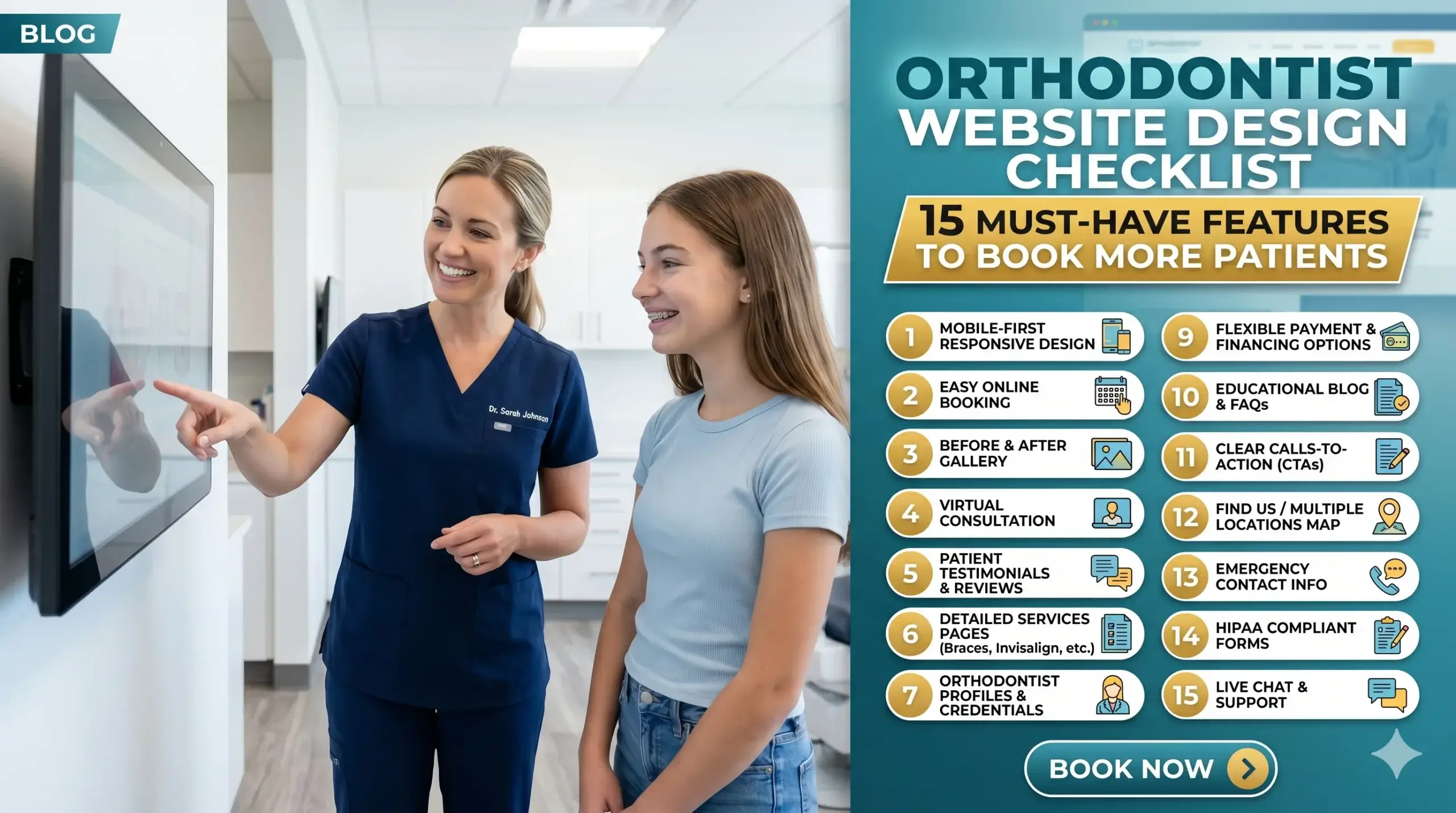
  • Orthodontist Website Design Checklist: 15 Must-Have Features to Book More Patients

    Orthodontist Website Design Checklist: 15 Must-Have Features to Book More Patients

    You spent real money on a website. Maybe a few thousand dollars, maybe more. It looks clean, it has your logo, your services are listed — and yet your phone still isn’t ringing the way it should.

    Most orthodontists assume the problem is awareness. “Not enough people know about us yet.” But the reality is harsher: people are finding your website — and leaving without calling.

    The problem isn’t your marketing budget. It’s what happens the moment a potential patient lands on your site. Most orthodontic websites are built to look professional, not to perform. There’s a significant difference between the two.

    This checklist breaks down the 15 features that separate a website that books patients on autopilot from one that just sits there. Work through it honestly. By the end, you’ll know exactly what your site is missing — and what it’s costing you.


    1. Your Site Loads in Under 3 Seconds

    Think of your website like a front desk receptionist. If a patient walks in and stands there for 5, 6, 7 seconds without anyone acknowledging them — they leave. A slow website does the same thing.

    Most people won’t wait. Studies consistently show the majority of users abandon a site that takes longer than 3 seconds to load. On mobile, that window is even shorter.

    The technical cause is usually oversized images, outdated hosting, or code-heavy page builders. But the business cost is simple: you’re losing patients before they even see your phone number.

    At Digital Trace, every site we build is optimized for speed from the ground up — not patched after the fact.


    2. Mobile-First Design (Because That’s Where Your Patients Are)

    Over 60% of local searches happen on a phone. If your orthodontic site was designed on a desktop and “made responsive” as an afterthought, patients on mobile are seeing a broken, cramped version of what you intended.

    Buttons that are too small to tap. Text that requires zooming. A “Book Appointment” button buried below the fold.

    A mobile-first design means the phone experience is built first, with desktop as the secondary view — not the other way around. This is one of the single biggest gaps we see in orthodontic clinic website design.


    3. A Click-to-Call Button Above the Fold

    “Above the fold” means what a visitor sees without scrolling. On mobile, if your phone number isn’t tappable within the first screen, you’re adding friction to the single most important action a potential patient can take.

    Your phone number should be a live button in your header — always visible, always tappable. On desktop, it should still be prominent and easy to copy.

    If someone has to hunt for how to contact you, most of them won’t bother.


    4. Clear, Specific Service Pages (Not One Giant “Services” Page)

    One of the most common mistakes in orthodontic website design is lumping everything — braces, Invisalign, retainers, palate expanders — onto a single services page.

    Google can’t rank a page that tries to be about everything. And patients searching for “Invisalign provider near me” want to land on a page specifically about Invisalign — not scroll through a wall of text to find it.

    Each core service deserves its own dedicated page with its own headline, its own content, and its own call to action.


    5. Real Patient Testimonials (With Names and Photos Where Possible)

    Orthodontic treatment is a significant commitment — financially and emotionally. Before a parent books a consultation for their child, or an adult considers clear aligners, they want proof that you’ve done it before and done it well.

    Generic 5-star ratings aren’t enough. Specific testimonials — ideally with first names, the treatment received, and a photo — convert far better than anonymous reviews.

    If you have Google reviews, they should be pulled into your site. If you have before/after cases (with proper consent), they belong on your homepage and service pages.


    6. Before & After Photos That Do the Selling for You

    No amount of copy sells orthodontic treatment like a great smile transformation photo.

    Think of your before/after gallery as a silent salesperson who’s always working. A prospective patient looking at a case that looks like their own situation — crowded teeth, an overbite, a gap — immediately pictures themselves in that result.

    The gallery should be easy to browse, load quickly, and be organized by treatment type where possible. Don’t hide it three clicks deep.


    7. A Prominent, Easy-to-Use Appointment Booking Option

    If the only way to book is to call during business hours, you’re losing the patients who browse at 9pm after putting their kids to bed.

    Online booking — or at minimum a short contact form that promises a fast callback — captures the patient at the exact moment they’re ready to commit. That moment passes quickly.

    The booking option should live in your header, at the bottom of every service page, and in any CTA section throughout the site.


    8. Local SEO Signals Built Into the Page Structure

    Your website needs to tell Google exactly who you are, where you are, and who you serve. Without this, you’re invisible to the most valuable searches: “orthodontist in [city]” or “braces near me.”

    This means your city and state appear naturally in your page headings, your content, and your metadata. It means your Google Business Profile information matches what’s on your site. It means your address and phone number are in the footer on every page — in text, not just an image.

    Google doesn’t know enough about many orthodontic clinic websites to show them confidently in local results. The fix isn’t complicated, but it has to be intentional.


    9. Schema Markup (So Google Reads Your Site Like an Expert)

    Here’s a plain-English version of what schema markup does: it gives Google a cheat sheet about your practice.

    Without it, Google reads your site and makes educated guesses. With it, Google knows you’re a licensed orthodontist, your hours, your location, your services, and your review rating — and it can display that information directly in search results as rich snippets.

    It’s invisible to visitors but enormously valuable for rankings. Most braces websites don’t have it set up correctly.


    💡 Pro Tip: Your Homepage Headline Is Costing You Patients

    The most common mistake we see on orthodontic websites? A homepage headline that says something like “Welcome to [Practice Name] Orthodontics.”

    That tells a visitor nothing about why they should choose you. The headline is the first thing someone reads — it’s your one second to prove you understand their situation.

    Try something like: “Straighter Smiles for Kids and Adults in [City] — Without the Wait.” Lead with the benefit and the location. This small change can meaningfully improve how long visitors stay — and whether they call.


    10. Trust Signals in the Right Places

    Trust signals are anything that answers the unspoken question: “Can I trust these people with my family’s teeth?”

    These include:

    • Years in practice
    • Number of patients treated
    • Board certifications and affiliations (AAO membership, for example)
    • Insurance accepted
    • Before/after cases
    • Staff photos and bios

    Most orthodontic websites have some of these — buried in an “About” page nobody reads. The highest-converting orthodontic sites surface trust signals on the homepage and on every service page.


    11. Fast, Clear Navigation That Doesn’t Make People Think

    If a visitor has to pause to figure out where to click, you’ve already lost momentum.

    Your navigation should have no more than 6–7 items. “Services” should expand to show individual treatments. “Contact” should always be visible. There should never be a dead end — every page should guide visitors somewhere logical next.

    Confusing navigation is one of the silent killers of orthodontic website performance.


    12. A Blog or Resource Section (That Actually Earns Rankings)

    A blog isn’t just content for content’s sake. When done right, it’s a lead magnet.

    A parent searching “how long do braces take for teens” or “Invisalign vs braces cost” is a qualified lead. If your site answers that question better than anyone else, Google sends them to you — and your booking button is right there.

    The key word is done right. Thin, generic blog posts don’t rank. Specific, genuinely helpful content written for your actual patients does.


    13. HIPAA-Aware Contact Forms

    This one is easy to overlook and expensive to get wrong. Any form on your site that collects patient information — symptoms, treatment history, insurance details — needs to be handled in a way that’s compliant with HIPAA guidelines.

    A standard contact form plugin is not sufficient. This matters both legally and for patient trust. If a patient doesn’t feel their information is safe, they won’t submit.

    Work with a web design agency that understands healthcare compliance, not just design.


    14. Page Titles and Meta Descriptions That Match What Patients Search For

    Every page on your site has a title that appears in Google search results and a meta description below it. Most orthodontic sites leave these at default — or have them filled with the practice name instead of what patients are actually searching.

    A page titled “Services — Bright Smiles Orthodontics” tells Google nothing useful. A page titled “Invisalign for Adults in Austin, TX | Bright Smiles Orthodontics” tells Google exactly what to rank it for — and tells the searcher exactly why to click.

    This is one of the fastest wins in orthodontic site optimization. It costs nothing to fix, but it has to be fixed deliberately.


    15. Clear, Consistent Calls to Action Throughout the Site

    Every page should answer the question: “What do you want me to do next?”

    Many orthodontic websites assume the visitor will figure it out. They won’t. People follow the path you give them — or they leave.

    Your CTAs should be:

    • Specific (“Book a Free Consultation” beats “Contact Us”)
    • Repeated at natural intervals down the page
    • Consistent — the same offer, the same framing, the same destination

    The goal is zero friction between “I’m interested” and “I’ve booked.”


    Real-World Example: What This Looks Like in Practice

    A two-doctor orthodontic practice in the Southeast had a website they’d paid a local agency to build five years earlier. It looked fine. But they were getting almost no organic traffic and their consultation bookings had plateaued despite a solid local reputation.

    The core problems: the site loaded in over 6 seconds on mobile, there were no individual service pages (Invisalign, braces, and teens’ orthodontics were all on one page), and the homepage headline was the practice name with a stock photo of a family.

    After rebuilding with the right structure — dedicated service pages, mobile speed optimization, updated local SEO signals, real patient testimonials pulled from their Google reviews, and a sticky click-to-call button — organic traffic increased substantially over six months, and consultation bookings from the website more than doubled compared to the same period the prior year.

    Nothing exotic. No paid ads. Just a website that actually worked.


    Not sure if your website has these gaps? Get a free website audit — no pressure, just an honest look at what’s costing you consultations.


    Your Path to More Patients: 5 Simple Steps

    You don’t need to fix everything overnight. Here’s a practical sequence:

    1. Test your site speed — Use Google’s free PageSpeed Insights tool and see where you land. Anything below a 70 on mobile needs attention.
    2. Check your mobile experience — Pull up your site on your phone right now. Is the phone number tappable in the first screen? Is the booking option easy to find?
    3. Audit your service pages — Do you have separate pages for each treatment? If not, that’s your next priority.
    4. Surface your social proof — Move your best testimonials and before/after photos to your homepage. Don’t make patients go looking.
    5. Talk to a specialist — Not a generic web agency, but someone who builds websites specifically for orthodontic practices and understands what converts in this industry.

    Frequently Asked Questions

    Why am I not getting calls from my website even though it looks good?

    A website can look polished and still fail at the one job that matters — converting visitors into patients. The most common culprits are slow load speed, no clear call to action, missing local SEO signals, and a lack of trust-building content. If your phone isn’t ringing, the design isn’t the problem. The structure and strategy are.

    How do I know if my orthodontic website is actually working?

    Look at three things: organic traffic (are people finding you from Google?), bounce rate (are they staying or leaving immediately?), and conversions (how many form fills or calls can be traced back to the website?). If you don’t have Google Analytics or Google Search Console set up, you’re flying blind. A free audit can give you a clear baseline.

    How long does it take to see results from a new orthodontic website?

    Technical improvements — like speed and mobile experience — can improve conversion rates almost immediately. SEO results from new or restructured content typically take 3–6 months to build momentum. The practices that get the best results treat their website as an ongoing asset, not a one-time project.

    What makes an orthodontic website different from a general dental or healthcare site?

    Orthodontic patients — or more often, their parents — are doing longer research cycles before booking. They’re comparing treatment types (braces vs. Invisalign), looking at payment options, and reading reviews carefully. An effective orthodontic website needs to address all of these touchpoints, not just announce that you exist. The content strategy, the trust signals, and the service page structure are all specific to how orthodontic patients make decisions.

    Do I really need a fast website if most of my patients come from word-of-mouth?

    Word-of-mouth still sends people to your website. When a friend recommends your practice, the first thing a parent does is Google you. If your site is slow, hard to navigate on mobile, or doesn’t clearly show your results — you lose that referral. A fast, well-built website protects and amplifies the reputation you’ve already earned.

    How much does a proper orthodontic website redesign cost?

    It depends on the size of your practice, the number of service pages needed, and whether content is being created from scratch. More important than the upfront cost is the return: a website that books 5–10 additional consultations per month pays for itself quickly. The real cost is leaving an underperforming site live month after month.


    Stop Leaving Patients on the Table

    Every week your orthodontic website has these gaps is a week of potential consultations going to the practice down the street — the one with a faster site, a clearer CTA, and better Google visibility.

    This isn’t about having a prettier website. It’s about fixing a business problem that’s costing you real revenue.

    Digital Trace works specifically with orthodontic practices to build high-converting websites that rank, load fast, and turn visitors into booked consultations. No guesswork. No generic templates.

    Book your free website audit today — we’ll show you exactly what your current site is missing and what it would take to fix it. No obligation. No sales pressure. Just a clear, honest picture of where you stand.

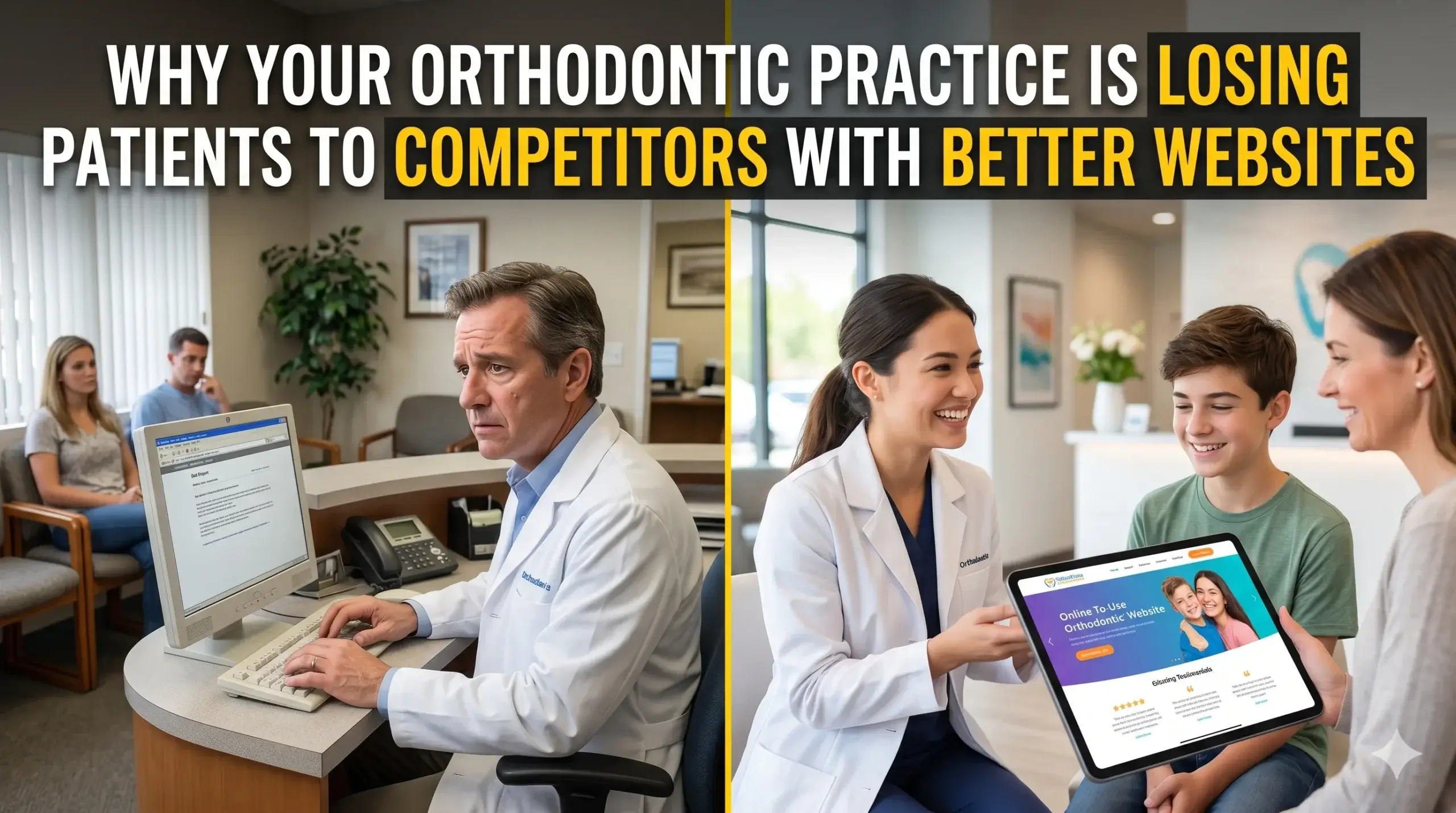
  • Why Your Orthodontic Practice Is Losing Patients to Competitors With Better Websites

    Why Your Orthodontic Practice Is Losing Patients to Competitors With Better Websites

    You’re a skilled orthodontist. Your results speak for themselves. Patients who walk through your door leave with straighter teeth and bigger smiles — so why isn’t your phone ringing the way it should be?

    Here’s what most orthodontists don’t realize: the moment a potential patient searches “orthodontist near me,” they’re already comparing you to every other practice in their area. Before they’ve read a single review, before they’ve called anyone — they’ve already formed an opinion based entirely on your website. If that site looks outdated, loads slowly, or doesn’t make it obvious how to book a consultation, they’re gone. And they’re booking with your competitor down the street.

    This isn’t about having a “pretty” website. It’s about having orthodontic website design that actually works — one that turns curious visitors into booked consultations. This article breaks down exactly where practices like yours are losing patients online, and what the best orthodontic websites do differently.


    Your Website Is Your Front Desk — And Right Now, It’s Turning People Away

    Think about what happens when someone calls your practice and gets a busy signal five times in a row. They hang up and call the next orthodontist on the list. That’s precisely what a slow, confusing, or outdated website does — except it happens silently, dozens of times a day, without you ever knowing.

    Most patients searching for an orthodontist will decide within seconds whether to stay on your site or go back and click on a competitor. If your homepage takes more than three seconds to load, a significant portion of those visitors leave before they’ve even seen your phone number.

    The technical term is “page speed,” but the business reality is simpler: slow sites cost you patients. Every. Single. Day.

    What Digital Trace does instead: Every orthodontist website design we build is engineered for speed from the ground up — not as an afterthought. That means faster load times on phones, tablets, and desktops, so the first impression patients get is a practice that feels modern and trustworthy.


    Most Orthodontic Websites Are Built for the Doctor, Not the Patient

    This is the mistake almost every practice makes. The website talks about the doctor’s credentials, their certifications, their awards. And while those things matter, they’re not the first thing a worried parent wants to see at 9pm when their teenager just had a wire pop loose.

    Patients searching for orthodontic care are asking a handful of very specific questions:

    • Do you treat kids and adults, or just one?
    • What does Invisalign cost, roughly?
    • How do I book my first appointment?
    • Are you taking new patients?

    If a visitor has to hunt around your site to find any of those answers, you’ve already lost them. The best orthodontic websites answer those questions immediately — above the fold, on the homepage, without making anyone click three times to find a phone number.

    The fix: Great web design for orthodontists starts with understanding the patient journey, not just the practice’s story. Your site should guide a first-time visitor from “I’m curious” to “I’m booking” in as few steps as possible.


    Your Website Is Invisible on Google — and You Don’t Know It

    Here’s a scenario that plays out constantly: an orthodontist invests in a beautiful website, pays a designer a few thousand dollars, and then… nothing changes. The phone doesn’t ring any more than before. The site looks great. So what went wrong?

    Looking good and ranking on Google are two completely different things. A site can be visually stunning and still be completely invisible to search engines.

    Google looks at dozens of factors when deciding which orthodontist to show in search results. Among the most important:

    • Whether your site is optimized for mobile — over 70% of searches happen on phones, and Google ranks mobile-first
    • Whether Google understands what your practice offers — there’s a layer of behind-the-scenes information that tells Google you’re an orthodontist in a specific city, not just a generic healthcare website
    • Whether other reputable sites link back to yours — this tells Google your practice is established and trustworthy

    Without these pieces in place, your site is like a beautiful office with no sign outside and no address listed anywhere. Patients can’t find you even when they’re actively looking.


    💡 Pro Tip: The “Invisible Practice” Problem

    One of the most common and costly issues we see on orthodontic websites is missing local business schema — a small piece of code that tells Google exactly who you are, where you’re located, what you offer, and how to reach you. Without it, Google has to guess. And when Google guesses wrong (or not at all), your practice doesn’t show up in the local results map, even for patients searching in your own zip code. This isn’t a huge technical project — it’s a relatively simple fix that can make a significant difference in how often your practice appears in local searches.


    The “Braces Before and After” Problem: Your Content Isn’t Doing Enough

    Many orthodontists rely almost entirely on before-and-after photos to sell their services. And while transformation photos are powerful, they’re not enough on their own. Prospective patients also want to understand the process — what it’s like to be a patient at your specific practice.

    When your website has thin, vague content — generic paragraphs that could describe any orthodontist anywhere — Google treats your site as interchangeable with every other practice. There’s no reason to rank you above someone else.

    The practices with the best orthodontic websites go deeper. They have individual pages for Invisalign, traditional braces, retainers, and early treatment for kids. Each page speaks to a specific patient concern. That structure tells Google: this practice is an authority. Show them first.


    Real Results: What Happens When You Fix the Foundation

    Consider a two-doctor orthodontic group in the Southeast. They had a website built six years ago by a generalist designer who did nice work — but it wasn’t built for patient acquisition. The site was slow on mobile, had no local schema, and lumped all their services onto a single page. They were showing up on page two and three of Google for their most important search terms, while a newer solo-practice competitor had jumped to the top of local results.

    After working with Digital Trace on a full orthodontic website redesign, they saw mobile load times drop by more than half. Individual service pages were built for each treatment type. Local schema was implemented correctly. Within four months, they moved from page two to top-five rankings for their core local searches — and the number of new patient consultation requests coming through the website more than doubled compared to the prior quarter.

    No ad spend increased. No big marketing campaigns. Just a website that finally worked the way it was supposed to.


    Not sure if your website has these issues? Get a free website audit — no obligation, just a clear picture of what’s costing you leads.


    What the Best Orthodontic Websites Actually Have in Common

    After building and auditing websites for orthodontic practices across the US, the pattern is consistent. The practices generating the most new patient inquiries online share these traits:

    • A clear, prominent call-to-action on every page — “Book a Free Consultation” isn’t buried at the bottom; it’s visible immediately
    • Mobile-first design — the site looks and works perfectly on a phone screen, not just a desktop
    • Dedicated pages for each treatment — Invisalign, traditional braces, pediatric ortho, adult ortho, and retainers all have their own pages
    • Fast load times across all devices — under two seconds is the target
    • Real patient testimonials and photos — not just stock images and generic praise
    • A simple, friction-free contact experience — short form, visible phone number, and if possible, online scheduling

    None of these are revolutionary. But getting all of them right at the same time, optimized for both patients and search engines, is where most practices fall short.


    Your Path to More Patients Online

    If you’re reading this and recognizing your own practice in what’s described above, here’s a practical path forward:

    Step 1: Audit what you have. Don’t assume your current site is fine just because it looks okay to you. Test your mobile load speed (Google’s PageSpeed Insights is free). Open your site on your own phone and try to book an appointment as if you’d never been there before.

    Step 2: Identify the gaps. Are your services broken out into individual pages? Does your site show up when you search your city + “orthodontist”? Is your phone number visible without scrolling?

    Step 3: Fix the technical foundation first. Speed, mobile performance, and local SEO signals need to be correct before anything else you do will work properly.

    Step 4: Build content that answers patient questions. Detailed, specific pages about each treatment type will outperform a single generic “Services” page every time.

    Step 5: Get a professional review from someone who specializes in orthodontic clinic website design. A generalist agency may build you a beautiful site that does nothing for your rankings or lead flow. An agency that understands your industry will know what orthodontic patients are actually searching for — and build toward those results.


    Frequently Asked Questions

    Why am I not getting calls from my website even though it looks good?

    A good-looking website and a high-performing website are two different things. If your site isn’t optimized for search engines, doesn’t load quickly on mobile, or doesn’t have clear calls-to-action, visitors may land on it and leave before they ever pick up the phone. Design is what patients see — performance is what brings them there and keeps them engaged.

    How do I know if my orthodontic website is actually working?

    If you’re not tracking where your new patient inquiries are coming from, you genuinely don’t know. A working website will show up in local Google search results, load quickly on phones, and generate consistent consultation requests through your contact form or direct calls. If you can’t say for certain that your site is doing those three things, a free website audit will tell you exactly where you stand.

    How long does it take to see results from a new orthodontic website?

    It depends on what’s being fixed and how competitive your local market is. Technical fixes like speed improvements can show results quickly. SEO improvements — better rankings, more organic traffic — typically take three to six months to build meaningfully. The practices that see the fastest results are the ones that address design, speed, and SEO together rather than treating them as separate projects.

    What makes an orthodontic website different from a regular business website?

    Orthodontic patients have very specific concerns and a longer decision cycle than most consumers. They’re comparing multiple practices, looking at before-and-after results, trying to understand costs and financing, and often making the decision for their child, not just themselves. A website built for orthodontists needs to address those specific trust factors, present treatment options clearly, and make the path to booking a consultation as easy as possible — none of which a generic template site does well.

    Do I really need a fast website if most of my patients are local?

    Yes — especially because most of your patients are local. The majority of local searches happen on mobile phones, often while people are on the go. Google actively ranks faster sites higher in local search results, which means a slow site hurts both your user experience and your visibility to the exact patients you’re trying to reach.

    I’ve worked with agencies before and didn’t see results. Why would this be different?

    That’s the most common frustration we hear. Most agencies that offer “website design” are generalists — they build sites for restaurants, law firms, and orthodontists alike using the same template approach. The difference with orthodontist-specific design is that the structure, content, and SEO strategy are built around what orthodontic patients actually search for and what motivates them to book. If you’ve been burned before, start with a free audit — no pitch, just an honest look at what your current site is doing and what it isn’t.


    Ready to Find Out What Your Website Is Really Costing You?

    Most orthodontic practices have no idea how many patients they’re losing online every week — not because they’re failing at their craft, but because their website isn’t built to compete. The practices pulling in consistent new patient inquiries from Google aren’t doing anything extraordinary. They have websites that work: fast, clear, mobile-optimized, and visible in local search.

    Digital Trace specializes in orthodontic website design for practices across the US. We find what’s broken, fix what’s costing you leads, and build sites that actually convert visitors into consultations.

    Get your free website audit today — no obligation, no pressure. Just a straight answer about where your website stands and what it would take to make it work harder for your practice.

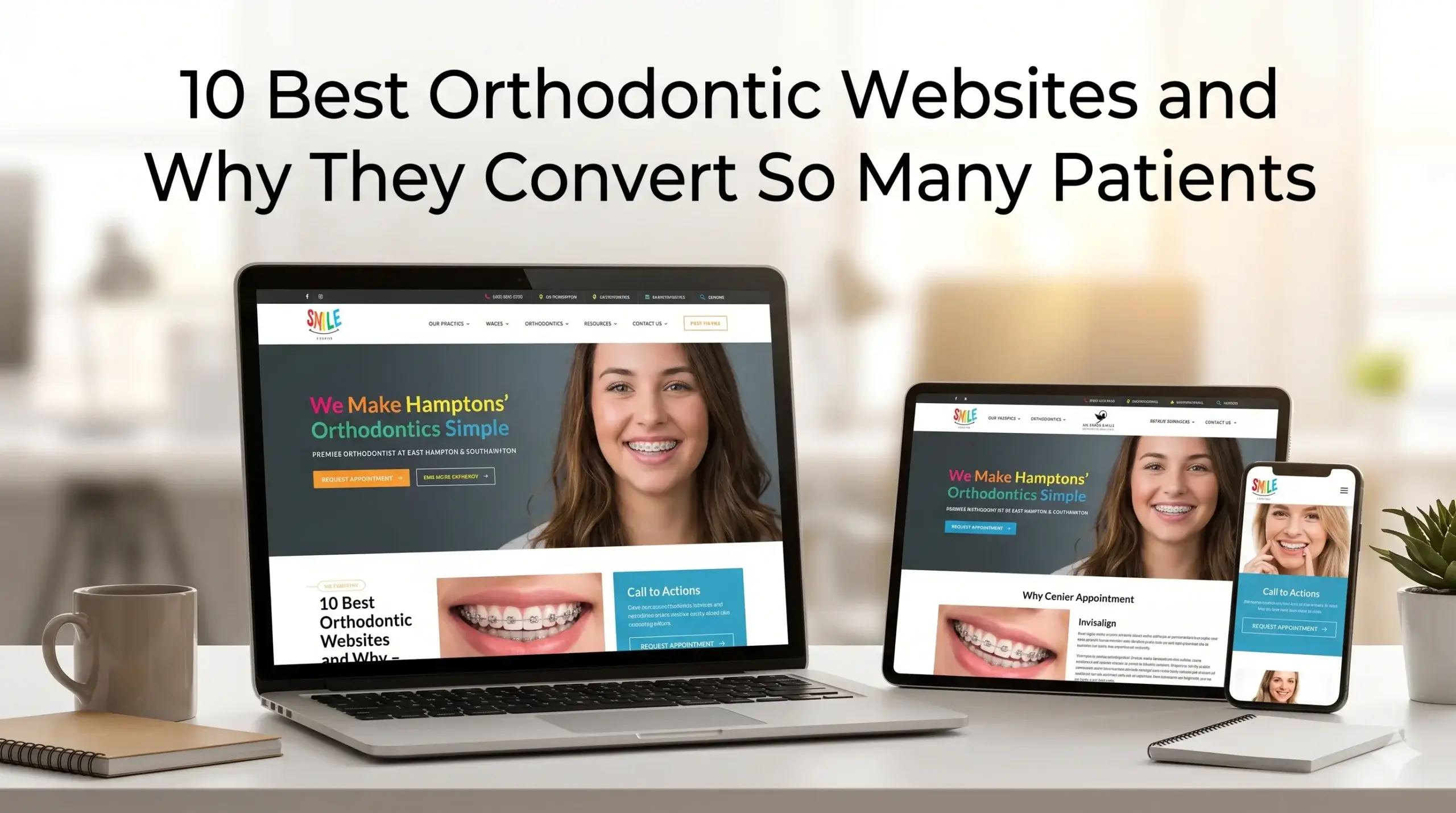
  • 10 Best Orthodontic Websites and Why They Convert So Many Patients

    10 Best Orthodontic Websites and Why They Convert So Many Patients

    Your waiting room is full on Tuesdays, but empty on Fridays. Your front desk tells you calls have been slow. You’ve spent money on a website — maybe even redesigned it in the last few years — but you still can’t tell if it’s actually bringing in new patients or just sitting there looking nice.

    Most orthodontists assume their website is “fine.” The truth is, a site that looks fine and a site that actively books consultations are two completely different things. The gap between them is costing you real patients every single month.

    This article breaks down what the best orthodontic websites actually do differently — and more importantly, what your site might be doing wrong that’s quietly draining your new-patient pipeline.


    What Separates a Great Orthodontic Website From One That Just Exists

    Think of your website like your front desk receptionist. A great one greets every visitor with confidence, answers their questions before they even ask, and walks them toward booking. A mediocre one just stares at them blankly until they leave.

    Most orthodontic websites are the mediocre receptionist.

    Here’s what the best ones do instead:

    • They load fast — before the visitor’s patience runs out (usually within 3 seconds)
    • They speak directly to the patient’s concern, not just the practice’s credentials
    • They make the next step — booking, calling, requesting info — completely obvious
    • They look and feel trustworthy on a phone screen, where most patients are browsing

    The best orthodontic website design isn’t about flashy animations or trendy fonts. It’s about removing every possible obstacle between a nervous first-time visitor and a booked consultation.


    The 10 Website Elements Top Orthodontic Practices Get Right

    1. A Clear, Patient-Focused Headline Above the Fold

    Most orthodontic websites open with something like “Welcome to Smith Orthodontics — Serving Families Since 2003.” That’s not what a nervous parent searching “braces for my teen” needs to see.

    The best sites open with something that speaks directly to the patient: “Straighter Smiles, Faster Than You Think — Book a Free Consultation Today.” It tells the visitor they’re in the right place and what to do next — in one line.

    What to check: Can a first-time visitor understand what you do, who you help, and what to do next within 5 seconds of landing on your page? If not, they’re leaving.


    2. Mobile Design That Actually Works

    More than 60% of people searching for an orthodontist are doing it from their phone. Yet most orthodontic websites are built for a desktop and then squeezed onto mobile as an afterthought.

    The result: tiny buttons, text that runs off the screen, and a phone number that isn’t clickable. Every one of those friction points is a lost call.

    The top orthodontic websites treat mobile as the primary experience — big tap targets, click-to-call buttons front and center, and forms that don’t require a stylus to fill out.


    3. Speed That Doesn’t Test a Parent’s Patience

    Your site loads too slowly — and most people leave in the first 3 seconds before they even see your phone number. This isn’t an exaggeration. Google’s own data consistently shows that conversion rates drop sharply with every additional second of load time.

    Slow sites are usually caused by uncompressed images, cheap hosting, or outdated page builders. These are fixable. But most practices don’t realize it’s happening because the site loads fine on their office desktop — connected to fast Wi-Fi.

    Test your site on a mobile connection. If it takes more than 3 seconds, you’re losing patients before they’ve read a single word.


    4. Before-and-After Photo Galleries Done Right

    Orthodontics is a visual specialty. Parents and teens want to see results. The best orthodontic websites feature real, high-quality before-and-after photos organized by treatment type — Invisalign, metal braces, ceramic braces.

    What most practices do instead: a tiny gallery buried three clicks deep, or stock photos that don’t show real patient outcomes.

    Your results are your best sales tool. If visitors have to hunt for them, they’ll go to a competitor whose results are front and center.


    5. Offers That Reduce the Risk of Saying Yes

    One of the biggest barriers a new patient faces is the fear of commitment. Orthodontic treatment is a significant investment. The best websites acknowledge this directly by leading with a low-risk first step: a free consultation, a complimentary records review, or a same-week exam.

    Practices that bury their offer — or don’t have one at all — ask visitors to make a big decision with very little reassurance. The best orthodontic sites remove that hesitation with a clear, low-pressure invite.


    6. Reviews and Social Proof Where Patients Can Actually See Them

    Google reviews matter — but only if people see them. The best orthodontic websites don’t just hope patients will check Google before calling. They pull real reviews directly onto the homepage, near the booking button.

    A nervous parent reading “My daughter loved her Invisalign experience — the team was so patient with her” right before clicking “Book Now” is far more likely to follow through than one who has to go searching for reassurance.

    Pro tip: Don’t just show a star rating. Show the actual review text, with a real first name. Specificity builds trust.


    7. Clear, Specific Service Pages for Each Treatment

    When someone searches “Invisalign provider near me,” they don’t want to land on your generic “Services” page and hunt around. They want a dedicated Invisalign page that tells them: how it works, how long it takes, how much it costs (even a range), and what to do next.

    The best orthodontic websites have individual, detailed pages for every major treatment. These pages rank better on Google, answer patient questions faster, and convert at a much higher rate than a catch-all services page.


    8. A Booking System That Works at 11 PM

    A busy mom doesn’t have time to call during office hours. She’s researching orthodontists after her kids are in bed. If your website doesn’t let her request an appointment online — or at least submit a form — you lose her to the practice that does.

    The top orthodontic websites integrate with scheduling tools or offer a simple, fast contact form with same-day follow-up promises. The best ones confirm the request instantly with an automated response so she knows her inquiry was received.


    9. Local SEO Signals Baked Into the Site

    Google doesn’t know enough about your orthodontic practice to show it confidently in local search results — there’s a simple fix for that. It’s called structured data (or schema markup), and it tells Google exactly who you are, where you are, what you offer, and what your patients say about you.

    Without it, your site is speaking to Google in a foreign language. With it, Google can surface your practice for “orthodontist near me” and specific treatment searches in your area with much more confidence.

    This is one of the most consistently overlooked elements in orthodontic website design — and one of the highest-impact fixes available.


    10. A Team Page That Shows Real People

    Orthodontic care is personal. Patients — especially teens — want to know who’s going to be working on their teeth. The practices with the best-converting websites don’t hide their team behind stock photography or a generic paragraph.

    They show real photos, real names, short bios that include personality, and sometimes a video introduction. It sounds simple. It works.


    💡 Pro Tip: The One Page Most Orthodontic Websites Get Wrong

    Nearly every orthodontic website has a homepage, a services page, and a contact page. Almost none of them have a well-optimized page for each specific treatment targeting their local area — like “Invisalign in [City]” or “Teen Braces [City].”

    These local treatment pages are some of the highest-converting pages an orthodontic website can have, because they match exactly what a patient is searching for. Building them isn’t complicated, but it does require knowing how to structure them so Google reads them correctly and ranks them. This is a core part of how Digital Trace builds websites for orthodontic practices.


    A Real-World Before-and-After: What a Better Website Actually Changes

    Consider a two-doctor orthodontic practice in the Midwest — established for over a decade, strong word-of-mouth, but struggling to grow through digital channels. They had a website that had been built about six years prior. It looked acceptable on desktop, loaded slowly on mobile, had no online booking, and their team page featured photos that were nearly a decade old.

    Their front desk was answering calls, but the practice owner noticed that new-patient call volume had plateaued despite more people in the area searching for orthodontists. They weren’t showing up in local searches for “Invisalign near me” or “braces for teens” — their two highest-margin services.

    After a full redesign focused on speed, mobile experience, local treatment pages, and integrated scheduling:

    • Mobile load time dropped from 8.4 seconds to under 2 seconds
    • Online appointment requests went from near-zero to 20–30 per month within the first quarter
    • Calls from new patients increased noticeably within 60 days of launch
    • Their Invisalign page began ranking on the first page of Google for local searches within 90 days

    The practice didn’t change their pricing, their team, or their marketing spend. They changed their website — and it started doing the work their old site never did.


    Not sure if your orthodontic website has these issues? Get a free website audit — no obligation, just a clear picture of what’s costing you new patients.


    Your Path to More New Patients: 5 Practical Steps

    You don’t need to overhaul everything at once. Here’s where to start:

    1. Test your site on your phone, on mobile data. Not your office Wi-Fi. If it’s slow or hard to use, your patients are experiencing the same thing.
    2. Check if you can book online. If someone lands on your site at 10 PM on a Sunday, can they request an appointment? If the answer is no, you’re sending patients to whoever says yes.
    3. Find your reviews — and put them front and center. Don’t rely on patients to go looking for reassurance. Bring it to them, on the page where they make the decision to call.
    4. Search your own treatments locally. Type “Invisalign [your city]” and “braces [your city]” into Google. If your practice isn’t showing up, your site likely doesn’t have the pages or the signals Google needs to rank you.
    5. Talk to a web team that knows your industry. Orthodontic website design isn’t the same as building a restaurant site or a law firm site. The questions patients ask, the barriers they face, and the conversion paths that work are specific to your specialty.

    Frequently Asked Questions

    Why am I not getting calls even though I have a website?

    Having a website and having a website that works are different things. Most orthodontic sites are built to look good — not to guide a visitor toward booking. If your site loads slowly, doesn’t work well on mobile, or doesn’t make the next step obvious, visitors leave without calling. A free audit can show you exactly where the drop-off is happening.

    How do I know if my orthodontic website is actually bringing in patients?

    If you can’t tell — that’s already a problem. Your website should be trackable. You should know how many people visit, where they come from, which pages they view, and how many contact you. If you’re not looking at this data monthly, you’re flying blind on one of your biggest marketing assets.

    How long does it take to see results from a new orthodontic website?

    Most practices start seeing improvements in inquiry volume within 60–90 days of launching a properly built site. Local SEO results — ranking for searches in your area — typically build over 3–6 months. The important thing is that every month you delay, you’re losing patients to practices whose sites are already doing this right.

    What makes an orthodontic website different from a regular business website?

    Orthodontic patients have specific concerns: cost, time commitment, how treatment will look, whether their teen will cooperate. A great orthodontic website addresses these directly, with treatment-specific pages, real before-and-after results, financing information, and a booking process that reduces friction. A generic website template doesn’t do any of this well.

    Do I really need a fast website if most of my patients are local?

    Yes — especially because they’re local. Local searches on Google heavily favor sites that load fast and work well on mobile. Google’s ranking algorithm penalizes slow sites. And local patients browsing on their phones will leave just as fast as anyone else if your site takes 8 seconds to load. Speed isn’t a luxury; it’s a ranking and conversion factor.

    How do I get started if I’m not sure what my site needs?

    The easiest first step is a free audit. Book a free website audit with Digital Trace — it takes just a few minutes to request, and you’ll get a clear picture of what’s working, what isn’t, and what’s actually costing you new patients. No sales pressure, no obligation.


    Ready to Find Out What Your Website Is Costing You?

    Every week your orthodontic website underperforms is a week you’re handing new patients to competitors whose sites do the job yours doesn’t.

    Digital Trace specializes in orthodontist website design — not generic web design, not sites built from templates that could belong to any practice in any city. We build fast, conversion-focused websites specifically for orthodontic practices across the US, backed by local SEO strategy that actually gets you found.

    The first step is free, and it’s specific to your practice.

    Get your free website audit →

    No obligation. No jargon. Just a clear, honest look at what your site is doing — and what it’s leaving on the table.

  • How Much Does Orthodontist Website Design Cost in 2026? (Complete Pricing Guide)

    How Much Does Orthodontist Website Design Cost in 2026? (Complete Pricing Guide)

    You invested years in your training, built a practice you’re proud of, and put up a website — and yet the phone isn’t ringing the way it should. Patients are out there searching for an orthodontist, but they’re booking with someone else.

    Most orthodontists assume this is a budget problem. “We just need to run more ads.” But in the majority of cases, the problem is the website itself — not traffic, not marketing spend, not word-of-mouth. The website is either invisible to Google, confusing to visitors, or too slow to hold anyone’s attention long enough to call.

    This guide breaks down exactly what orthodontic website design costs in 2026, what separates a site that generates patients from one that just exists, and how to know which category yours falls into. By the end, you’ll know what to spend, what to expect, and what questions to ask before hiring anyone.


    Why Most Orthodontist Websites Don’t Actually Work

    Think of your website the way you think about a patient’s first consultation. If the consult room is hard to find, the front desk seems confused, and the patient can’t figure out next steps — they leave. They don’t book. They go somewhere else.

    Your website is that consultation experience, happening silently, 24/7, without you in the room.

    A website that “doesn’t work” isn’t always one that looks bad. It’s one where:

    • It takes more than 3 seconds to load on a phone (most patients are on mobile)
    • The homepage doesn’t immediately answer “Do you treat adults/kids/teens?” and “How do I get started?”
    • Google can’t confidently determine what you offer, where you are, or who you serve
    • There’s no clear path from “landing on the page” to “booking a consultation”

    The result? Visitors leave. Google stops ranking you. Your competitor — who may be a less experienced orthodontist — gets the call instead.


    What Orthodontist Website Design Actually Costs in 2026

    Pricing in this space ranges enormously, from a few hundred dollars to $20,000+. Here’s what those tiers actually deliver.

    Tier 1: $500–$2,500 — Template Sites and DIY Builders

    This is the Wix, Squarespace, or freelancer-on-a-budget range. You get a site that looks presentable on a desktop but typically:

    • Loads slowly on mobile (where 70%+ of your patients are searching)
    • Uses a generic template that looks identical to dozens of other practices
    • Has no SEO strategy, no local optimization, no conversion structure
    • Offers no ongoing support when something breaks or needs updating

    For a practice doing $500K+ per year, this is the equivalent of printing your braces ad on napkins. It exists, technically.

    Tier 2: $2,500–$7,500 — Mid-Range Custom or Semi-Custom Design

    This is the most common range for small and mid-size orthodontic practices. At this level, you should expect:

    • A custom design built around your brand and patient demographics
    • Mobile-first build (designed for phones, not retrofitted)
    • Basic local SEO setup — Google Business integration, location pages, correct contact structure
    • Clear calls-to-action: “Book a Consultation,” “See Financing Options,” “Invisalign vs. Braces” comparison pages
    • Integration with your scheduling platform

    Quality varies significantly at this tier. The difference between a $3,000 site and a $7,000 site is often the depth of conversion strategy and the SEO architecture built in from day one — not just how it looks.

    Tier 3: $8,000–$20,000+ — Fully Custom, Performance-Optimized Orthodontic Sites

    At the top end, you’re investing in a site that’s engineered to generate patients, not just describe your practice.

    This includes:

    • Custom development with performance optimization (sub-2-second load times)
    • Full local SEO buildout across all service areas
    • Schema markup so Google understands and confidently displays your practice
    • Content strategy targeting the specific searches your patients use (“affordable braces near me,” “Invisalign for adults,” “orthodontist that accepts Medicaid”)
    • Conversion-focused design with A/B tested layouts
    • Ongoing optimization, not a one-time handoff

    Practices in competitive metro areas — Dallas, Chicago, Phoenix, Miami — often need this tier to rank and convert reliably.


    The Real Difference Between a “Pretty” Site and One That Books Patients

    Here’s a question worth sitting with: Is your website designed to impress other dentists, or to book patients?

    Most orthodontic websites are built to look professional in a portfolio. The agency takes a screenshot, posts it to their Instagram, and moves on. Whether the site actually converts patients is rarely measured.

    A site built to book patients works differently:

    Speed first. If your site takes more than 3 seconds to load on a phone, more than half your visitors are already gone — before they’ve seen your name. This isn’t theoretical; it’s what Google’s own data shows repeatedly. Fast sites rank better and convert better.

    Trust signals, immediately. New patients are anxious. They want to know: Do you treat kids? Do you offer payment plans? Are you taking new patients? Are you near me? These answers should appear above the fold — within the first screenful — without requiring anyone to scroll or click.

    One clear next step. A confused visitor does nothing. Every page of your site should have one obvious action: “Book Your Free Consultation.” Not three options. Not a contact form buried in the footer. One button, one purpose.

    See how Digital Trace builds websites built for orthodontist businesses →


    What Most Orthodontic Website Agencies Don’t Tell You

    Here’s where orthodontists commonly get burned.

    You paid for design. You didn’t pay for results.

    Many agencies deliver a beautiful website, hand over the keys, and disappear. The site may look excellent in a browser on a 27-inch monitor. But if it wasn’t built with SEO structure, mobile performance, and conversion logic from the start — it’s a brochure, not a patient-generation machine.

    A design agency’s job ends at launch. A results-focused orthodontic web agency’s job starts there.

    Your old site is costing you money right now.

    A slow, poorly structured, or non-mobile-optimized website doesn’t just fail to bring in new patients — it actively costs you patients who found you and then left. If your site has a 70% bounce rate (most do), that means 7 out of 10 visitors are leaving without calling. On even 300 visitors a month, that’s 210 potential patients walking out the door each month.

    Google needs to understand your practice before it will rank it.

    There’s a common technical gap on most orthodontic websites called schema markup — essentially a set of invisible labels that tell Google what your business is, what it offers, where it’s located, and what hours it keeps. Without it, Google makes its best guess. With it, you appear with rich results: star ratings, hours, address — the kind of search result that gets clicked.


    💡 Pro Tip: The #1 Mistake Orthodontists Make with Their Websites

    Most orthodontists have one location page — if that. But patients search the way they think: “orthodontist in [neighborhood],” “braces near [zip code],” “Invisalign in [suburb].” If your website only targets your city name, you’re invisible to patients three miles away searching in their specific area. The fix is building dedicated location or neighborhood pages targeting the specific communities your practice serves. It’s one of the fastest ways to expand your local search footprint without spending more on ads.


    Real-World Scenario: What a Better Site Actually Changes

    Dr. Martinez runs a two-location orthodontic practice in the suburbs of Atlanta. Her practice had been open for eight years — great reputation, strong word-of-mouth, good reviews — but her website was built in 2019 and hadn’t been touched since.

    The problems weren’t obvious from the outside. The site looked fine. But it loaded in 6.8 seconds on mobile, had no separate pages for her Marietta and Smyrna locations, and her Invisalign page was a single paragraph with no keyword structure.

    After a redesign focused on performance, local SEO, and conversion:

    • Mobile load time dropped to under 2 seconds
    • Two location-specific pages were built targeting each service area
    • Organic search traffic from “orthodontist Marietta” and “Invisalign Smyrna” moved from page 3 to page 1 within 4 months
    • New patient consultation requests from the website increased from roughly 8 per month to 31 per month

    The practice didn’t change. The word-of-mouth didn’t change. The ad spend didn’t change. The website did.


    Not sure if your site has these issues? Get a free website audit — no obligation, just a clear picture of what’s costing you leads.


    Your Path to More Patients: 5 Steps That Actually Work

    Step 1: Audit what you have. Before spending anything, understand what’s broken. Speed, mobile experience, SEO structure, and conversion flow should all be evaluated. (This is exactly what the free audit covers.)

    Step 2: Prioritize mobile performance. If your site loads in more than 3 seconds on a phone, that’s the first fix. Everything else is secondary.

    Step 3: Build your local SEO foundation. Make sure Google knows exactly what you offer, where you are, and who you serve. This means properly structured location pages, accurate schema markup, and a Google Business profile that’s connected and optimized.

    Step 4: Design around the patient decision — not the practice profile. Your homepage should answer the four questions every new patient has before they’ll call: What do you offer? Do you serve people like me? How do I get started? Can I afford this?

    Step 5: Choose an agency that measures outcomes. Ask any agency you’re considering: “How will you measure whether this site is generating more patients?” If the answer involves traffic reports and rankings only — not consultation bookings — that’s a red flag. Results mean patients in chairs.

    Learn more about how Digital Trace builds websites for orthodontist practices →


    Frequently Asked Questions

    Why am I not getting calls from my website even though it looks good?

    Looking good and performing well are two different things. Most underperforming orthodontic websites have the same three problems: they load too slowly on phones (killing the user experience before it starts), they don’t clearly guide visitors to take action, and Google doesn’t rank them well because the SEO structure is missing or weak. A visual redesign without fixing these underlying issues won’t change your results.

    How do I know if my orthodontist website is actually working?

    If you don’t know how many consultation requests came from your website last month, your website isn’t being treated as a business tool — it’s being treated as wallpaper. A working site has measurable outcomes: form submissions, phone call tracking, and lead attribution. If your current agency can’t tell you those numbers, that’s a problem worth solving. A free website audit can show you exactly where patients are dropping off.

    How long does it take to see results from a new orthodontic website?

    Conversion improvements — more people calling from the same traffic — can happen within days of a better site launching. SEO results, meaning more people finding your site through Google, typically take 60–120 days to show meaningful movement, and 4–6 months to solidify rankings for competitive terms. Practices that combine a performance-optimized site with a strong local SEO strategy consistently see significant gains within the first two quarters.

    What makes an orthodontist website different from a regular business website?

    Orthodontic patients have specific anxieties: cost, treatment time, pain, whether their insurance is accepted, and whether the orthodontist specializes in their situation (kids vs. adults vs. complex cases). A website built specifically for orthodontic practices addresses these concerns directly — through treatment comparison pages, financing information, before/after galleries, and patient journey content — in a way a generic template never would. The conversion flow for an orthodontic practice is also different, because the goal is always a consultation booking, not an immediate purchase.

    Do I really need a fast website if most of my patients are local and referred by word-of-mouth?

    Yes — because even referred patients Google you before they call. A referral is not a guarantee. If someone’s friend recommends you and they pull up your website on their phone and it’s slow, cluttered, or hard to navigate, a meaningful percentage of them will quietly look at another practice instead. A slow website is a trust problem, not just a technical one.

    What should I ask a web design agency before hiring them for my orthodontic site?

    Ask three things: “Can you show me orthodontic websites you’ve built that rank on page one for local searches?” “How do you measure success after the site launches?” and “What happens when I need updates or something breaks — am I on my own?” Agencies that can’t answer these confidently have built sites, not results. The right partner treats your website as an ongoing asset, not a one-time project.


    Ready to See What Your Website Is Costing You?

    Your website is running right now — either working for you or working against you, around the clock. Most orthodontists are surprised to discover just how many leads their current site is quietly losing each month.

    A free website audit from Digital Trace takes a clear-eyed look at your speed, local SEO, mobile experience, and conversion structure — and shows you exactly where the gaps are. No jargon, no sales pitch. Just a concrete picture of what’s holding your practice back online.

    Get your free orthodontist website audit →

    There’s no cost, no obligation, and no commitment. Just real answers about what your website is — and isn’t — doing for your practice.

  • How to Rank #1 on Google: Local SEO Guide for Dental Clinic Websites

    How to Rank #1 on Google: Local SEO Guide for Dental Clinic Websites

    You built a great dental practice. You invested in equipment, trained your team, and earned five-star reviews from real patients. But when someone nearby types “dentist near me” into Google, your competitor shows up — and you don’t.

    That’s not a marketing problem. That’s a website problem.

    Most dental clinic owners assume their website is just a digital business card — something that exists so they can say they have one. But Google doesn’t rank business cards. It ranks websites that are fast, credible, and built to answer exactly what patients are searching for. If your site isn’t doing those three things, you’re handing new patients to the dentist down the street every single day.

    This guide breaks down exactly why dental clinic websites fail to rank — and what a properly built dental clinic website actually does differently. No jargon. No fluff. Just what’s costing you calls.


    Why Your Phone Isn’t Ringing (And It’s Not What You Think)

    Here’s the situation most dental clinic owners describe: “We have a website. I just don’t think it does much.”

    That instinct is usually right — but the reason is almost never what they guess. It’s not because SEO is complicated, or because Google is unpredictable, or because you need to spend a fortune on ads. It’s because your website was built to look good in a demo, not to rank in a real local search.

    Think of it this way: a great dental website works like a well-trained front desk coordinator. It greets every visitor with confidence, answers their most pressing questions immediately, and guides them toward booking an appointment. A bad website just hands them a brochure and hopes they call. Most don’t.

    The gap between those two experiences is where leads get lost — quietly, every single day.


    Problem #1: Google Can’t “Read” Your Practice the Way Patients Can

    What you experience: You search for your own practice and it barely shows up, even though you’ve been operating for years.

    Why it happens: Google needs structured signals to understand your business — things like your exact services, your service area, your business hours, and patient-facing content that matches what people actually search for. Most dental websites are built with generic templates that don’t send those signals clearly. Google sees a vague healthcare website, not a specific dental clinic serving a specific community.

    What it costs you: When Google isn’t confident about your relevance, it doesn’t surface you. That means patients who are actively looking for a dentist in your zip code are finding someone else — someone whose website is better optimized, even if their practice isn’t better.

    The fix: A properly built dentist website design includes structured local data (called schema markup) that tells Google precisely who you are, where you serve, what procedures you offer, and that you’re an established, trustworthy practice. It’s a technical layer that most template sites skip entirely.


    Problem #2: Your Website Loads Too Slowly — And Patients Leave in 3 Seconds

    What you experience: Someone clicks on your website from a Google search, and then… nothing. They bounce.

    Why it happens: Large image files, bloated page builders, and cheap hosting can make dental websites painfully slow to load — especially on mobile, which is where most patients are searching. Google tracks this behavior. When it sees that visitors consistently leave your site within seconds of arriving, it interprets that as a signal that your site isn’t helpful. Rankings drop accordingly.

    What it costs you: Speed isn’t just a technical issue — it’s a revenue issue. A site that takes five seconds to load can lose more than half its visitors before they even see your phone number. Those are real patients who chose a competitor, not because you’re worse, but because your website was slower.

    The fix: Fast-loading, dental office website design built on clean code, optimized images, and reliable hosting. Every second of load time you remove is money back in your practice.


    Problem #3: Your Website Talks About You — Not About What Patients Are Searching For

    What you experience: Your website has a nice “About Us” page, a services list, and some stock photos of smiling people. But new patient inquiries are flat.

    Why it happens: Most dental websites are written like a company brochure — credentials, mission statements, a list of services. But patients don’t search for “reputable dental clinic.” They search for “teeth whitening near me,” “emergency dentist open Saturday,” “affordable braces for kids,” and hundreds of other specific phrases. If your website doesn’t speak that language, it simply won’t appear.

    What it costs you: Every service you offer but don’t have a dedicated, well-written page for is a missed opportunity. A patient searching for “Invisalign provider in [your city]” will land on a competitor’s page that’s written specifically for that search — not your generic services page.

    The fix: Strategic content built around how patients actually search. That means dedicated pages for your core services, local landing pages for your service areas, and content written to answer the exact questions patients type into Google before they book. This is what separates good dental website design from websites that just look good.


    Problem #4: Your Website Isn’t Built for Mobile — And Most Patients Are on Their Phones

    What you experience: The website looks fine on your office computer. But on your own phone, the text is tiny, buttons are hard to tap, and the phone number isn’t clickable.

    Why it happens: Many dental websites were built years ago when desktop was the primary device — or they were “made mobile-friendly” as an afterthought. There’s a significant difference between a website that technically works on mobile and one that’s designed to convert mobile visitors into booked appointments.

    What it costs you: Google now ranks based primarily on the mobile version of your website. If your mobile experience is poor, your rankings suffer — even for patients searching on a desktop. Beyond rankings, a clunky mobile experience destroys trust before a patient ever picks up the phone.

    💡 Pro Tip — The “One Thumb Test” Open your dental website on your phone right now. Can you find your phone number and tap it within five seconds using just your thumb? If not, you’re losing mobile patients daily. A proper dental web design makes the phone number, booking button, and core services accessible within one thumb’s reach — no pinching, zooming, or hunting required. This alone can meaningfully increase how many visitors actually call.


    What Happens When You Get It Right: A Real-World Example

    The Practice: A general dental clinic in the Southwest US — established, well-reviewed, but invisible on Google outside of branded searches.

    The Problem: Their website was built by a general web agency several years prior. It had no location-specific content, slow load times on mobile, zero schema markup, and a single generic “Services” page covering everything from cleanings to implants. They were running Google Ads just to get any traffic at all.

    What Changed: Digital Trace rebuilt the site with proper dental clinic web design from the ground up — clean architecture, mobile-first layout, service-specific pages, and local schema that told Google exactly what the practice offered and where. Within the first three months, organic traffic tripled. Within six months, they reduced their ad spend by 60% because they no longer needed to pay for traffic their website should have been earning naturally.

    The Result: More than 40 new patient inquiries per month from organic search alone — patients who found them, trusted what they saw, and called without needing to be convinced by an ad.


    Not sure if your dental clinic website has these same issues? Get a free website audit — no obligation, just a clear picture of what’s costing you new patient leads.


    Your Path to More Leads: 5 Steps That Actually Move the Needle

    If your dental website isn’t generating consistent leads, here’s where to start:

    1. Fix your speed first. Run your site through Google’s PageSpeed tool. If you score below 70 on mobile, your rankings are being penalized before anything else matters.
    2. Create individual pages for your top services. Don’t bury implants, whitening, and Invisalign on one page. Each service deserves its own page written around how patients actually search for it.
    3. Claim and optimize your Google Business Profile. Make sure your hours, address, phone, and services are complete and match exactly what’s on your website. Inconsistencies confuse Google.
    4. Add location signals throughout your site. Your city and surrounding neighborhoods should appear naturally in your content, page titles, and metadata — not stuffed in awkwardly, but worked in the way a local business would naturally reference them.
    5. Have a professional audit what you can’t see. The most costly website problems — missing schema, crawl errors, slow server response, broken internal links — are invisible to the naked eye. A proper audit surfaces all of them.

    Frequently Asked Questions

    Why am I not getting calls from my website even though I show up on Google?

    Showing up and converting are two different things. Your site might rank for your practice name (branded traffic) without ranking for the searches that actually bring new patients — like “dentist accepting new patients near me” or “emergency dental [your city].” Beyond rankings, your site may be losing visitors due to slow load times, a confusing layout, or no clear call-to-action above the fold.

    How do I know if my dental website is actually working or just sitting there?

    If your website isn’t generating at least several new patient inquiries per month from organic search (not ads, not referrals), it’s not working. A properly built dental office web design should be your highest-ROI marketing asset — not something you have to support with constant ad spend just to get results.

    How long does it take to see results from a new dental website?

    Most practices see meaningful movement in organic rankings within 60 to 90 days of launching a properly optimized site. Full results — consistent first-page rankings for competitive service terms — typically build over 4 to 6 months. Unlike ads, these results compound over time rather than stopping the moment you stop paying.

    What makes a dental clinic website different from a regular business website?

    Dental websites need to address a unique patient mindset: people are often anxious, cost-conscious, and comparing multiple options at once. The design, content, and structure need to immediately communicate trust, competence, and accessibility. Generic website templates built for restaurants or law firms don’t account for that — which is why dental practice web design is a specific discipline, not a template swap.

    Do I really need a fast website if most of my patients are local and already know me?

    Your existing patients aren’t the issue — it’s the new ones you’re not getting. Local patients searching for a dentist they’ve never heard of will make a snap judgment about your practice based on your website in under 10 seconds. A slow, outdated site tells them everything they need to know — even if it’s not true. Speed and design directly affect whether a stranger trusts you enough to call.

    How do I know if Digital Trace is the right fit before committing to anything?

    Start with a free audit. Digital Trace will review your current website and show you exactly where it’s underperforming — no pitch, no pressure, just a clear breakdown of what’s costing you leads. Book your free website audit here and get a straight answer within days.


    Stop Losing Patients to a Website That Isn’t Working

    Every week your dental website sits underperforming, a neighboring practice is picking up the patients who should be calling you. Not because they’re better — because their website shows up, loads fast, and earns trust in the first ten seconds.

    That’s fixable. And it doesn’t require a massive budget or months of waiting — it requires a website built the right way, by a team that understands dental clinic web design specifically.

    Digital Trace builds dental websites that rank, load fast, and convert visitors into booked appointments — not just pretty pages that win awards no one sees.

    Get your free website audit now — we’ll show you exactly what’s costing you leads, what it would take to fix it, and what results look like for a practice like yours. No fluff. No obligation. Just clarity.


    Digital Trace specializes in dental clinic website design and local SEO for practices across the United States. Our work is built around one metric: new patient leads.

  • How Much Does Dental Clinic Website Design Cost in the US? (Full Breakdown)

    How Much Does Dental Clinic Website Design Cost in the US? (Full Breakdown)

    You have a website. Patients just aren’t finding it — or if they do, they’re not calling.

    That’s the quiet frustration most dental clinic owners live with. You’re not sure if the problem is your site, your marketing budget, or something else entirely. So before spending another dollar, you want a straight answer: what does a dental clinic website actually cost, and is it even worth it?

    This breakdown covers exactly that — real price ranges, what drives the cost up or down, and the difference between a website that looks good and one that actually fills your appointment book. By the end, you’ll know what to look for, what to avoid, and how to make sure every dollar you spend works as hard as you do.


    Why Most Dental Websites Cost More Than They Should — and Deliver Less

    Here’s a pattern that plays out constantly: a dental practice pays a web agency a few thousand dollars for a new site. The site looks clean. It has photos, a services page, a contact form. And then… nothing changes. The phone doesn’t ring more. New-patient appointments stay flat.

    The problem isn’t the design. It’s what wasn’t built into the design from the start.

    A website that doesn’t rank on Google when someone searches “dentist near me” in your ZIP code is essentially invisible. And a site that loads slowly on a phone — where most local searches happen — loses potential patients before they ever read your name.

    The upfront cost matters, but the right cost question is: what will this website actually earn you in new patients?


    Dental Clinic Web Design Cost: What You’re Actually Paying For

    Prices vary widely depending on who builds it and what they include. Here’s an honest breakdown of what’s in the market:

    Budget Templates: $500–$2,000

    These are pre-built website templates with your logo and photos dropped in. They’re cheap for a reason. They’re not built to rank for local dental searches, they’re not optimized for mobile booking, and they look like dozens of other dental sites Google has already seen.

    If you’re a brand-new practice with zero online presence, this might get you something. But it won’t get you a competitive edge.

    Mid-Range Custom Websites: $3,000–$8,000

    This is where most reputable dental web design companies operate. A good agency at this level will build a site tailored to your practice, your city, and your services. It should include:

    • Mobile-first design (because 70%+ of local searches happen on phones)
    • Fast load times so patients don’t click away before seeing your number
    • Local SEO foundations — so Google knows what you offer and where
    • Clear calls-to-action that guide visitors toward booking

    The difference between a $3,500 site and a $7,500 site often comes down to depth: how many service pages, how many locations, how much SEO groundwork is laid.

    High-End Custom Dental Websites: $8,000–$20,000+

    This tier covers large multi-location practices, orthodontic groups, or dental offices investing in a full digital strategy alongside their website — including content marketing, local SEO campaigns, and conversion tracking.

    At this level, the website isn’t just a website. It’s a patient acquisition system.


    The Hidden Costs That Catch Dental Owners Off Guard

    The build price is only part of the story. What gets dental practice owners in trouble is what happens after launch.

    Hosting and maintenance: Expect $50–$200/month depending on your provider. Cheaper hosting often means slower load speeds — which directly affects how many patients you reach.

    Ongoing SEO: A website that doesn’t stay updated with fresh content, optimized pages, and consistent local signals will gradually fall in rankings. Most dental offices that invest in a new site but skip ongoing SEO see their traffic plateau within 6–12 months.

    Reputation and review integration: If your site doesn’t connect to your Google Business Profile or display recent reviews, you’re losing trust signals that convert searchers into callers.

    The agencies that quote you a low build cost and then vanish are usually the same ones who leave these gaps open.


    💡 Pro Tip

    The biggest mistake dental clinics make: launching a new website without fixing the local SEO first.

    Your new site can look great and still be invisible. Google needs to understand exactly who you are, where you’re located, and what procedures you offer before it will show you in local results. This means your Google Business Profile, your site’s location pages, and the contact information across the web all need to match — perfectly. A mismatch as small as “Suite 101” vs “Ste 101” can quietly cost you rankings. Before you pay for a redesign, make sure the foundation is solid.


    What Makes Dental Website Design Different From a Regular Business Website

    Think of it this way: most businesses just need people to find them. Dental clinics need people to find them, trust them immediately, and take action — all before they ever walk through the door.

    A patient searching for a dentist at 9pm on their phone is making a high-stakes decision. They’re anxious, they’re comparing three or four practices, and they’re going to call whichever one feels the most credible in the first 15 seconds of landing on your site.

    That means websites built for dental clinic businesses need to do things a general template can’t:

    • Show real social proof immediately — patient reviews, years in practice, credentials visible above the fold
    • Make booking effortless — a phone number and “Book Now” button that work without scrolling
    • Signal authority to Google — structured data that tells search engines exactly what procedures you offer and what insurance you accept
    • Load in under 2.5 seconds on mobile — every second of delay costs you a portion of the people who would have called

    A dental website that checks all these boxes isn’t just a cost. It’s the most consistent new-patient source you can own.


    Before & After: What a Real Result Looks Like

    Practice: Sunrise Family Dental — a two-dentist general practice in a mid-size Midwest city, competing against three established practices within a two-mile radius.

    The Problem: Their existing website was built five years ago by a relative. It wasn’t mobile-friendly, had no local SEO setup, and took nearly 6 seconds to load on a phone. They were getting an average of 4–5 website-generated appointment requests per month. Their Google Business Profile existed but wasn’t connected properly to their site.

    What Changed: A full rebuild with a mobile-first design, properly structured service pages (general dentistry, cosmetic, emergency), integrated patient reviews, and a local SEO foundation targeting their city and surrounding suburbs. Their Google Business Profile was synced and optimized.

    The Result — 90 Days Later:

    • Website load time dropped from 5.8 seconds to 1.9 seconds
    • Organic traffic from local searches increased by over 200%
    • New-patient appointment requests through the website went from 4–5/month to 22–26/month
    • The front desk reported a noticeable shift — more first-time callers mentioning they found the practice “on Google”

    The website didn’t change what the dentists did. It changed whether patients could find them and trust them enough to call.


    Not sure if your dental website has these issues? Get a free website audit — no obligation, just a clear picture of what’s costing you leads.


    Your Path to More New Patients: 5 Steps That Actually Work

    Getting your dental clinic website to generate consistent leads doesn’t require a massive overhaul every year. It requires getting the foundation right — once — and then staying consistent.

    Step 1: Audit what you have. Before spending anything, find out what’s actually broken. Is it load speed? Local SEO gaps? A checkout flow that confuses patients? A free audit from a dental web design expert will show you exactly where leads are dropping off.

    Step 2: Fix the mobile experience first. If your site doesn’t work flawlessly on a phone, nothing else matters. Mobile optimization isn’t a nice-to-have for dental clinics — it’s where your future patients are searching right now.

    Step 3: Build location-specific pages. “Dentist in [City]” is how patients search. If your site doesn’t have pages built around your specific location and services, you’re invisible in the results that matter most.

    Step 4: Connect your online presence. Your website, Google Business Profile, and listings on directories like Healthgrades and Zocdoc all need to tell the same consistent story. Gaps here confuse search engines and erode patient trust.

    Step 5: Track what’s working. A website that doesn’t have conversion tracking set up is like running a reception desk with no appointment book. You need to know which pages are generating calls — so you can do more of what works.


    Frequently Asked Questions

    Why isn’t my dental website generating calls, even though I have one?

    Having a website and having a website that works are two different things. The most common culprits are slow load speed (patients leave before they see your contact info), missing local SEO (Google isn’t showing you for “dentist near me” searches), and weak calls-to-action (visitors aren’t sure what to do next). A quick audit usually reveals which issue is doing the most damage.

    How do I know if my dental website is actually performing?

    If you can’t answer “how many new-patient calls came from my website this month,” your site isn’t set up to be measured — which means it’s almost certainly underperforming. A properly built dental site tracks calls, form submissions, and what pages drove them. You should be able to see that data any time you want.

    How long does it take to see results from a new dental website?

    A well-built site with proper local SEO foundations typically starts showing measurable improvements in 60–90 days. Significant traffic and lead increases often come at the 3–6 month mark. Agencies that promise overnight results should raise a flag — sustainable local search growth takes consistent work.

    What makes a dental clinic website different from any other healthcare site?

    Dental patients are uniquely anxiety-driven and comparison-focused. Your site needs to reduce fear and build trust faster than almost any other healthcare website. That means specific trust signals (credentials, real photos, patient reviews) need to be front and center, and booking needs to be frictionless. A generic healthcare template won’t account for any of that.

    Do I really need a fast website if most of my patients are local?

    Especially if they’re local. Local patients are searching on their phones, often while they have a toothache or a dental emergency. Google itself uses page speed as a ranking factor for local searches. A site that loads in 4 seconds will consistently rank below a competitor that loads in 1.5 seconds — regardless of which practice is actually better. Speed isn’t optional for dental offices competing in local search.

    How much should I budget for a dental website that actually brings in patients?

    For a single-location dental practice, a properly built site from a dental-focused agency typically runs $4,000–$8,000. Add $300–$600/month if you want ongoing local SEO to keep rankings growing. If someone quotes you $800 for a “complete dental website,” they’re selling you a template that won’t compete. If you want to see exactly what your current site is missing before committing to anything, book a free website review — no strings attached.


    Your Dental Practice Deserves a Website That Works as Hard as You Do

    You didn’t build your practice by hoping patients would stumble in. You earned their trust one appointment at a time. Your website should do the same — earning trust from the first second someone lands on it and turning searchers into scheduled patients.

    The difference between a dental website that costs money and one that makes money comes down to the details: speed, local SEO, clear calls-to-action, and a design that patients actually trust on first visit.

    Digital Trace builds dental clinic websites that are engineered for exactly that — not just to look professional, but to rank, convert, and grow your practice.

    Ready to find out what your current website is costing you in missed appointments?

    Get your free website audit — we’ll show you exactly what’s holding your site back and what it would take to fix it. No pressure, no jargon, just a clear picture of what’s possible.
  • Custom Dental Website vs Template: Which One Grows Your Practice Faster?

    Custom Dental Website vs Template: Which One Grows Your Practice Faster?

    You paid someone to build your dental practice a website. It looks fine. Maybe even pretty good. But the phone isn’t ringing the way it should — and deep down, you’re not sure if the site is actually doing anything.

    Here’s the thing: most dental websites look like websites. Very few of them work like websites. There’s a difference between a site that exists and a site that actively sends you new patients every week — and that difference almost always comes down to whether it was built for your practice or built from a template someone recycled for a hundred other businesses.

    This guide breaks down exactly what separates a custom dental clinic web design from a template — not in tech terms, but in terms of calls, booked appointments, and real revenue. By the end, you’ll know which type of site you actually have, what it’s costing you, and what to do about it.


    Your Website Looks Fine — So Why Isn’t the Phone Ringing?

    Most dental practice owners assume that if the site is live and looks clean, it’s working. That’s like assuming a dental chair is comfortable because it’s white and has armrests.

    A website doesn’t generate leads by existing. It generates leads by loading fast, ranking for the right searches in your area, and converting visitors into booked appointments before they bounce. Template sites almost never do all three.

    The three things that kill your lead flow:

    • Your site loads too slowly — most visitors leave within 3 seconds, before they even see your phone number
    • Google can’t figure out what services you offer or where you’re located, so it shows competitors instead
    • The site doesn’t answer the questions patients are actually asking before they book

    Templates are designed to look good in a browser preview. They’re not designed around how your patients search, what makes them pick one dentist over another, or how Google decides who shows up first.


    The Template Trap: What You Got vs. What You Needed

    Template websites feel like a smart, affordable move — until you realize they were built for someone else’s business, not yours.

    Think of it this way: a template dental website is like buying a pre-written treatment plan and handing it to every new patient who walks through your door. It covers the basics. But it was never designed for them.

    Here’s what template sites typically miss:

    • Your actual service mix. Do you do implants, Invisalign, cosmetic work, emergency care? A template has generic “Services” pages that don’t rank for any of those specific searches.
    • Your location signals. Google needs specific, consistent signals to show your practice to searchers in your city. Templates rarely have this baked in.
    • Your conversion flow. Patients need to see trust signals — before/after photos, doctor bios, reviews — before they’ll call. Templates bury these or skip them entirely.
    • Mobile performance. Over 70% of dental searches happen on phones. Most templates weren’t built mobile-first — they were desktop sites squeezed into a smaller screen.

    The result? A site that looks passable but quietly loses dozens of potential patients every month to the practice down the road with a faster, better-optimized site.


    What Custom Dental Clinic Web Design Actually Does Differently

    “Custom” doesn’t just mean it looks unique. It means it was engineered — from the ground up — to rank for the searches your patients are making and turn those visitors into calls.

    Here’s what that looks like in practice when Digital Trace builds dental clinic websites:

    Speed built in from day one. Google measures how fast your site loads and uses it as a ranking factor. More importantly, a slow site costs you patients — someone searching “dentist near me” at 9 PM won’t wait four seconds for your homepage to load. Custom sites are built lean and fast, not loaded down with template bloat.

    Local SEO wired into the structure. Every page, heading, image tag, and URL is configured to tell Google exactly what you do and exactly where you do it. Your practice’s name, address, and service area aren’t just on the contact page — they’re signaled throughout the entire site architecture.

    Conversion-first layout. The phone number is always visible. Reviews are front and center. Your most-searched services have their own dedicated pages. The path from “I found this site” to “I’m calling to book” is as short as possible.

    Content that answers real patient questions. Patients Google things like “does getting a crown hurt” or “how much does Invisalign cost in [city].” A custom site has content built around those searches. A template doesn’t.


    💡 Pro Tip

    One of the most common mistakes dental practices make: having a single “Services” page that lists everything from cleanings to dental implants in one place. This tanks your Google rankings for every individual service.

    Google wants to rank specific, focused pages. If someone searches “dental implants [your city],” a page dedicated entirely to implants — with its own content, FAQ, and location signals — will outrank a generic services list almost every time. The fix: give each major service its own page. It’s one of the highest-ROI changes a dental practice can make to its website.


    Real-World Before/After: A Practice That Was Invisible Online

    The situation: A family dental practice in suburban Ohio had been open for 11 years. Good reputation in the community, strong word-of-mouth — but their website was a five-year-old template that hadn’t been touched since launch. They were getting maybe 8–10 new patient inquiries per month from their website. Most new patients still came from referrals.

    The problem: Their site took over 6 seconds to load on mobile. They had no individual service pages — everything was crammed onto one page. They weren’t appearing in local map results. And their biggest revenue services (implants and cosmetic work) had no dedicated content at all.

    What changed: A full custom rebuild — fast-loading, mobile-first, with individual pages for implants, Invisalign, cosmetic dentistry, and emergency dental care. Local SEO was built into every page. A proper Google Business Profile was aligned with the new site structure. Patient reviews were prominently featured.

    The result: Within 90 days of launch, web-driven inquiries climbed from 8–10 per month to 35–40. Within six months, the practice had hired a second front desk staff member specifically to handle the increase in new patient calls. Their implant and cosmetic pages now rank on the first page in their metro area for multiple high-value searches.


    Not sure if your dental practice website has these issues? Get a free website audit — no obligation, just a clear picture of what’s costing you new patients every month.


    Your Path to More Leads: What the Next Steps Actually Look Like

    This doesn’t have to be complicated. Here’s how dental practices go from “my website exists” to “my website is my best marketing channel”:

    Step 1: Find out what’s broken. Before spending money on anything, get a clear diagnosis. A proper audit will show you how fast your site loads, where you rank (and don’t), what your competitors are doing better, and how many leads you’re likely losing. This is where you start.

    Step 2: Prioritize speed and mobile first. If your site takes more than 3 seconds to load on a phone, fix that before anything else. It affects both your Google rankings and how many visitors actually stay to call you.

    Step 3: Build dedicated pages for your highest-value services. Implants, cosmetic dentistry, Invisalign, emergency care — each of these deserves its own page targeting the specific searches patients are making. This is where most practices recover the most lost revenue.

    Step 4: Align your website with your Google Business Profile. Your name, address, phone number, and service descriptions need to match exactly between your site and your Google listing. Inconsistencies quietly hurt your local rankings.

    Step 5: Make sure it’s built to convert, not just look good. Phone number visible at all times. Reviews where visitors can see them immediately. A clear path to book — whether that’s a call, a contact form, or an online booking link. Every page should have a purpose beyond existing.

    The dental website design and marketing team at Digital Trace handles all of this — and does it specifically for dental practices, not as a side service.


    FAQ: Questions Dental Practice Owners Actually Ask Before Hiring a Web Agency

    Why am I not getting calls from my website even though I’m getting some traffic?

    Traffic without calls usually means one of two things: the wrong people are finding your site, or the right people are landing on it and leaving before they take action. Either your content isn’t aligned with what local patients are searching, or your site’s layout makes it too hard to find your phone number, see your reviews, or understand why they should choose you over the next result they’re going to click.

    How do I know if my dental website is actually working or just sitting there?

    A working dental website consistently generates inbound inquiries — calls, form fills, or online booking requests — from people who found you through Google. If you can’t point to a clear number of website-generated leads each month, your site isn’t working. A free audit can tell you exactly what’s happening and where the gaps are.

    How long does it take to see results after rebuilding a dental website?

    Most practices see meaningful improvement in the first 60–90 days — particularly in site speed, user experience, and how the site looks in local search results. Ranking improvements for competitive terms like “dental implants [city]” typically take 3–6 months of consistent effort. The practices that see the fastest results are the ones that also align their Google Business Profile and local citations at the same time.

    What makes a dental website different from a regular business website?

    Dental patients make decisions differently. They’re often anxious, price-sensitive, and looking for trust signals before they’ll call a new provider — things like doctor bios with real photos, before/after galleries, patient reviews, and clear explanations of what to expect. A dental website also needs to rank for very specific local searches that generic business sites aren’t built around. The structure, content, and conversion flow all need to be built specifically for how a patient decides to book their first appointment.

    Do I really need a fast website if most of my patients are local and found me through word-of-mouth?

    Referrals are great — until your referred patient Googles you before calling and your site takes 7 seconds to load, looks outdated, or doesn’t show up at all. Patients validate their decision to call you by looking at your website first. A slow or poorly built site loses a percentage of those warm leads before they ever pick up the phone. And for patients who don’t have a personal referral, you simply don’t exist if you’re not showing up in local search.

    How do I know if a web agency actually understands dental practices — or is just taking my money?

    Ask them to show you dental practices they’ve built sites for, and ask for specific results — not just design screenshots, but metrics. Inquiries per month before vs. after. Rankings for specific local service terms. If they can’t answer that, they’re treating your practice like any other client. At Digital Trace, dental clinic web design is a focused specialty — you can request a free audit here to see exactly how we’d approach your practice specifically before committing to anything.


    Your Practice Is Losing Patients Right Now — Here’s How to Find Out How Many

    Every week your current website underperforms, you’re losing new patient inquiries to practices that invested in the right dental clinic web design. Not because they’re better dentists — because they’re easier to find and easier to trust online.

    The first step costs you nothing. Get your free dental website audit from Digital Trace — we’ll show you exactly how your site is performing, where the gaps are, and what fixing them would likely mean for your new patient numbers. No pressure, no obligation, just a clear picture of what’s actually happening.

    Your chair doesn’t fill itself. Let’s make sure your website is doing its job.

    → Get My Free Website Audit