Category: Landscaping

  • How to Turn Your Landscaping Website Into a 24/7 Lead Generation Machine

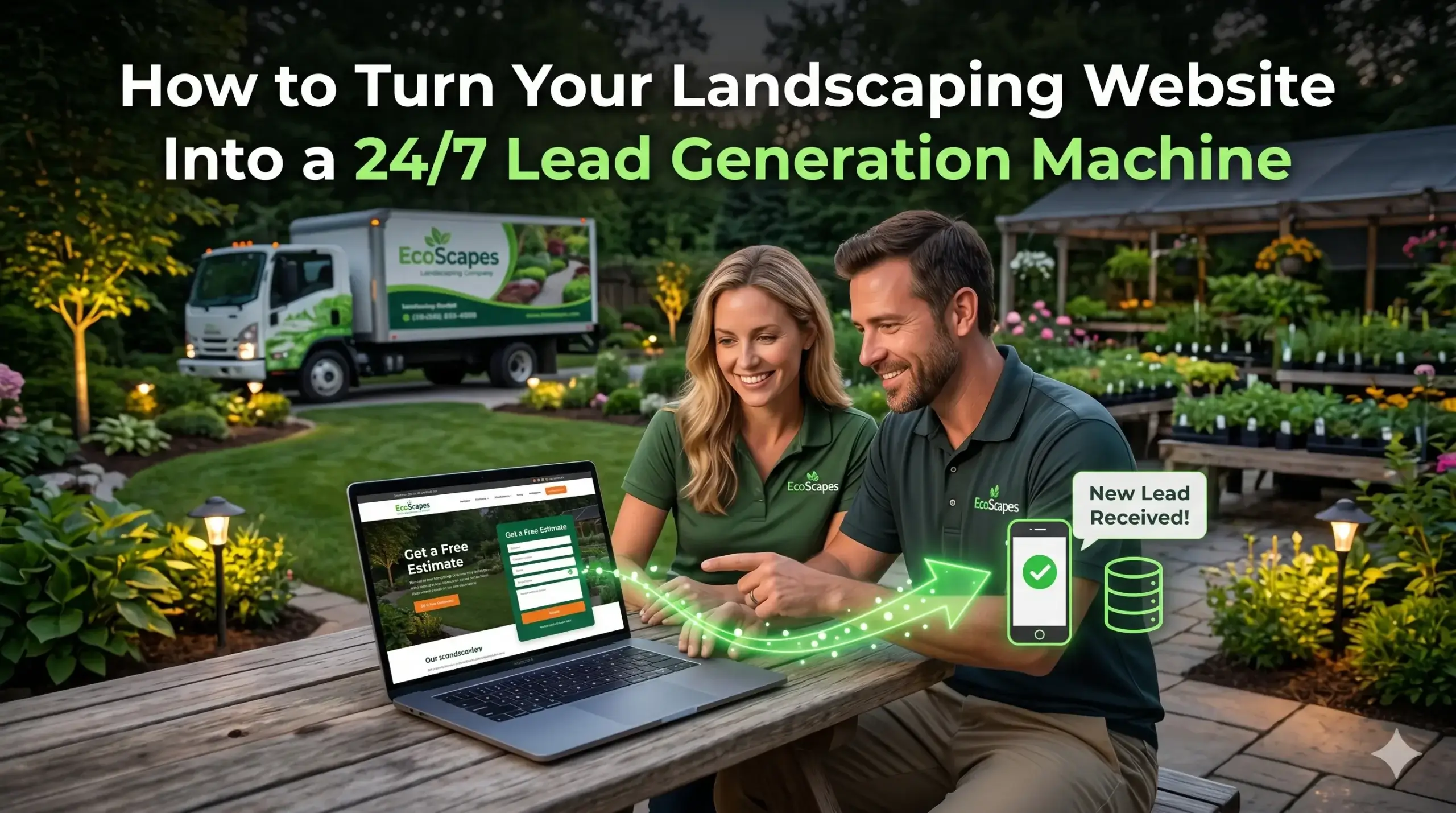
    How to Turn Your Landscaping Website Into a 24/7 Lead Generation Machine

    You finished a job today. The lawn looks immaculate. The client is thrilled. And somewhere across town, a homeowner searched “landscaping company near me” — found your competitor — and booked a consultation.

    Your phone never rang.

    That’s the quiet problem most landscaping business owners don’t see coming. They assume their website is “fine.” It loads. It has photos. It has a phone number somewhere. But fine doesn’t fill your schedule — and fine definitely doesn’t close jobs while you’re on the mower.

    Most landscaping websites aren’t broken. They’re just passive. They sit there and wait, instead of actively capturing every person who lands on them.

    This guide walks you through exactly what separates a landscaping website that generates calls every week from one that just exists on the internet — and what you can do about it.


    Your Website Is Your Best Salesperson (But Yours Might Be Calling in Sick)

    Think about your best crew member. They know the services, they know how to talk to customers, they show up on time, and they close the job. Now imagine that person showed up to a consultation looking disheveled, speaking in circles, and handing out a business card from 2018.

    That’s what a slow, outdated, poorly designed landscaping website does every time someone visits it.

    The average homeowner looking for a landscaping company makes their decision fast — sometimes within 30 seconds of landing on a site. If your site doesn’t immediately communicate what you do, where you work, and why you’re trustworthy, they leave. Quietly. Without calling.

    Digital Trace builds websites for landscaping businesses that are designed from the ground up to do one thing: turn visitors into leads. Not just look good — convert.


    Why Your Phone Isn’t Ringing (Even If You’re Getting Traffic)

    Traffic without conversions is the most common — and most frustrating — problem landscaping business owners face online.

    Here’s what’s actually happening: someone finds your site, clicks through, and then… nothing clicks. No urgency. No clear next step. No reason to call you instead of the three other companies they’re browsing.

    The most common reasons visitors leave without contacting you:

    • No clear call-to-action above the fold. Your phone number is buried. The visitor has to scroll to find it.
    • Generic service descriptions. “We offer lawn care, landscaping, and more” tells a homeowner nothing. They want to know you serve their area, understand their specific needs, and have done work like theirs.
    • No social proof up front. Reviews, photos of real jobs, and recognizable service areas build trust instantly — but most landscaping websites hide them at the bottom.
    • A contact form that feels like paperwork. Long forms kill momentum. Most people will close the tab before filling out eight fields.

    Every one of these issues is fixable. But you can’t fix what you can’t see.


    The Speed Problem: You’re Losing Customers in 3 Seconds

    Here’s something most people don’t realize: your website’s loading speed directly affects how many calls you get.

    Not in a vague “user experience” way. In a very real, measurable way.

    If your landscaping website takes more than 3 seconds to load on a phone, most visitors leave before they ever see your services, your photos, or your phone number. They don’t wait. They just hit the back button and call your competitor.

    And here’s the kicker — a slow site also hurts where you show up in Google. Google measures load speed as part of how it ranks websites. So a slow site doesn’t just lose the visitors it gets — it gets fewer visitors to begin with.

    The fix isn’t complicated, but it requires someone who knows what they’re doing: optimized images, clean code, fast hosting, and proper technical setup. These aren’t things a DIY website builder handles automatically.


    Google Can’t Recommend You If It Doesn’t Know Who You Are

    Imagine a local real estate agent who never hands out business cards, doesn’t list their name with the MLS, and operates entirely by word of mouth. They’d get some business — but they’d miss the vast majority of people looking to buy or sell.

    Your landscaping website has the same problem if it’s missing what’s called local SEO signals.

    Google is essentially a matchmaker. It’s trying to connect homeowners who need landscaping services with businesses that can help them. But if your website doesn’t clearly tell Google what you do, where you do it, and that you’re a legitimate, active business — Google won’t confidently send people your way.

    What this looks like in practice:

    • Your service areas aren’t clearly listed on your site (not just in your footer — in your content).
    • Your Google Business Profile isn’t connected or optimized to work alongside your website.
    • Your site has no structured data — a behind-the-scenes signal that helps Google understand your business type, services, and location without guessing.

    This is one of the most common places landscaping companies lose leads without ever knowing it. Fixing it means more visibility in local searches — without running a single ad.


    💡 Pro Tip

    One of the most overlooked mistakes in lawn care web design is having a beautiful site that’s completely invisible in local searches. This usually happens because the website was built without service area pages. If you serve five towns but only mention your main city once, Google treats you as a one-town operation. The fix is simple: create a dedicated page for each major area you serve, with real content about the services you offer there — not copy-paste filler. This alone can significantly expand where your site shows up in local results.


    What a Landscaping Website That Actually Works Looks Like

    The best landscaping websites aren’t necessarily the flashiest. They’re the ones that are built around how a homeowner actually decides who to hire.

    Here’s what a high-converting landscaping business website does:

    • Loads fast on mobile. Most searches happen on phones. If your site isn’t mobile-first, you’re losing more than half your potential leads.
    • Shows the work, not just the words. Real photos of real jobs. Before and afters. Specifics. Homeowners buy with their eyes.
    • Makes contacting you frictionless. One tap to call. A short, simple form. A clear offer (free estimate, free consultation) right at the top.
    • Builds trust immediately. Reviews, years in business, service areas, certifications — all visible without scrolling.
    • Ranks in your target cities. Service area pages, locally-optimized content, and proper Google Business integration all work together.

    Real Scenario: From Invisible to Booked Out

    A landscaping company in the Midwest had been in business for nine years. Solid reputation. Mostly repeat clients and referrals. But new customer growth had stalled. They had a website — had for years — but it was built on a free template, loaded slowly on mobile, and hadn’t been updated since they added two new services.

    The core problems: their site wasn’t showing up for searches in two of their most profitable service areas, they had no online reviews displayed anywhere on the site, and their contact form had seven required fields. Most mobile visitors bounced in under 15 seconds.

    After rebuilding the site with proper local SEO structure, fast mobile performance, streamlined contact options, and dedicated pages for each of their five service areas — the results were tangible within 90 days. Inbound calls from new customers more than doubled. Their average monthly new leads went from 4–5 to 18–22. Their busiest season became their most profitable ever — not because they advertised more, but because their website finally did the work it was supposed to.


    Not sure if your landscaping website has these issues? Get a free website audit — no obligation, just a clear picture of what’s costing you leads.


    Your Path to More Leads: 5 Steps That Actually Move the Needle

    You don’t need to overhaul everything overnight. Start here:

    1. Test your site on your phone. Pull it up on your personal smartphone, not your desktop. Does it load quickly? Is your phone number easy to tap? If you’re wincing, your customers are leaving.
    2. Check where you show up in Google. Search “landscaping company [your city]” from an incognito window. If you’re not on the first page, most people will never find you organically.
    3. Count your conversion points. How many places on your homepage can someone contact you? If it’s fewer than three, you’re making people work too hard to hire you.
    4. Look at your photos. Stock images and old project photos won’t win anyone over. Real, high-quality photos of your actual work are one of the highest-converting elements on any landscaping website.
    5. Get an expert set of eyes on it. Most landscaping business owners can’t see the technical issues killing their lead flow — because those issues are invisible to the naked eye. A professional audit surfaces them fast.

    Frequently Asked Questions

    Why am I not getting calls even though I have a website?

    Having a website and having a website that generates leads are two very different things. Most landscaping websites are built to look good — not to convert visitors into callers. Issues like slow load times, buried contact info, no local SEO, and weak calls-to-action silently cost you leads every single day without showing any obvious symptoms.

    How do I know if my landscaping website is actually working?

    If you can’t point to specific calls or form submissions that came directly from your website each month, it’s probably not working as hard as it should be. A proper website audit will show you exactly how many people are visiting, where they’re dropping off, and what’s preventing them from contacting you. Book a free review here.

    How long does it take to see results from a new landscaping website?

    A well-built website can start generating leads within weeks for people already searching for landscaping services. Local SEO results — ranking for searches in your service areas — typically build over 60–120 days. The businesses that see results fastest are the ones that get both the technical foundation and the local content strategy right from the start.

    What makes a landscaping website different from a regular business website?

    A landscaping business lives and dies by local trust and visual proof. Your website needs to show homeowners that you work in their neighborhood, that your work looks great, and that booking you is easy. That’s a very specific combination of local SEO, project photography, service area structure, and conversion design that a generic website builder simply doesn’t account for.

    Do I really need a fast website if my customers are local?

    Especially if your customers are local. Most homeowners search on their phones — often in the moment, between errands, or when they’re standing in their yard frustrated with their lawn. If your site doesn’t load in 2–3 seconds on a phone, they’re already calling someone else. Speed is one of the most direct links between your website and your phone ringing.

    I’ve worked with agencies before and didn’t see results. Why would this be different?

    That’s a fair concern — and it’s one Digital Trace hears often. The difference is in the specificity. Most agencies build websites. Digital Trace builds websites specifically for landscaping businesses, with a focus on local lead generation from day one. The audit process also means you’ll know exactly what the problems are before any work begins — no vague promises.


    Ready to Stop Losing Leads You Should Be Getting?

    Every week your current website sits there underperforming, it’s handing jobs to your competitors. Not because they’re better at landscaping — but because their website does a better job of converting visitors into customers.

    A free website audit from Digital Trace will show you exactly where your landscaping website is losing leads, why it’s not ranking where it should, and what a high-converting site would look like for your specific business.

    No pressure. No sales pitch. Just a clear, honest look at what’s costing you.
    Get your free landscaping website audit →

  • Why Landscaping Business Owners Are Losing Leads to Competitors With Better Websites

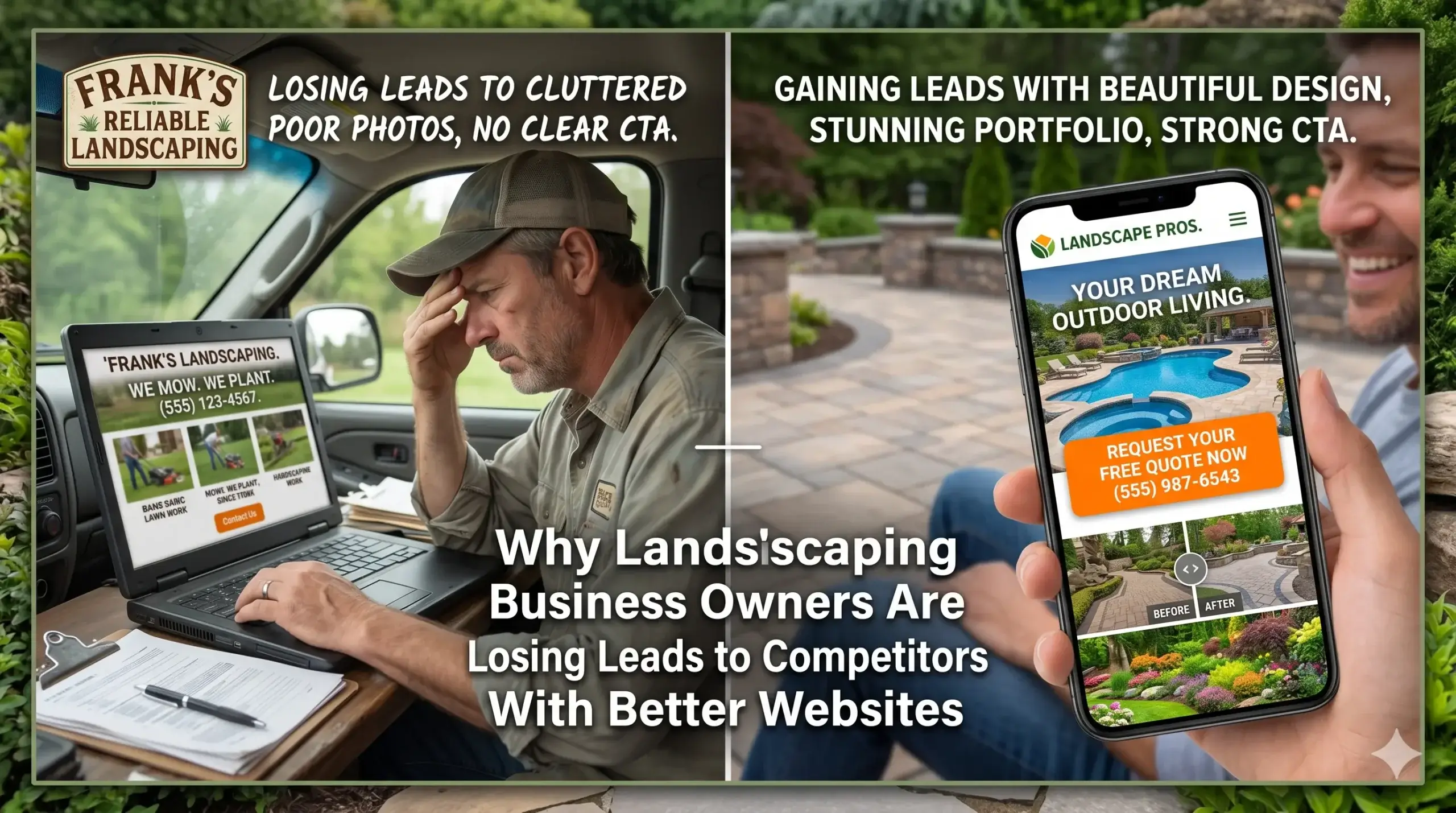
    Why Landscaping Business Owners Are Losing Leads to Competitors With Better Websites

    You’ve built a real business. You show up on time, your crews do clean work, and your customers refer you to their neighbors. But your phone isn’t ringing the way it should be — and somewhere across town, a competitor with half your experience is booked out six weeks.

    The difference isn’t their crew. It’s their website.

    Most landscaping business owners assume leads come from word of mouth and Google Maps. And they do — but only if your website does its job when someone actually clicks on you. A weak website quietly filters out potential customers before they ever call. They land on your page, look around for three seconds, and leave. No call. No form fill. Just gone.

    Here are 7 signs your landscaping website is costing you jobs — and what to do about each one before your competition gets further ahead.


    Sign #1: Your Website Loads Like It’s Running on Dial-Up

    Picture this: a homeowner is sitting in their car after work, phone in hand, searching for a landscaping company to redo their backyard before summer. They tap your link. It spins. And spins. They close it and tap the next result.

    That’s not a hypothetical. It happens to slow websites hundreds of times a day.

    Most people will abandon a site that takes more than 3 seconds to load — and on mobile, that window is even shorter. Your site might look fine to you because you’ve seen it before and it’s cached on your device. First-time visitors get the full slow experience.

    What’s usually causing it:

    • Uncompressed photos (landscaping sites are image-heavy — this is the #1 culprit)
    • Cheap hosting that can’t handle traffic
    • Bloated page builders loaded with code your site doesn’t need

    What Digital Trace does instead: Every landscaping company website they build is optimized for speed from the ground up — compressed images, fast hosting, and clean code that doesn’t drag.


    Sign #2: Your Site Looks Wrong on a Phone

    More than 60% of local service searches happen on mobile. If your website looks fine on a desktop but breaks apart on an iPhone — buttons that are too small to tap, text that runs off the screen, photos that stack weirdly — you’re losing the majority of people who find you.

    This isn’t about aesthetics. It’s about whether someone can actually read your services and find your phone number without pinching and zooming.

    Ask yourself: Can someone visiting your site on their phone call you in under 10 seconds without scrolling?

    If the answer is no, you’re losing calls every single day.


    Sign #3: You Don’t Show Up When People Search for What You Do

    A homeowner in your area types “lawn care company near me” or “landscaping services in [your city].” Your competitor shows up. You don’t.

    This isn’t random. Google makes a judgment call about which sites to show based on how your website is built, what it says, and whether it’s set up to signal what your business does and where you serve.

    Most landscaping websites are missing the basics:

    • No location-specific service pages (one generic “Services” page doesn’t cut it)
    • No Google Business Profile connected to a properly optimized site
    • Missing behind-the-scenes signals that tell Google what your business does

    Think of it like this: if your equipment shows up to a job site with no signage, no uniforms, and no clear indication of who you are — the homeowner’s neighbors won’t know who to call. Your website works the same way. Google needs clear signals to confidently put you in front of people searching for what you do.


    Sign #4: Visitors Land on Your Site and Have No Idea What to Do Next

    Someone finds your website. They look at it. They leave.

    Not because they didn’t need landscaping. Not because your prices were wrong. Because your site gave them no clear next step.

    The best landscaping websites are built around one goal: getting the visitor to contact you. Everything on the page — the layout, the buttons, the images — guides them toward that action.

    A weak landscaping website has:

    • No visible phone number above the fold (you have to scroll to find it)
    • A contact form buried at the bottom
    • Generic calls-to-action like “Learn More” instead of “Get a Free Estimate”
    • A homepage that talks about your company history instead of the customer’s problem

    What works instead: A clear headline that speaks to what the homeowner wants (“Transform Your Yard — Without the Hassle”), a visible phone number at the top, and a single strong call-to-action they can’t miss.


    Sign #5: Your Photos Don’t Show What You’re Actually Capable Of

    Landscaping is a visual business. A homeowner deciding between you and three competitors is going to make that call partly based on what they see. If your website has blurry before/after photos, generic stock images of yards that aren’t yours, or no project gallery at all — you’re leaving trust on the table.

    Your work is your portfolio. If it’s not front and center on your site, you’re asking people to take your word for it — and most won’t.

    What strong landscaping websites do: They lead with real project photos, organized by service type (lawn care, hardscaping, irrigation, seasonal cleanups). Visitors can see exactly what they’d be getting.


    💡 Pro Tip: Your Contact Form May Be Broken and You Don’t Know It

    One of the most common — and costly — mistakes on landscaping websites is a contact form that silently fails. Submissions go nowhere. The homeowner thinks they reached out. You never got the message. Both of you move on.

    Test your own form right now. Submit a message and see if it arrives. Also check that form submissions send to an email you actually monitor — not an old address you forgot to update. Digital Trace tests every contact point on every site they build, because a form that doesn’t work is worse than no form at all.


    Sign #6: Google Doesn’t Know Enough About Your Business to Recommend It

    There’s a hidden layer on every website that Google reads — information that tells it what your business does, where you serve, what services you offer, and whether you’re a legitimate local company worth recommending.

    Most landscaping websites are missing this entirely. It’s not visible to your customers, but it matters to Google.

    Without it, Google treats your site like an unknown: it exists, but there’s not enough context to confidently put it in front of someone searching for landscaping in your area.

    The fix isn’t complicated — it’s about making sure your site is set up with the right structure so Google has what it needs. The websites Digital Trace builds for landscaping companies include this from day one, so Google can understand and rank them without months of guesswork.


    Sign #7: Your Site Looks Like It Was Built in 2014

    Design trends in web aren’t about aesthetics for the sake of it. An outdated site signals to a visitor — consciously or not — that your business might be similarly behind. If your homepage has small cluttered text, a dated color scheme, rotating banner slideshows, or a layout that looks like a template from a decade ago, visitors make a snap judgment.

    You have about 3–5 seconds to create a first impression. An outdated landscaping website wastes that window.

    The best landscaping websites today are clean, fast, modern, and built around what customers actually care about: seeing your work, understanding your services, and knowing how to reach you.


    Before and After: What a Better Website Actually Does

    A mid-size landscaping company in the Southeast — a two-crew operation focused on residential lawn care and seasonal cleanups — was getting steady referrals but almost no leads from their website. They had a site, but it was slow, looked cramped on mobile, and had no location-specific pages for the three cities they served.

    After rebuilding their site with a focus on speed, mobile usability, local SEO structure, and clear calls-to-action:

    • Their site went from taking 7+ seconds to load to under 2 seconds
    • Contact form submissions increased within the first 60 days
    • They started appearing in searches for multiple nearby cities, not just their home base
    • By month three, they had booked enough new clients from the website alone to justify adding a third crew earlier than planned

    The work didn’t change. The crews didn’t change. The website did.


    Not sure if your landscaping website has these issues? Get a free website audit — no obligation, just a clear picture of what’s costing you leads.


    Your Path to More Leads: 5 Steps That Actually Move the Needle

    You don’t need to understand web development to fix what’s broken. Here’s what the process looks like:

    1. Find out what’s actually wrong. A free audit identifies the specific problems on your current site — speed, mobile issues, SEO gaps, conversion problems. You can’t fix what you don’t know about.
    2. Prioritize the biggest revenue leaks first. Not everything needs to be rebuilt at once. Start with the issues costing you the most leads right now — usually speed and mobile usability.
    3. Build (or rebuild) around your customer, not your company. The goal of your website is to get a visitor to contact you. Every element should serve that goal.
    4. Make Google your business development partner. With the right structure, your site works around the clock — putting you in front of homeowners actively searching for landscaping help in your area.
    5. Track what’s working. A properly set-up site tells you where visitors come from, what they look at, and where they drop off. That data helps you improve over time instead of guessing.

    Frequently Asked Questions

    Why am I not getting calls from my website even though I have one?

    Having a website and having a website that generates leads are two different things. Most landscaping sites exist but aren’t built to convert visitors into callers. Common culprits: slow load times, no clear call-to-action, hard-to-find contact info, and no local SEO setup. Get a free audit to see exactly what’s blocking calls on your site.

    How do I know if my landscaping website is actually working?

    If you can’t tell you where your website visitors are coming from, how many people visit each month, or how many of them contact you — your site isn’t set up to track that. A working landscaping website has analytics, clear conversion paths, and ideally shows up in Google searches for your service areas. If none of that sounds familiar, it’s worth getting a professional eye on it.

    How long does it take to see results from a new landscaping website?

    Some improvements — like a better mobile layout and faster load time — show results almost immediately in terms of user experience and form submissions. SEO results, where your site ranks in Google searches, typically start showing meaningful movement within 60–120 days. It’s not instant, but it compounds over time. A well-built site keeps working for you long after the initial investment.

    What makes a landscaping website different from a regular business website?

    Landscaping is a high-visual, locally-driven, and seasonally urgent business. Your website needs to lead with stunning project photos, speak to local homeowners by service area, and make it effortless to request an estimate. It also needs to rank for the specific services you offer — lawn care, hardscaping, irrigation, cleanups — not just “landscaping” in general. Generic websites built for “any small business” miss all of that.

    Do I really need a fast website if most of my customers are local and find me through referrals?

    Referrals are great — but they check your website before they call. Even a customer referred by a neighbor will often Google you first to see your work and confirm you’re legit. If they land on a slow, outdated site, some of them will quietly move on. A fast, professional site closes the referral loop instead of breaking it.

    My competitor seems to get more jobs even though I do better work. Could their website really be the reason?

    Probably yes — at least in part. If their site loads faster, shows up higher in search results, and makes it easier to request a quote, they’re capturing people who never even got a chance to find out how good your work is. Quality of work matters enormously once someone hires you. But a better website gets them in the door first.


    Stop Leaving Jobs on the Table

    Your website should be working as hard as your crew — finding potential customers, building trust before anyone picks up the phone, and making it easy for a homeowner to choose you over the competition.

    Most landscaping websites aren’t doing that. They’re sitting there passively while better-built competitors take the calls.

    The good news: these problems are fixable. You don’t need to start from scratch necessarily — but you do need to know exactly what’s broken before you can fix it.

    Book a free website audit with Digital Trace — we’ll look at your landscaping website, identify exactly what’s costing you leads, and give you a clear picture of what a better site could mean for your business. No obligation. No jargon. Just real answers.

  • What the Best Landscaping Websites Have in Common (And How to Copy Them)

    What the Best Landscaping Websites Have in Common (And How to Copy Them)

    You do great work. Your yards look immaculate, your clients love yoYou built a beautiful website. You paid someone to make it look great. And yet — the phone still isn’t ringing the way it should.

    Here’s what most landscaping business owners don’t realize: a good-looking website and a website that actually brings in leads are two completely different things. The best landscaping websites aren’t just pretty — they’re engineered to convert a visitor into a phone call in under 60 seconds. Most landscaping sites don’t come close.

    This isn’t about marketing tricks or gaming the algorithm. It’s about understanding what homeowners and property managers actually do when they land on your site — and making sure your site gives them exactly what they need to call you instead of your competitor. By the end of this post, you’ll know what separates the sites that win from the ones that go unnoticed, and what you can do about it.


    Your Website Is Like a Truck With No Signs on the Side

    Think about what happens when a new homeowner moves into the neighborhood. They need landscaping, and they have no idea who to call. They pull out their phone, type something like “landscaping company near me,” and start clicking through results.

    Your website has about 5 seconds to convince them they’re in the right place — or they hit the back button and call someone else.

    That’s your window. Five seconds.

    Most landscaping websites fail at this because they open with a generic headline (“Welcome to Green Valley Landscaping!”), a slow-loading banner image, and navigation that makes it hard to find a phone number. It’s like having a work truck with zero signage driving through a neighborhood — you’re there, but nobody knows what you do or how to reach you.

    The best landscaping websites do the opposite. They open with a clear headline that names what they do and who they serve (“Professional Lawn Care & Landscaping in [City] — Call for a Free Estimate”), a click-to-call phone number visible in the top right on every device, and a hero image of real work they’ve done — not a stock photo of a generic green lawn.


    The Problem Isn’t Your Work — It’s Your Load Time

    You’ve put years into your craft. But if your website takes more than 3 seconds to load, most visitors never see it.

    Studies consistently show that over half of mobile users will abandon a page that takes longer than 3 seconds to load. For landscaping businesses, where nearly every search happens on a phone while someone is standing in their backyard, this is a serious problem.

    Slow websites happen for a few common reasons:

    • Oversized photos that weren’t compressed before uploading
    • Cheap hosting that can’t handle traffic spikes
    • Outdated page builders that load unnecessary code behind the scenes
    • Too many plugins or third-party widgets running on every page

    The real cost isn’t technical — it’s dollars. Every visitor who leaves before your site loads is a potential customer who called someone else. If your site gets 300 visitors a month and half of them bounce because it’s slow, that’s 150 missed opportunities every single month.

    Websites built for landscaping businesses need to load fast on mobile above everything else. That means using properly compressed images, clean code, and hosting built for performance — not the cheapest option your web guy could find.


    Google Doesn’t Know Your Business Exists — And Neither Do Your Customers

    Here’s a question worth sitting with: if someone in your service area searches “landscaping company + [your city]” right now, does your business show up?

    If the answer is “I’m not sure” or “sometimes,” there’s a structural problem with how your website is set up.

    Google uses signals from your website to decide who to show in local search results. If your site doesn’t clearly communicate what services you offer, which cities and neighborhoods you serve, and what makes you different from the 12 other landscaping companies in your area — Google won’t show it confidently.

    This isn’t about stuffing your site with keywords. It’s about structure:

    • Does each service (lawn care, hardscaping, irrigation, etc.) have its own dedicated page?
    • Does your site mention the specific cities and neighborhoods you work in?
    • Is your Google Business Profile connected and consistent with what’s on your website?
    • Does your site load with the right technical signals that tell Google it’s trustworthy and relevant?

    The best landscaping websites answer all of these questions clearly. Yours may not — and that’s why your competitor who does less work than you shows up on the first page while you’re on page three.


    💡 Pro Tip: Your Homepage Is Probably Trying to Do Too Much

    One of the most common mistakes landscaping business owners make is treating their homepage like a brochure — cramming in every service, every photo, every testimonial, and a contact form all at once.

    The result? Visitors get overwhelmed, don’t know where to look, and leave without calling.

    The fix is simpler than you think: your homepage should do one thing — get the visitor to take the next step, whether that’s calling you, requesting a quote, or clicking to a specific service page. A clear headline, a visible phone number, 2–3 featured services with links to dedicated pages, and a handful of real project photos is all you need. Everything else is noise that costs you leads.


    What Happens When You Don’t Have Real Reviews Visible

    Most homeowners won’t hire a landscaping company they’ve never heard of without some form of social proof. That’s just how it works. They want to know that other people in their neighborhood hired you and were happy.

    But here’s the problem: most landscaping websites either don’t show reviews at all, or they bury a few testimonials on a page nobody visits.

    The best landscaping websites make reviews impossible to miss:

    • Star ratings and review snippets visible on the homepage
    • Real customer names and neighborhoods (not just “— John D.”)
    • A live Google Reviews widget or link directly to the review profile
    • Project photos paired with the review that goes with them

    When a homeowner lands on your site and sees that 87 families in their area have given you 5-star reviews — with photos to prove it — the decision to call becomes a lot easier.


    The Before/After: What a Better Website Actually Changes

    Meet Marcus, the owner of a residential landscaping company operating across three suburbs outside of Atlanta, Georgia. He’d been in business for 11 years, had a strong reputation, and a website he’d paid $2,500 for six years ago.

    The website looked decent. It had photos, a services page, and a contact form. But Marcus was getting maybe 2–3 website leads per month — and he suspected he was missing more than that.

    The problems:

    • The site loaded in 6.8 seconds on mobile
    • There was no dedicated page for his most profitable service: commercial property maintenance
    • His service area (three specific suburbs) wasn’t mentioned anywhere on the site
    • His 63 Google reviews weren’t visible anywhere on the website
    • There was no click-to-call button — visitors had to manually copy his phone number

    What changed: After a full rebuild focused on performance and conversion, Marcus’s site loaded in under 2 seconds. He had dedicated service pages for each of his six core offerings, with content that named his three service cities. His Google reviews were displayed on the homepage. A click-to-call button appeared at the top of every page.

    The result: Within 90 days, his website was generating 11–14 leads per month — more than four times what it was before. Two of those leads converted into commercial maintenance contracts worth over $40,000 annually combined.

    The work didn’t change. The website did.


    Not sure if your landscaping website has these issues? Get a free website audit — no obligation, just a clear picture of what’s costing you leads.


    Your Path to More Leads

    If you’re looking at your website differently after reading this, here’s a simple framework for what to do next:

    1. Test your site on your phone — right now. Open your website on your phone using mobile data, not WiFi. Count how long it takes to load. If it takes more than 3 seconds, you’re losing leads every day.

    2. Check if your phone number is clickable. On a phone, your number should be a tap-to-call link — not text someone has to copy and paste. If it’s not, that’s a fix you need today.

    3. Look at your homepage with fresh eyes. Pretend you’re a homeowner who’s never heard of your company. Can you tell within 5 seconds what you do, where you work, and how to contact you? If not, your homepage needs work.

    4. Make sure each of your main services has its own page. Lawn care, hardscaping, irrigation, seasonal cleanups — each deserves its own page with a clear description of what you offer, the area you serve, and a call to action.

    5. Get your reviews front and center. If you have strong Google reviews, they should be visible on your homepage. If you don’t have many reviews yet, start asking happy clients — that’s one of the highest-impact things you can do for free.


    Frequently Asked Questions

    Why am I not getting calls from my website?

    There are usually a few culprits: your site loads too slowly for mobile users, your phone number isn’t easy to find or click, or your site doesn’t rank in local search because it doesn’t clearly tell Google what you do and where. Most landscaping websites have at least two of these problems — often without the owner realizing it.

    How do I know if my landscaping website is actually working?

    A working website generates consistent, trackable leads — not just visitors. If you don’t know how many people visit your site each month, where they come from, or how many contact you, you’re flying blind. Basic analytics (free with Google Analytics) will show you this. A site that gets traffic but no calls usually has a conversion problem, not a traffic problem.

    How long does it take to see results from a new website?

    Most landscaping businesses see meaningful changes within 60–90 days of launching a properly optimized website. Some improvements — like a faster load time and a better mobile experience — show results almost immediately in the form of lower bounce rates. SEO improvements build over time, but a well-structured site typically sees ranking movement within the first few months. Book a free review to get a realistic picture of what to expect for your specific situation.

    What makes a landscaping website different from a regular business website?

    Landscaping is a hyper-local, visually driven service — and your website needs to reflect that. It needs to rank for local searches in specific neighborhoods, showcase real project photography that builds trust quickly, and make it dead simple to get a quote on a mobile phone. A generic business website template won’t do any of those things well. The structure, content, and performance requirements are specific to how homeowners actually search for and evaluate landscaping companies.

    Do I really need a fast website if my customers are local?

    Yes — especially because your customers are local. Nearly every landscaping search happens on a mobile phone, often outdoors with variable signal strength. A slow site is a leaky bucket: you’re spending time and money getting people to your site, and then losing them before they see a single photo of your work. Speed is one of the highest-leverage improvements you can make to a landscaping website.

    My website looks good. Why isn’t it working?

    “Looks good” and “converts visitors into calls” are two different standards. A site can look professional and still fail to rank in local search, load too slowly on mobile, or bury the contact information where visitors can’t find it. The best landscaping websites are designed around one goal: turning a curious visitor into a phone call. Aesthetics matter, but they’re in service of that goal — not a substitute for it.


    Ready to Find Out What Your Website Is Actually Costing You?

    Most landscaping business owners don’t know how many leads their website is losing every week. It’s not visible — there’s no alert when someone leaves your site without calling. But the revenue it represents is very real.

    Digital Trace audits landscaping websites specifically — not generic audits, but a detailed look at how your site performs on mobile, how it ranks in local search, and exactly where visitors are dropping off before they contact you.

    There’s no pitch. No obligation. Just a clear, honest picture of what’s working, what isn’t, and what it would take to fix it.

    Get your free landscaping website audit →

  • How to Get More Landscaping Clients With a Professional Website

    How to Get More Landscaping Clients With a Professional Website

    You’re busy every day — mowing, planting, hauling, quoting — and your crew is booked out two weeks. So why isn’t the phone ringing with new jobs?

    Most landscaping business owners assume it’s slow season, or that word-of-mouth will pick up. But there’s a quieter problem working against you 24 hours a day: your website is turning away the exact customers who searched for you, found your site, and left without calling.

    These are warm leads — people who wanted to hire a landscaper. They just looked at your website for 10 seconds, decided you weren’t the right fit, and called someone else.

    That’s not a marketing problem. That’s a website problem. And the good news is, it’s fixable.

    Here are the 7 signs your landscaping website is costing you jobs — and what to do about each one.


    Sign #1: Your Site Takes Forever to Load

    Picture this: a homeowner searches “landscaping company near me,” clicks your link, and stares at a white screen. Most people give it about three seconds before they hit the back button and move on to the next result. That next result is probably your competitor.

    Slow load times aren’t just annoying — they’re a direct signal to Google that your site delivers a bad experience. Google uses page speed as a ranking factor, which means a slow site doesn’t just lose visitors, it also gets buried in search results so fewer people find it in the first place.

    The cause is usually oversized photos, outdated hosting, or bloated website themes — none of which you’d ever know to look for unless you build websites for a living.

    What fixes it: Compressed images, modern hosting, and clean code. At Digital Trace, every landscaping website we build is optimized for speed from the ground up — not patched together after the fact.


    Sign #2: Your Site Looks Bad on a Phone

    More than half of all web searches happen on a smartphone. When a homeowner is standing in their backyard thinking “I need to get this lawn sorted,” they pull out their phone, search, and make a decision fast. If your site doesn’t load cleanly on mobile — if they’re pinching and zooming just to read your phone number — they’re gone.

    A site that looks fine on a desktop but falls apart on mobile isn’t just a design inconvenience. It tells the visitor that your business isn’t modern or professional. For a landscaping company, where trust and curb appeal matter, that’s a reputation problem before the first conversation even starts.

    What fixes it: A mobile-first design that adapts to any screen size. Every website we build for landscaping businesses looks sharp whether it’s viewed on a desktop, tablet, or phone.


    Sign #3: There’s No Clear “Call Us” Prompt

    Your visitors shouldn’t have to hunt for your phone number. If someone lands on your homepage and has to scroll to the bottom — or click through to a contact page — to find how to reach you, most of them won’t bother.

    Think of your website like one of your crews showing up to a job site. If the crew pulls up and the homeowner can’t find them, can’t reach them, doesn’t know where to go — that job falls apart before it starts. Your website needs to greet every visitor with a clear, obvious next step: call now, request a quote, get a free estimate.

    What fixes it: A phone number in the top right corner of every page, a visible “Get a Free Quote” button above the scroll, and a contact form that’s easy to complete on any device.


    Sign #4: Your Photos Look Like Stock Images (or Don’t Exist)

    Homeowners hiring a landscaper want to see the work before they commit. If your site shows stock images of perfectly manicured suburban lawns that look nothing like actual jobs your crew has done, potential clients notice. It reads as untrustworthy — and in a competitive market, untrustworthy gets skipped.

    On the flip side, if your site has no project photos at all — just text and maybe a logo — you’re asking people to take a leap of faith with a business they’ve never heard of. That’s a hard sell.

    What fixes it: Real photos of your actual work. Even phone photos shot in good lighting are better than generic stock. A gallery section that shows before-and-afters, seasonal projects, and different service types (lawn care, landscaping design, hardscaping) builds the kind of proof that closes jobs.


    💡 Pro Tip: One of the most common mistakes landscaping businesses make is listing their services without showing them. A potential client reading “lawn maintenance, landscaping design, irrigation systems” gets zero emotional response. A potential client seeing a transformation you created — a plain yard turned into a clean, designed outdoor space — immediately thinks, “I want that for my home.” Add photos to every service you list. It’s the single fastest way to turn browsers into callers.


    Sign #5: Google Doesn’t Know What Your Business Does or Where You Are

    Here’s something most landscaping business owners never think about: Google isn’t just reading your website the way a person would. It’s scanning it for specific signals that tell it what your business does, where you serve customers, and whether it should show you in search results.

    If your site is missing those signals — things like properly structured location information, service-specific pages, and the technical data Google uses to categorize your business — Google simply won’t show you confidently in local search results. Your competitor who has those signals in place shows up at the top. You don’t.

    You’re not doing anything wrong. Your site just wasn’t built to communicate with search engines the way a high-performing landscaping website should be.

    What fixes it: Local SEO structure baked into the site — including location-specific content, properly formatted contact and service information, and technical optimization that tells Google exactly who you are, what you offer, and who you serve.


    Sign #6: Your Site Has No Reviews, Testimonials, or Social Proof

    Before a homeowner calls you, they want evidence that you’re reliable. In the landscaping world, reputation is everything. A crew that shows up late, does poor work, or ghosts a client can destroy a business through word of mouth. People know this — and they’re cautious.

    If your website doesn’t show any reviews, star ratings, or testimonials, it doesn’t matter how good your actual work is. Visitors have no way to know. So they go looking for a landscaper whose site gives them the confidence they’re looking for.

    What fixes it: Pull your best Google reviews onto your homepage. Add a testimonials section with first names, neighborhoods, and the specific work completed. Even three or four genuine quotes from happy clients can significantly increase the number of people who decide to pick up the phone.


    Sign #7: Your Website Has No Personality — It Could Be Anyone’s Site

    The last sign is the one that’s easiest to overlook: your website looks and sounds exactly like every other landscaping site on the internet. Same green color scheme, same “We’re passionate about creating beautiful outdoor spaces” headline, same generic list of services.

    When everything looks the same, people can’t choose you specifically. They just go with whoever is cheapest or whoever pops up first.

    Your landscaping business has a story — how long you’ve been doing this, the types of work you specialize in, maybe the fact that you’re a family operation or that you’ve served your local community for a decade. That story belongs on your website.

    What fixes it: A website that reflects who you actually are. Specific language about what you do differently. A photo of your crew. A clear, honest statement about your service area and the types of jobs you take on. That kind of specificity builds trust faster than any generic tagline ever will.


    Before and After: What Changes When the Website Works

    Consider a landscaping company in the Midwest — full-service lawn care and seasonal landscaping design. The owner had a website built several years ago. It loaded slowly, had no mobile optimization, and listed services without any photos of actual work. The contact form went to an email address the owner checked once a week.

    Leads trickled in, mostly from referrals. The site ranked on page three for the town’s main landscaping search terms. The owner assumed the website “was fine.”

    After a full rebuild — faster load times, mobile-first design, real project photos, testimonials from past clients, and properly structured local SEO — the site ranked on page one for multiple local search terms within three months. The contact form was routed directly to the owner’s phone. Monthly web-generated leads went from roughly two or three to over twenty.

    The business didn’t change. The work didn’t change. The website did.


    Not sure if your landscaping website has these problems? Get a free website audit — no obligation, just a clear picture of what’s costing you leads.


    Your Path to More Landscaping Leads

    Here are the five steps that separate a landscaping website that generates jobs from one that doesn’t:

    1. Speed it up. If your site takes more than three seconds to load on mobile, fix that first. It affects both how visitors feel and how Google ranks you.
    2. Make it easy to contact you. Your phone number and a quote button should be visible on every single page without scrolling.
    3. Show your actual work. Photos of real jobs — especially before-and-afters — do more convincing than any copywriting.
    4. Add your reviews. Bring Google reviews onto your site. If you don’t have many, start asking satisfied clients to leave one — and respond to every one you get.
    5. Talk to a professional who knows landscaping websites. The fixes above are straightforward, but combining them with proper local SEO structure and conversion-focused design is where the real gains happen. See how Digital Trace builds websites for landscaping businesses — and what that looks like in practice.

    Frequently Asked Questions

    Why am I not getting calls from my website?

    Usually it comes down to one of three things: your site isn’t showing up in search results because it lacks local SEO structure, visitors are landing on your site but leaving before they find your contact info, or the site doesn’t build enough trust for someone to pick up the phone. A free audit can tell you exactly which issue is costing you leads — book yours here.

    How do I know if my landscaping website is actually working?

    If your site isn’t generating at least a handful of inbound leads per month from people who found you through Google, it’s not working. A working landscaping website ranks for local search terms, loads fast on mobile, and makes it easy for visitors to take the next step. If you’re not seeing that, something needs to change.

    How long does it take to see results from a new website?

    Most landscaping businesses see measurable improvement in local search rankings within 60 to 90 days of launching a properly built site. Lead volume typically follows shortly after. The exact timeline depends on your market and how competitive your service area is — but the foundation of a well-built site starts working from day one.

    What makes a landscaping website different from a regular business website?

    Landscaping is a highly visual, highly local business. A good landscaping website needs to show real project photos, reflect the specific neighborhoods and regions you serve, and be structured so Google connects your site to local searches like “lawn care near me” or “landscaping company in [city].” A generic website template doesn’t do any of that.

    Do I really need a fast website if my customers are local?

    Yes — maybe more than any other business type. Local customers are making decisions quickly, often on their phones, while they’re thinking about their yard right now. If your site loads slowly or doesn’t display properly on mobile, they move on to the next option before your homepage even finishes loading. Speed matters most when the decision is fast.

    I’ve worked with web agencies before and didn’t see results. Why would this be different?

    That’s a fair question — and an important one. Most generic web agencies build sites that look decent but aren’t built for how landscaping clients actually search and decide. Digital Trace specifically builds websites for service businesses like landscapers, with local SEO and conversion structure built in from the start — not added as an afterthought. If you’re skeptical, start with a free audit. No pitch, just a clear look at what’s actually happening with your current site.


    Ready to Find Out What Your Website Is Really Costing You?

    Every week your landscaping website isn’t working, you’re leaving jobs on the table. Homeowners are searching, clicking, and leaving — and most of them end up calling someone else.

    A free website audit from Digital Trace takes the guesswork out of it. You’ll see exactly where your site is underperforming, what it’s costing you in lost leads, and what a high-performing landscaping website looks like instead.

    There’s no obligation. No sales pressure. Just a clear, honest look at your site and a plan to fix it.

    Get your free landscaping website audit →

  • How to Get More Landscaping Clients With a Professional Website

    How to Get More Landscaping Clients With a Professional Website

    You do great work. Your lawns look immaculate, your crews show up on time, and your past clients are happy. So why is your phone not ringing from your website?

    Most landscaping business owners assume they just need “more traffic.” But traffic isn’t the problem. The problem is that most landscaping websites — even decent-looking ones — are quietly leaking leads every single day. Visitors land on the site, can’t find what they need fast enough, and call your competitor instead.

    This guide breaks down exactly why that happens, what a high-performing landscaping website design actually looks like, and what you can do right now to start turning your website into a lead machine.


    Why Your Website Looks Fine But Doesn’t Convert

    Think of your website like a front yard you maintain for a client. If it looks messy, people drive past. But even a clean lawn can have problems hiding underneath — dead roots, poor drainage, patchy spots that get worse every season.

    A website can look decent on the surface and still have serious problems underneath. Slow load speeds, confusing navigation, missing trust signals — these kill your conversion rate silently.

    Here’s what’s actually happening:

    • A potential customer searches “landscaping company near me” or “lawn care [city]”
    • They click your site and it takes more than 3 seconds to load
    • They’ve already hit the back button before your homepage even appears

    That’s not a traffic problem. That’s a website performance problem — and it’s fixable.


    The 5 Reasons Your Landscaping Website Isn’t Bringing in Calls

    1. Your Site Loads Too Slowly

    Most landscaping websites are loaded with large, uncompressed photos of past projects — which makes sense visually, but kills your load time. Research consistently shows that most mobile users abandon a site within 3 seconds if it hasn’t loaded.

    The technical fix involves compressing images, using faster hosting, and improving your site’s “core web vitals” — but what that means in plain English is: your potential client gives up before they even see your phone number.

    At Digital Trace, every landscaping site is optimized for speed from the ground up — not patched after the fact.

    2. Visitors Can’t Find What They Need in 5 Seconds

    When someone lands on your site, they’re trying to answer three questions immediately:

    • Do you serve my area?
    • Do you do the service I need?
    • How do I contact you?

    If those answers aren’t obvious in the first five seconds, they leave. Most landscaping websites bury service areas in the footer, hide services behind dropdown menus, and put the contact form three scrolls down the page.

    Your site’s job is to make those three answers impossible to miss — not to win a design award.

    3. Your Site Doesn’t Look Credible on a Phone

    More than half of local service searches happen on a mobile device. If your site looks awkward, oversized, or requires pinch-zooming on a phone, visitors assume your business is the same way — unprofessional.

    A mobile-first landscaping website ensures that a homeowner standing in their backyard can find your number, read your services, and hit “call” in under 10 seconds.

    4. Google Doesn’t Know Enough About You to Show Your Business

    Google ranks local businesses based on trust signals — and your website plays a major role in building that trust. If your site doesn’t clearly state your service areas, describe your specific services, and use the right behind-the-scenes markup, Google will show your competitor instead.

    It’s not that Google dislikes you. It just doesn’t have enough information to be confident recommending you. There’s a straightforward fix — but most landscaping websites don’t have it in place.

    5. There’s No Clear Next Step for the Visitor

    This one is underestimated. Many landscaping websites have a contact form buried on a separate page, no prominent phone number, and nothing that tells the visitor why they should act now.

    High-performing landscaping websites make the next step obvious: a click-to-call button visible on every page, a clear offer (free estimate, free consultation), and a simple form that takes less than 60 seconds to fill out.


    💡 Pro Tip: Your Google Business Profile and Website Must Match

    A common mistake landscaping owners make: the name, address, and phone number on their website don’t exactly match what’s listed on their Google Business Profile. Even small differences — like “LLC” on one and not the other — confuse Google’s algorithm and hurt your local rankings. Audit both right now and make sure they’re identical, including punctuation.


    What a High-Converting Landscaping Website Actually Looks Like

    A great landscaping website isn’t just pretty — it’s built to work. Here’s what separates the sites that bring in regular leads from the ones that sit there doing nothing:

    Above the fold (the first thing visitors see without scrolling):

    • Your city/service area prominently stated
    • A headline that speaks to what the customer wants (“Beautiful Lawns, Done Right — Serving [City] Since [Year]”)
    • A click-to-call button and a “Get a Free Estimate” button

    Services page:

    • Each service on its own dedicated page — not all lumped together
    • Written for how customers search, not how you think about your business (“spring lawn cleanup” not just “maintenance”)
    • Before/after photos with context

    Trust signals throughout:

    • Real reviews pulled from Google or embedded from Yelp
    • Years in business, number of clients served, licenses/insurance
    • Named, local — not generic stock photos

    Speed and mobile performance:

    • Loads in under 2 seconds on a mobile connection
    • Click-to-call works with one tap, no copying numbers

    Real Results: What Changes When the Website Actually Works

    Before: A residential landscaping company in the Midwest had a five-year-old website. It looked fine on a desktop but loaded in over 6 seconds on mobile and had no clear call-to-action. Their contact form was three pages deep. They were spending money on Google ads but converting under 1% of visitors.

    After: A rebuilt site — optimized for speed, restructured for mobile, with a click-to-call button above the fold, individual service pages, and proper local SEO markup. Load time dropped to under 2 seconds. The contact form was moved to the homepage. Within 90 days, their form submissions tripled and their phone was ringing from organic search for the first time in years.

    The lesson: Their service didn’t change. Their prices didn’t change. The website did — and the phone followed.


    Not sure if your landscaping website has these issues? Get a free website audit — no obligation, just a clear picture of what’s costing you leads.


    Your Path to More Leads: 5 Steps That Actually Work

    You don’t need to understand code or marketing jargon to get this right. Here’s what the path forward looks like:

    1. Audit what’s broken first. Before changing anything, find out where visitors are dropping off and why. This is what a professional audit reveals — the hidden problems costing you leads every month.
    2. Fix your speed and mobile experience. If your site takes more than 3 seconds to load on a phone, that’s the first thing to address. This one fix alone can meaningfully improve the number of people who stay and call.
    3. Make the next step impossible to miss. Add a click-to-call button to every page. Put a “Get a Free Estimate” CTA above the fold. Make your phone number visible without scrolling.
    4. Build out your service pages. Each service you offer — lawn maintenance, landscape design, irrigation, hardscaping — deserves its own page. This is how Google matches your site to the specific searches your customers are typing.
    5. Let the results tell the story. Real photos, real reviews, real service areas. Generic websites blend in. Specific, local websites build trust and convert.

    FAQ: Real Questions From Landscaping Business Owners

    Why am I not getting calls from my website?

    The most common reasons: your site loads too slowly and people leave before they see your number, there’s no clear call-to-action telling visitors what to do next, or your site isn’t showing up in local searches because Google doesn’t have enough trust signals to rank you. A website audit can pinpoint exactly which of these is the problem for your specific site.

    How do I know if my landscaping website is actually working?

    If your website were working, you’d know — because the phone would ring from people who found you on Google. If that’s not happening, your site isn’t working. Beyond gut-feel, look at your Google Search Console data: are people seeing your site in results? Are they clicking? If impressions are low, you have a visibility problem. If clicks are low, you have a relevance problem. If clicks are high but calls are low, you have a conversion problem. A free audit can show you exactly where the breakdown is.

    How long does it take to see results from a new website?

    Most landscaping businesses start seeing improvement in lead volume within 60–90 days of launching a properly built site. Speed and conversion improvements can show results faster — sometimes within weeks. Local SEO improvements build over a few months as Google indexes and trusts the new site.

    What makes a landscaping website different from a regular business website?

    Local service businesses like landscaping have very specific needs: hyperlocal SEO (ranking in your city, not nationally), click-to-call functionality for on-the-go homeowners, visual proof of work through photo galleries, and trust signals like licenses and insurance. A generic template doesn’t account for any of these. A landscaping-specific design is built around how homeowners actually search for and hire a lawn care company.

    Do I really need a fast website if my customers are local?

    Especially if your customers are local. Most homeowners searching for a landscaping company are on their phone, in their car, or standing in their backyard. They’re not patient. A slow, clunky site signals a slow, clunky business — even if that couldn’t be further from the truth. Speed is a trust signal, not just a technical metric.

    What does a new landscaping website actually cost?

    The better question is: what’s your current website costing you? If your site brings in zero calls per month and you’re running any kind of ad spend on top of it, you’re paying for traffic that disappears. A properly built landscaping website is an investment that compounds — every month, more leads, without increasing ad spend. Pricing varies by scope, but the right conversation starts with understanding what’s broken first.


    Ready to Find Out What Your Website Is Costing You?

    Most landscaping business owners are surprised by what an audit reveals — not because the problems are complicated, but because they’ve been quietly bleeding leads for months without knowing it.

    Digital Trace builds websites specifically for landscaping businesses across the US — built for speed, built to rank locally, and built to turn visitors into calls. No fluff, no bloated retainers, no guesswork.

    Book your free website audit today — we’ll show you exactly what’s costing you leads and what it would take to fix it. No obligation. No pressure. Just a straight answer.